
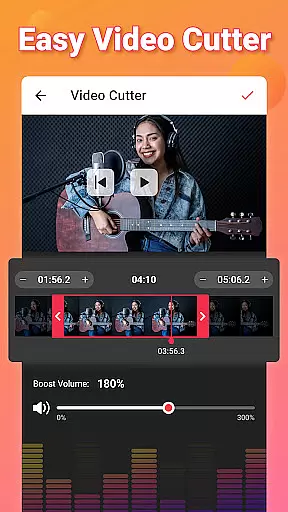
Video to MP3 is a versatile media converter that allows users to convert video files to high-quality audio formats. The app supports batch conversion, enabling users to process up to 15 videos at once, while offering options for trimming and cutting both video and audio files. With its advanced format compatibility, it can handle various file types including MP4, MKV, AVI, and more, making it an essential tool for managing multimedia content.
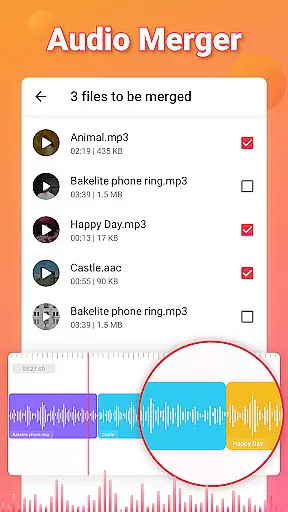
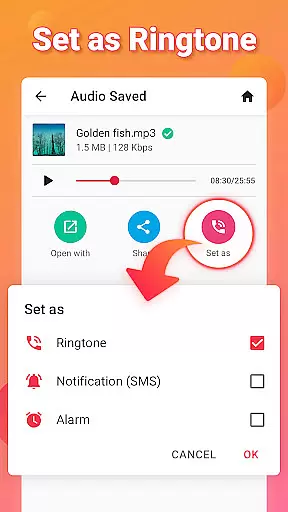
In addition to its core conversion capabilities, Video to MP3 provides features like sound boosting, fade effects, and the ability to edit metadata such as title and artist information. Users can also merge audio tracks, add music covers, and customize bitrates according to their preferences. Whether you're looking to extract audio from video or create personalized ringtones, this app delivers a comprehensive solution for all your media editing needs.
One of the standout features of Video to MP3 is its ability to function as an all-in-one media toolkit. It combines a video converter, audio cutter, and ringtone maker into a single platform. This allows users to seamlessly switch between tasks such as converting MOV to MP4, trimming video clips, or editing audio tracks without needing multiple applications. Its intuitive interface ensures that even beginners can easily navigate through these powerful tools.
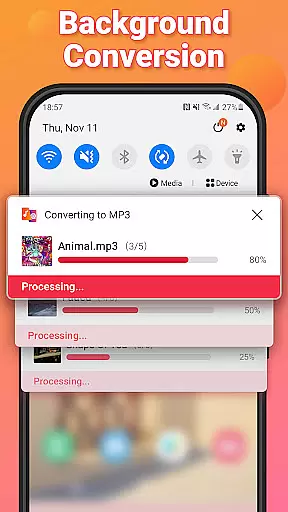
The app also includes advanced functionalities like background processing and batch operations, which significantly reduce waiting times when handling large files. Furthermore, its support for professional-grade audio settings—including adjustable bitrates and fade effects—makes it suitable for both casual users and those with more technical expertise. These robust features ensure that Video to MP3 stands out in the crowded field of video players and editors.
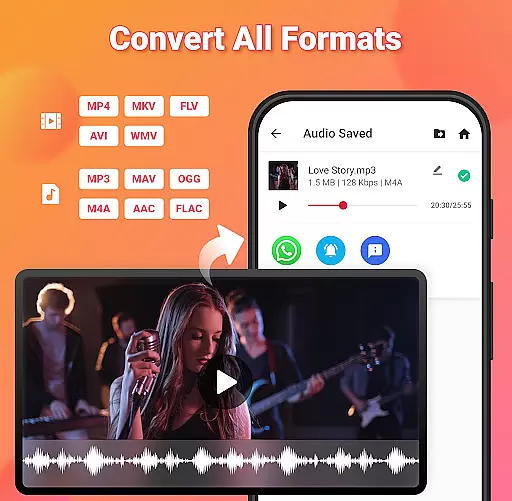
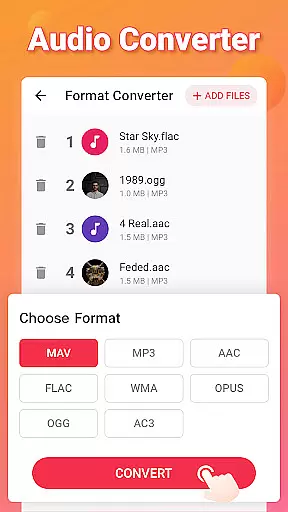
Video to MP3 stands out with its extensive video format compatibility, ensuring users can convert nearly any video file to audio. The app supports a wide array of formats including MP4, MKV, FLV, AVI, and WMV, making it versatile for various user needs.
This broad compatibility is crucial for users who work with different video sources, allowing them to extract audio without worrying about format restrictions. Whether you're converting MOV to MP4 or MKV to MP4, the process is seamless and efficient.
The application not only converts videos to MP3 but also maintains high-quality audio output regardless of the original video format. This ensures that users receive the best possible audio experience from their converted files.
By supporting such an extensive range of video formats, Video to MP3 becomes an indispensable tool for anyone looking to extract audio from videos effortlessly and efficiently.
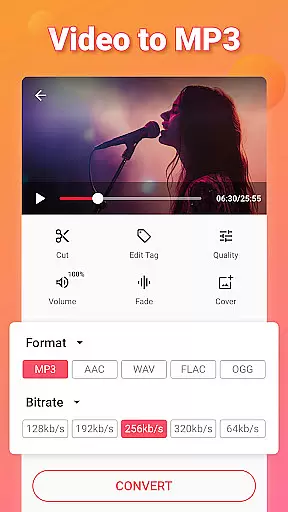
Beyond basic conversion, Video to MP3 incorporates AI-powered editing features that enhance the user's ability to manipulate and refine audio files. These include advanced options like fade in and fade out effects, sound boost, and bitrate adjustments ranging from 32kb/s to 320kb/s.
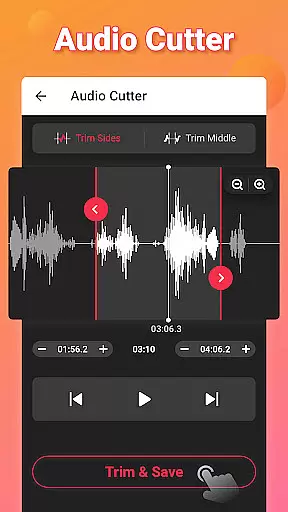
Users can take advantage of the MP3 cutter feature to trim audio files precisely, creating custom clips or ringtones with ease. The inclusion of AI-driven tools simplifies complex editing tasks, making them accessible even to novices.
Additionally, the app allows for metadata editing, enabling users to modify tags such as Title, Album, Artist, and Genre. This level of customization enhances the organizational capabilities of your music library.
With these sophisticated yet user-friendly AI-powered editing features, Video to MP3 offers a comprehensive solution for both casual listeners and audio professionals seeking to optimize their audio files.
User-friendly interface
Batch conversion support
Wide format compatibility
Advanced audio editing tools
Free to use
Limited advanced features
No cloud integration
Occasional ads
Basic video editing only
Requires manual updates

Connect 2 UVC devices for recording and broadcast video/audio stream
 3.90
3.90
You can play SWF format file!
2.50
Video Player - Unlimited features, 30 days money back guarantee.
4.60
Turn your phone into a wireless camera!
4.20
Pro video editor app for Instagram, edit video with song, AI, effect & slowmo.
4.80
Movie maker & video editing app with AI effects and green screen
4.30
Mix with Virtual DJ directly from your phone or tablet !
3.10
Browser for Fire TV to stream webvideos, online movies, livestreams in HD
4.40
Download Hub, easy and private way to download and enjoy your videos offline
4.80
Play ALL formats in 4K & HD. Video downloader, MP3 player, Chromecast & more.
4.80
AI Video Editor with Music, Filter, Slideshow, Effect, Merge & Trim Video.
4.80
Download videos and play them offline
4.70
Fast & easy HD video downloader for all formats, support 4K playback & download.
4.60
Fast & Private HD Video Downloader with Built-in Proxy Browser and Video Player.
4.50
Fast & Private Video Downloader App. Save all videos easily from the Internet.
4.40
Powerful Video Editor & Photo Editing App —— Quick Edits & Stunning Effects!
4.30
Powerful video player with advanced hardware acceleration and subtitle supports
4.20
VLC for Android is the best open source video and music player, fast and easy!
4.10
Stream high quality video from your camera over NDI protocol
4.0


User Reviews