






MX Player is a powerful video and music player designed for Android devices, offering advanced hardware acceleration and comprehensive subtitle support. With features like the new HW+ decoder, it ensures smooth playback even for high-resolution videos.
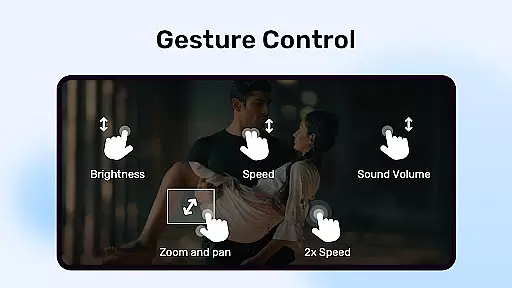
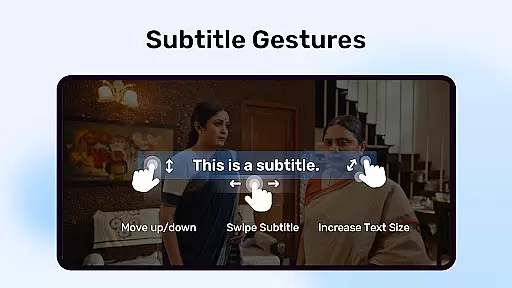
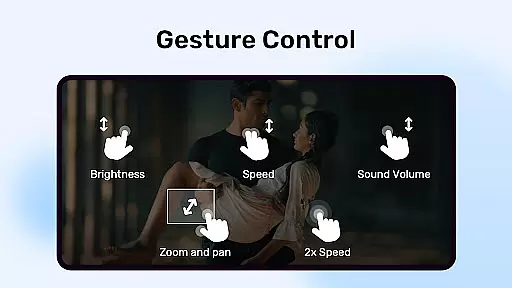
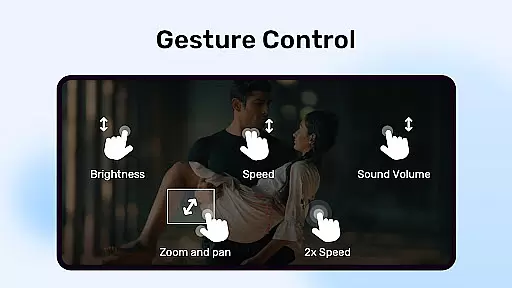
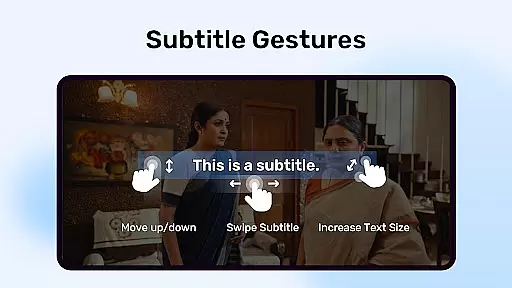
The app stands out with its multi-core decoding capability, which significantly enhances performance on multi-core devices by up to 70% compared to single-core devices. Its intuitive gesture controls for zooming and subtitle adjustments make it user-friendly while maintaining professional-grade functionality.
Perfect for movie enthusiasts who need reliable video playback with customizable subtitle options, MX Player also includes privacy features such as a private folder to hide personal videos. This makes it an ideal choice for users seeking both performance and security in their media player.
MX Player boasts several standout features that cater to diverse user needs. The inclusion of hardware acceleration through the HW+ decoder allows for seamless video playback, even with demanding file formats. This ensures users can enjoy high-quality content without interruptions or lag.
One of the unique aspects of MX Player is its multi-core decoding, which optimizes performance on modern devices. Additionally, the app offers advanced gesture controls, including pinch-to-zoom and subtitle scrolling, providing users with a highly interactive experience. These features collectively enhance accessibility and ease of use.
Furthermore, MX Player supports a wide range of subtitle formats, from SubRip to advanced SSA/ASS files, ensuring compatibility with virtually any video file. Privacy-focused tools like the Kids Lock feature and private folders add extra layers of security, making it a versatile choice for families and individuals alike.
MX Player stands out with its extensive video format compatibility, ensuring users can enjoy a wide range of multimedia content without format restrictions. The application supports numerous formats including but not limited to AVI, MKV, MP4, and FLV.
The inclusion of advanced hardware acceleration through the new HW+ decoder enhances playback smoothness and efficiency. This feature is particularly beneficial for devices with multi-core processors, as proven by tests showing up to 70% better performance compared to single-core devices.
Users benefit from seamless integration with their media libraries, thanks to permissions like READ_EXTERNAL_STORAGE and WRITE_EXTERNAL_STORAGE. These allow MX Player to access and manage media files across different storage locations, providing a comprehensive playback solution that adapts to various user needs.
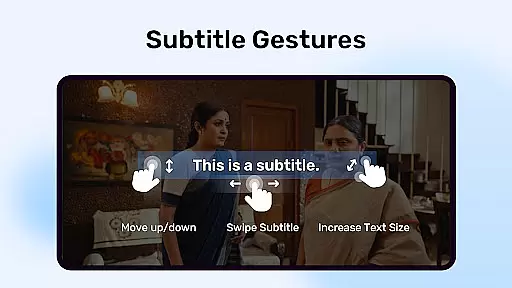
While primarily a video player, MX Player incorporates AI-powered features that enhance user interaction and accessibility. Subtitle gesture controls exemplify this, allowing intuitive navigation through pinch-to-zoom and swipe actions for moving or resizing text.
Privacy and security are prioritized with dedicated features such as the Privacy Folder, enabling discreet storage of sensitive videos. Additionally, Kids Lock ensures a safe viewing environment by restricting access to calls or other apps during use.
Although MX Player does not offer traditional video editing capabilities, its intelligent playback adjustments and subtitle management streamline the viewing experience. Such innovations highlight the app's commitment to leveraging technology for an optimized user journey.
Advanced hardware acceleration
Multi-core decoding support
Intuitive gesture controls
Wide subtitle format support
Privacy protection features
Occasional compatibility issues
Ads in free version
Limited iOS support
Complex permissions
Heavy on system resources

The smartest M3U IPTV Player your playlists have ever seen.
 4.2
4.2
Video Downloader is an utility that can save videos and music from web sites
4.20
High-Quality USB Camera Viewer & HDMI Display
4.70
An easy-to-use and all-round screen recorder with audio
4.80
Flud is a simple and beautiful BitTorrent client for Android.
4.80
Web Browser for LG TV to stream webvideos, online movies and livestreams in HD
4.20
Fast & Private HD Video Downloader with Built-in Proxy Browser and Video Player.
4.50
Download Hub, easy and private way to download and enjoy your videos offline
4.80
Capture the moment and Cut
3.40
Play ALL formats in 4K & HD. Video downloader, MP3 player, Chromecast & more.
4.80
All in one HD video downloader & player for multiple formats with full privacy
4.70
Watch IPTV on your Android device
4.60
Browser + Remote for Roku to stream webvideos, online movies and livestreams
4.60
Download website videos fast&privacy
4.40
Create & edit videos with AI
4.30
All format media Player, no need video converter any more!
4.00
Kodi media center, a free and open source cross-platform entertainment hub
3.60
Connect EasyCap or UVC devices for recording and broadcast video/audio stream
3.60
The essential companion to your Blue Iris PC software
2.50


User Reviews