
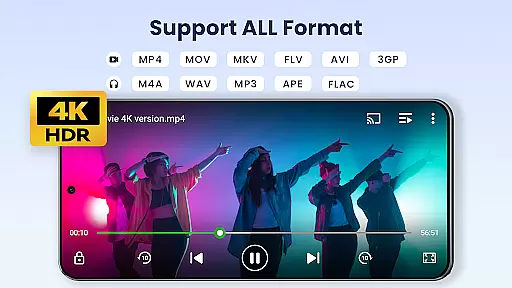

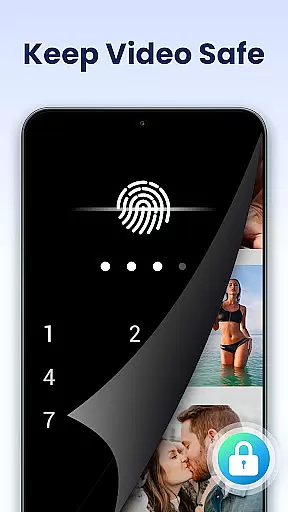
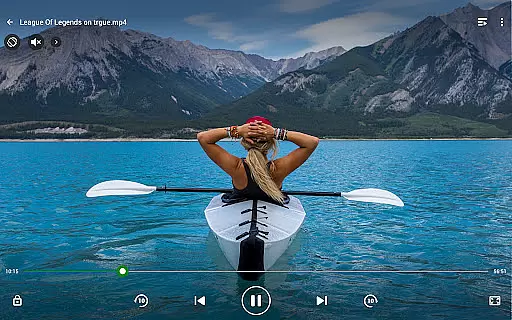
Video Player All Format is a versatile video playback application designed for both Android tablets and smartphones. This professional-grade player supports all video formats including MKV, MP4, AVI, and more, with specialized features like 4K Ultra HD playback. The app ensures top-notch security by allowing users to create private folders protected by passwords, safeguarding personal videos from unauthorized access or deletion.
In addition to its robust security features, the player offers advanced functionalities such as hardware acceleration, Chromecast support for casting videos to TV, and subtitle downloader. Users can enjoy flexible playback options like pop-up window, split-screen mode, and background play. With added features like Night Mode, Quick Mute, and Playback Speed control, this app provides an enhanced viewing experience tailored to individual preferences. Its automatic file recognition system scans both device storage and SD cards, making video management and sharing effortless.
Video Player All Format stands out with its comprehensive feature set tailored for diverse user needs. One of its key strengths is the ability to handle all video formats with ease, ensuring smooth playback even for 4K and Ultra HD files. The inclusion of hardware acceleration optimizes performance, providing seamless video streaming without taxing the device's resources.
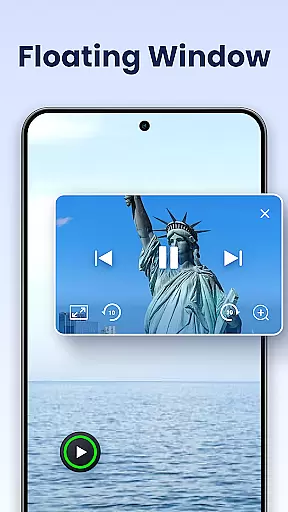
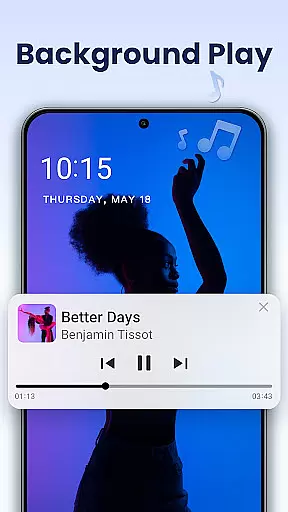
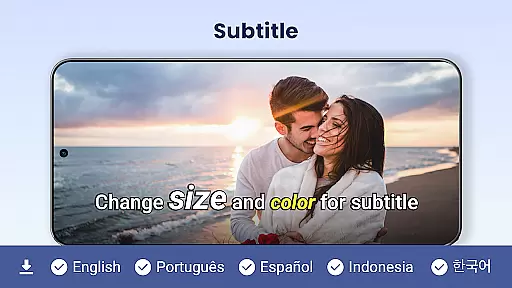
Beyond format compatibility, the app integrates modern functionalities such as Chromecast support, enabling users to cast their videos directly to a TV screen. Subtitle downloading and customization options cater to those who require or prefer text accompaniment during playback. The floating video player feature allows multitasking by playing videos in resizable, movable windows above other applications. Additionally, background video playback transforms the app into an audio book-like experience, offering flexibility in media consumption.
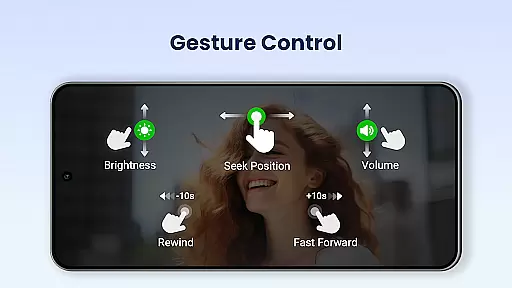
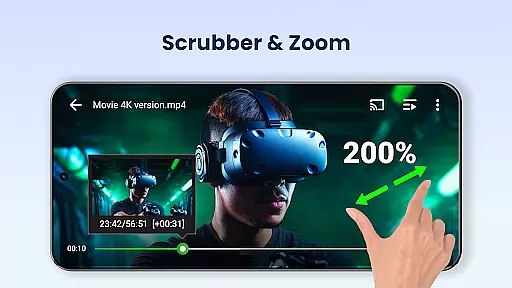
Usability enhancements include intuitive controls for adjusting volume, brightness, and playback progress through simple screen gestures. Multi-playback options such as auto-rotation, aspect ratio adjustment, and screen locking provide further customization. These features collectively ensure that Video Player All Format delivers both power and simplicity, making it an indispensable tool for any Android user seeking a complete video playback solution.
Video Player All Format stands out as a versatile video playback tool due to its extensive video format compatibility. This application supports an exhaustive list of formats including MKV, MP4, M4V, AVI, MOV, 3GP, FLV, WMV, RMVB, TS, and more.
The importance of such broad compatibility cannot be overstated. Users with diverse video libraries can enjoy seamless playback without the need for format conversion. Whether it's a high-definition movie or a personal recording, this app ensures that all content is accessible.
By incorporating hardware acceleration, the player not only supports various formats but also optimizes playback performance. This feature enhances the viewing experience by reducing lag and improving video rendering quality, especially for 4K and ultra HD content.
Ultimately, the ability to play virtually any video format with high-definition clarity makes Video Player All Format an indispensable tool for users who require both flexibility and quality in their media consumption.
While Video Player All Format primarily focuses on video playback, it integrates some AI-powered features that enhance user interaction and convenience. For instance, the automatic identification of all video files on a device and SD card simplifies media management significantly.
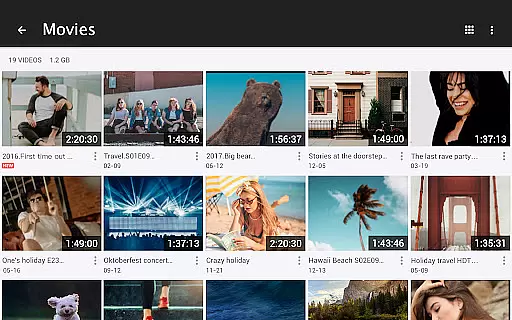
This intelligent categorization allows users to manage or share videos easily. The app employs smart algorithms to scan and organize video libraries, ensuring that no file goes unnoticed. Such efficiency is invaluable for users with large collections or those who frequently download new content.
Additionally, advanced playback options like speed control from 0.5 to 2.0, night mode, quick mute, and pop-up video player demonstrate how AI-driven functionalities improve usability. These features provide tailored viewing experiences based on individual preferences and contexts.
Although not a traditional video editor, Video Player All Format leverages AI to offer innovative tools that cater to modern viewing habits, making it a comprehensive solution for both casual watchers and tech-savvy enthusiasts alike.
User-friendly interface
Comprehensive format support
Advanced privacy protection
Smooth 4K playback
Flexible playback options
Occasional ads in free version
High system resource usage
Limited iOS availability
No cloud integration
Complex settings for beginners

You can play SWF format file!
 2.50
2.50
Your media, on your terms.
4.10
Play and download HD videos from all sources — fast, simple, and all-in-one.
4.1
All in one multi protocols stream receiver for AirPlay, Cast and DLNA.
3.60
Connect EasyCap or UVC devices for recording and broadcast video/audio stream
3.60
Screen recorder with audio to take live videos & Screenshot in high quality!
4.70
Video player with 4K & 1080P support, popup play, background play and subtitle.
4.20
Photo editor & video maker with music and slideshows.
4.10
Manage your YouTube channel on the go
4.40
HD Video player all format, HD Videos, Cast & Subtitle. No annoying ads.
4.60
Cast Videos from Web Browser, IPTV to Roku, Chromecast, DLNA, Smart TV +more
4.60
?100% FREE! Download & save videos? safely in this app. All formats supported.
4.60
Snaptubè Video Downloader app allows to download videos and music in Snaptube. .
4.60
Fast & easy HD video downloader for all formats, support 4K playback & download.
4.60
Turn your phone into a wireless camera!
4.20
Browser for Samsung TV to stream webvideos, online movies and livestreams in HD
4.10
Stream Web Videos to Chromecast, Samsung, LG, Sony, Roku, Fire TV, DLNA + more
4.00
This app is an emulator of some specific IPTV boxes
3.50
Download videos easily & play them all in one smart, powerful video manager.
3.40


User Reviews