
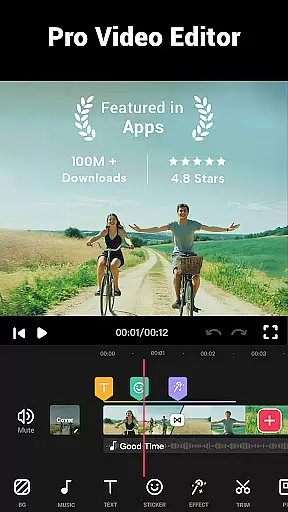
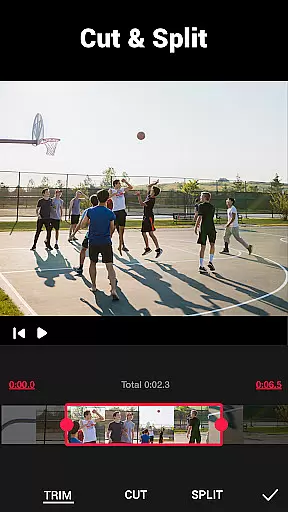


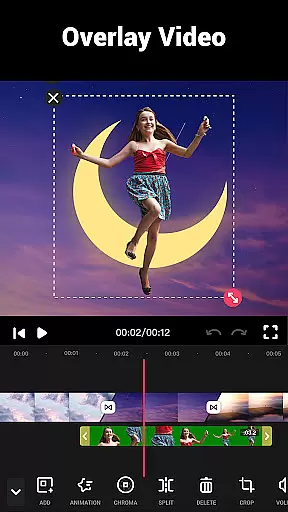
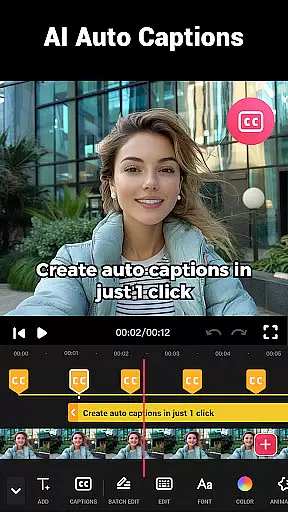
Video Maker is a versatile AI-powered video editing application that allows users to create professional-quality videos from photos and music. The app offers an extensive suite of free editing tools, including trimming, cutting, speed adjustment, and adding transitions, filters, and soundtracks. Its user-friendly interface makes it accessible for both beginners and experienced editors.
This all-in-one editor stands out with its multi-layer editing capabilities, enabling users to add music, voice-overs, sound effects, and stylish fonts. With support for 4K video export without watermarks, Video Maker ensures high-quality output for sharing across various social media platforms like YouTube, Instagram, and TikTok.
Whether you're creating vlogs, intro sequences, or montages, the app's powerful features such as speed control, audio extraction, and customizable video backgrounds cater to diverse creative needs. The ability to edit videos with precise rhythm marks and adjust music volume with fade options adds a professional touch to your projects.
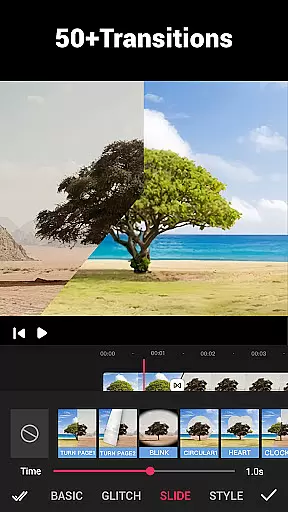
Video Maker distinguishes itself through its comprehensive feature set tailored for modern content creators. The app provides over 50 transition effects, giving users the creative freedom to enhance their videos with dynamic visual breaks. Its intuitive timeline-based editing allows for seamless merging of clips, while the multi-ratio cropping tool ensures perfect formatting for different platforms.
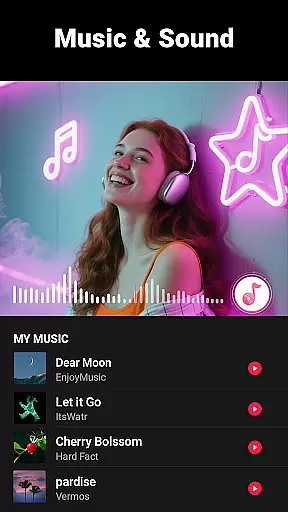
Advanced functionalities include speed editing from 0.2x to 100x, background blur effects, and video compression with custom resolution settings. The app maintains exceptional quality standards by supporting up to 4K video export without any watermarks. Users can also benefit from its sophisticated audio tools, including BGM libraries, custom song integration, and precise volume controls.
The application's versatility extends to its photo-to-video conversion capabilities, complete with music synchronization and effect application. With regular updates introducing new filters, transitions, and fonts, Video Maker stays current with evolving creative trends while maintaining its position as a leading mobile video editing solution.
Video format compatibility is a crucial feature for any video editing application, ensuring that users can work with a wide range of video files without conversion hassles. Video Maker excels in this area by supporting various popular formats, allowing creators to import and export videos seamlessly.
The app's robust compatibility covers formats like MP4, AVI, MOV, and more, making it versatile for both casual users and professional content creators. This flexibility ensures that no matter the source of your video, you can start editing immediately without worrying about format restrictions.
For users looking to share their creations on platforms like YouTube or Instagram, Video Maker guarantees that exported videos maintain high quality across different formats. The absence of a watermark further enhances the sharing experience, providing a clean, professional look to every video you produce.
By prioritizing comprehensive video format support, Video Maker empowers users to focus on their creative process rather than technical limitations. Whether you're editing a vlog or creating promotional content, this app ensures your work reaches its audience in the best possible format.
AI-powered editing features represent the cutting edge of video editing technology, enabling users to achieve professional results with minimal effort. Video Maker incorporates advanced AI tools that simplify complex editing tasks, making high-quality video production accessible to everyone.
One standout feature is the AI-driven audio extraction tool, which allows users to pull music or soundtracks from existing videos effortlessly. This functionality is perfect for creators who want to remix audio or add custom soundtracks to their projects without manual editing.
The app also utilizes AI for smart video enhancement, automatically adjusting lighting, color balance, and stabilization. These intelligent adjustments ensure that every video maintains optimal visual quality, regardless of the original recording conditions.
With AI-powered transitions and effects, Video Maker takes the guesswork out of creative decisions. Users can apply sophisticated filters and transitions that adapt to their video's content, resulting in polished, professional-looking productions every time. This combination of powerful AI tools makes video editing faster, smarter, and more intuitive.
User-friendly interface
Extensive editing tools
4K export quality
No watermark limitations
Regular feature updates
Occasional performance lag
Advanced tools learning curve
Large file size requirement
Limited customer support
Device compatibility issues

You can play SWF format file!
 2.50
2.50
Play ALL formats in 4K & HD. Video downloader, MP3 player, Chromecast & more.
4.80
All format media Player, no need video converter any more!
4.00
Fast & easy HD video downloader for all formats, support 4K playback & download.
4.60
Fast & Private Video Downloader App. Save all videos easily from the Internet.
4.40
All in one multi protocols stream receiver for AirPlay, Cast and DLNA.
3.60
VLC for Android is the best open source video and music player, fast and easy!
4.10
Enjoy your favorite videos and channels with the official YouTube app.
3.90
convenient, safe and fast at Video Downloader & Player
4.60
High-Quality USB Camera Viewer & HDMI Display
4.70
?100% FREE! Download & save videos? safely in this app. All formats supported.
4.60
KMPlayer Plus (Divx Codec) officially support Divx codec.
4.30
Fast private browser with secure, seamless access & supported video downloads!
4.00
Online Videos Player
3.90
HD video & music player - All format support with floating & PIP mode!
3.80
Manage your IPTV live channels and VOD playlists (no playlist included)
3.80
Download videos easily & play them all in one smart, powerful video manager.
3.40
Powerful HD video player with support for all formats & subtitles.
4.3
Play and download HD videos from all sources — fast, simple, and all-in-one.
4.4


User Reviews