
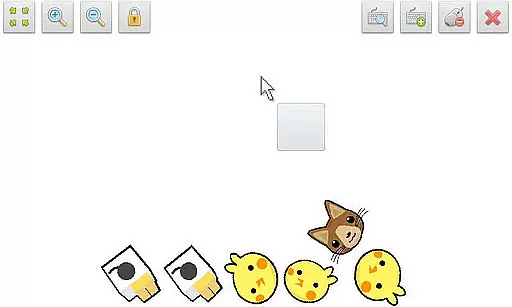
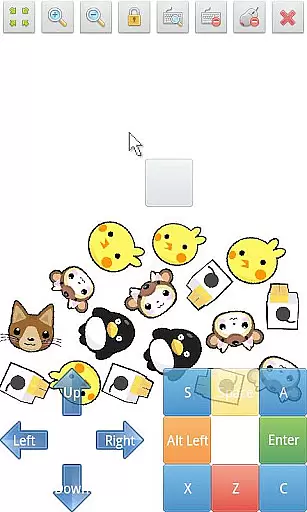
SWF Player Pro is a specialized video player designed for SWF format files, enabling users to enjoy Flash content on their Android devices. The app supports playback through both Android AIR and Ruffle engines, ensuring compatibility with various SWF files.
Key features include zoom in/out functionality, play/stop controls, fullscreen mode, and multi-touch virtual keypad support. Users can also benefit from advanced settings such as wmode, background color adjustments, wake-lock, rotation, quality, and scale options. This makes SWF Player Pro an essential tool for anyone needing to view Flash animations or interactive content on the go.
SWF Player Pro stands out with its comprehensive support for SWF files, offering two distinct rendering engines - Android AIR and Ruffle. This dual-engine support ensures optimal playback performance across different types of Flash content.
The app provides users with precise control over their viewing experience through features like zoom functionality, virtual mouse support, and customizable advanced settings. These include options to adjust display quality, background color, and screen orientation. Additionally, the built-in file browser makes it easy to navigate and select SWF files from your device's storage.
With its multi-touch virtual keypad and fullscreen capabilities, SWF Player Pro delivers a user-friendly interface that maintains the integrity of original Flash content while providing modern touchscreen compatibility.
SWF Player Pro offers extensive video format compatibility, primarily supporting SWF files which are commonly associated with Flash animations. This player leverages two powerful SWF engines - Android AIR and Ruffle - to ensure that your SWF files run smoothly on your device.
The application is designed to provide users with a seamless experience by allowing them to play SWF files directly without the need for conversion or additional software. Whether you're accessing educational content, enjoying animations, or reviewing interactive media, SWF Player Pro has got you covered.
Additionally, the player supports advanced settings such as wmode, background color adjustments, wake-lock options, rotation settings, quality controls, and scaling features. These options allow users to customize their playback experience according to their preferences and needs.
While SWF Player Pro focuses primarily on playback capabilities, it also includes AI-powered editing features that enhance user interaction with SWF files. The inclusion of multi-touch virtual keypad support and a virtual mouse provides users with intuitive controls that mimic desktop-like interactions.
Users can take advantage of zoom in/out functionalities and play/stop controllers to manage their viewing experience effectively. Moreover, the fullscreen mode allows for an immersive experience, eliminating distractions and making the most out of your device's display capabilities.
Although not traditionally categorized as an editor, SWF Player Pro empowers users with tools akin to basic editing functions through its advanced settings and control options. This ensures that users have everything they need to enjoy and manipulate SWF content as per their liking.
User-friendly interface
Advanced customization options
Dual-engine support
Multi-touch functionality
Comprehensive SWF compatibility
Limited to SWF format
No native iOS support
Requires technical knowledge
Occasional compatibility issues
Premium price point

Connect 2 UVC devices for recording and broadcast video/audio stream
 3.90
3.90
HD video maker with no watermark, no ads & vlog maker with music, PIP, text
4.50
Video player with powerful streaming playback and various convenient features.
2.10
Play and download HD videos from all sources — fast, simple, and all-in-one.
4.2
Add date and time watermark to photos and videos
4.50
Browser for Sony TV to stream web videos, online movies and live tv
3.20
Connect EasyCap or UVC devices for recording and broadcast video/audio stream
3.60
Livestream, news, & gaming content. Watch, chat, and upload. Join Rumble today!
3.80
Enjoy your favorite videos and channels with the official YouTube app.
3.90
Find, download, and play torrents with the official BitTorrent® Pro app
4.70
All in one HD video downloader & player for multiple formats with full privacy
4.70
?100% FREE! Download & save videos? safely in this app. All formats supported.
4.60
VLC Remote lets you control your VLC Media Player on Mac, PC or Linux.
4.60
Seamlessly connect and control your smart devices, anytime, anywhere with ease.
4.60
Movie maker & video editing app with AI effects and green screen
4.30
Manage your IPTV live channels and VOD playlists (no playlist included)
3.80
Kodi media center, a free and open source cross-platform entertainment hub
3.60
AirMirror is Receiver for Screen Mirroring and Casting from Apple Devices.
3.60
Download videos easily & play them all in one smart, powerful video manager.
3.40


User Reviews