
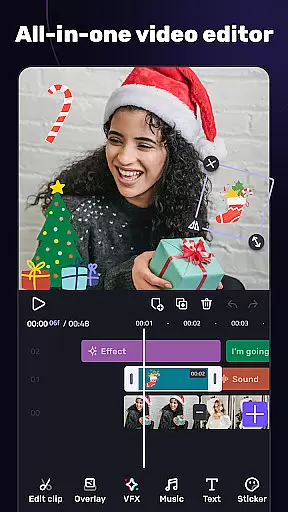
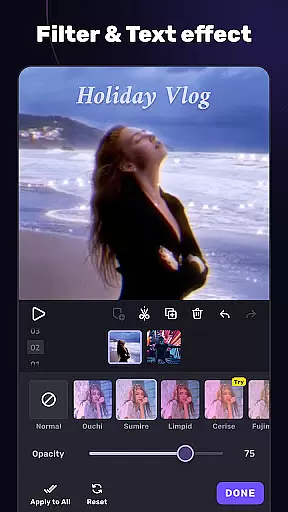
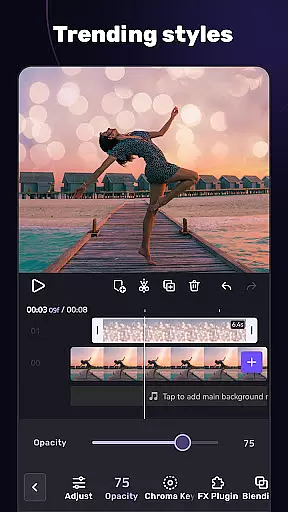
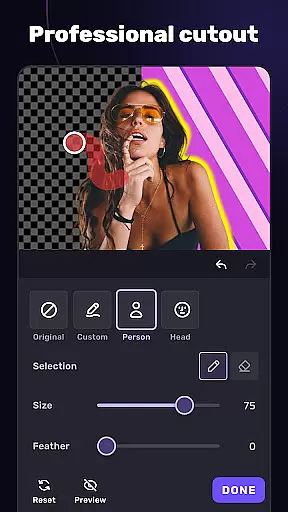
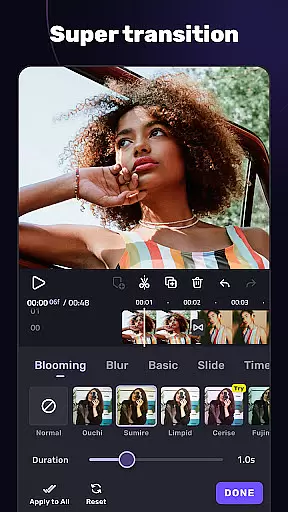
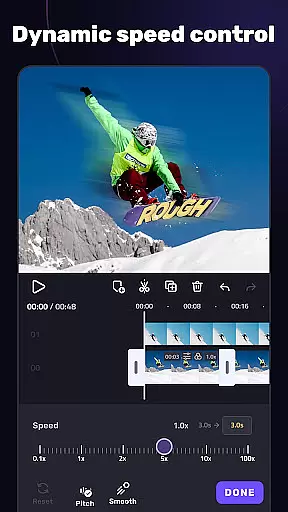
VivaCut is a versatile video editor and maker that caters to both casual users and professional content creators. The app offers an intuitive multi-layer timeline interface with precise frame-by-frame editing capabilities, making it easy to create high-quality videos. With features like chroma key effects, speed control, and advanced animation options, VivaCut enables users to produce cinematic content for platforms like YouTube, Instagram, and TikTok.
The application stands out with its professional-grade tools such as keyframe animation, masking, and picture-in-picture functionality. These features allow users to craft visually stunning videos with custom overlays, transitions, and filters. Whether you're looking to make engaging short clips or more complex video projects, VivaCut provides the necessary tools to bring creative visions to life while offering export options in 720p, 1080p, and even 4K resolutions.
VivaCut distinguishes itself through a comprehensive suite of video editing tools designed for various skill levels. The app includes basic functionalities such as trimming, splitting, and merging video clips, alongside more sophisticated features like green screen effects and glitch transitions. These capabilities ensure that users can execute precise edits and apply Hollywood-style visual effects to their projects.
One of the standout aspects of VivaCut is its advanced editing options. Users can leverage keyframe animations, blend modes, and customizable text styles to enhance their videos. Additionally, the app supports audio extraction and synchronization with music markers, allowing creators to fine-tune their projects' soundtracks. With these robust features, VivaCut empowers users to produce professional-quality content that stands out on social media platforms.
Video format compatibility is a crucial feature for any video editor, ensuring that users can work with a wide range of video files without conversion hassles. AI Video Editor supports an extensive array of formats, allowing creators to import and export videos in resolutions up to 4K. This versatility guarantees that whether you're editing casual home videos or professional-grade content for YouTube and Instagram, the app meets your needs.
The application's robust compatibility extends to its ability to handle multi-layer timelines, chroma key effects, and various transition templates seamlessly. Users can merge clips, apply filters, and incorporate trendy music tracks effortlessly. With support for both common and high-end video formats, this tool ensures no creative vision is limited by technical constraints.
By providing such comprehensive format support, AI Video Editor empowers users to focus on their creative process rather than worrying about file compatibility. The assurance that projects will be preserved in high quality, regardless of the source material, enhances productivity and satisfaction. Ultimately, this makes the app not just a video editor but a complete video-making suite adaptable to diverse user requirements.
AI-powered editing features represent the cutting edge of video editing technology, automating complex tasks and enabling creators to produce professional-quality content efficiently. AI Video Editor incorporates advanced AI tools like keyframe animation, mask effects, and automatic audio extraction from videos. These features simplify sophisticated editing techniques, making them accessible even to beginners while still offering depth for experienced editors.
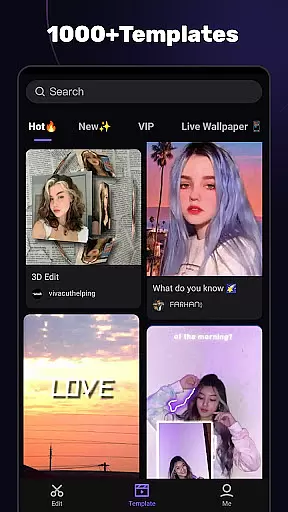
One standout capability is the app's use of AI for creating Hollywood-level chroma key effects, allowing users to mix videos and change backgrounds with remarkable ease. Additionally, smart templates enable one-click creation of stylish short videos, complete with unique filters and glitch effects synchronized to music beats. Such innovations significantly reduce editing time and open new creative possibilities.
Ultimately, these AI-driven functionalities enhance user engagement by streamlining workflows and elevating the final output's aesthetic appeal. By integrating powerful AI tools into an intuitive interface, AI Video Editor sets a new standard for what mobile video editors can achieve, ensuring users maximize their creative potential without needing extensive technical expertise.
User-friendly interface
Advanced editing tools
High-resolution exports
Creative filter options
Professional transitions
Subscription required
Limited free features
Complex for beginners
Occasional bugs
Ads in free version

Save photos and videos from social apps in one tap.
 3.60
3.60
?100% FREE! Download & save videos? safely in this app. All formats supported.
4.60
Watch a large amount of high-definition short drama content
4.60
Search & download videos from net with all video downloader, auto-detect & safe.
4.60
Capture images & record videos for USB Camera, Webcam, Microscopes, Endoscopes
3.80
Browser for Samsung TV to stream webvideos, online movies and livestreams in HD
4.10
#1 Torrent App on Android ** No Ads Ever + Battery Saver **
4.80
Cast movies, tv shows and live streams to Chromecast, Roku, DLNA, Fire TV & more
4.60
A Simple app to download Video & Music from the Internet.
4.70
Find, download, and play torrents with the official BitTorrent® Pro app
4.70
HD Video player all format, HD Videos, Cast & Subtitle. No annoying ads.
4.60
Fast & easy HD video downloader for all formats, support 4K playback & download.
4.60
Fast & Private HD Video Downloader with Built-in Proxy Browser and Video Player.
4.50
AirMirror Receiver - Screen mirroring/cast web videos to Android TV by AirPlay.
4.40
Video player, file manager for all formats, 4K/HD media player supports subtitle
4.30
Explore the largest library of free GIFs, Stickers & Memes - or create your own!
3.90
Connect EasyCap or UVC devices for recording and broadcast video/audio stream
3.60
Mix with Virtual DJ directly from your phone or tablet !
3.10
Play and download HD videos from all sources — fast, simple, and all-in-one.
4.4


User Reviews