


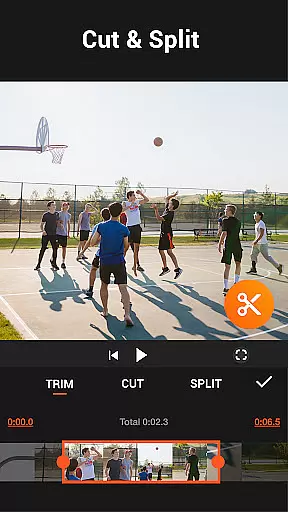
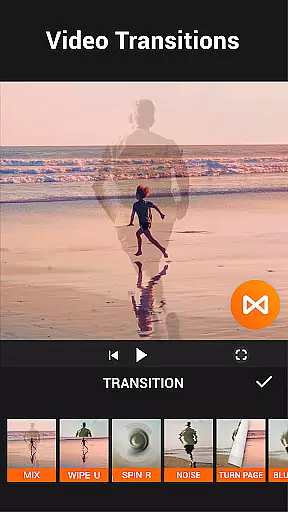

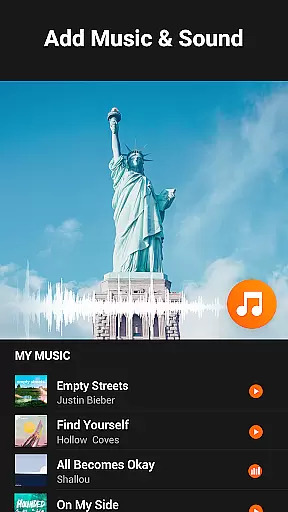
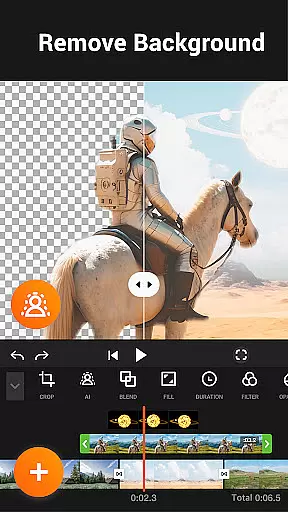
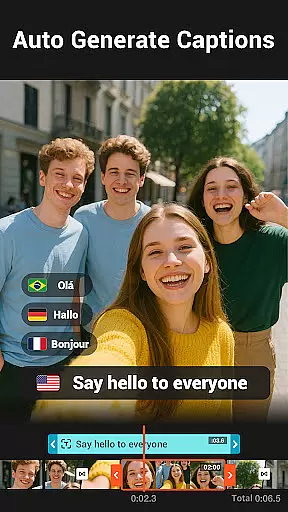
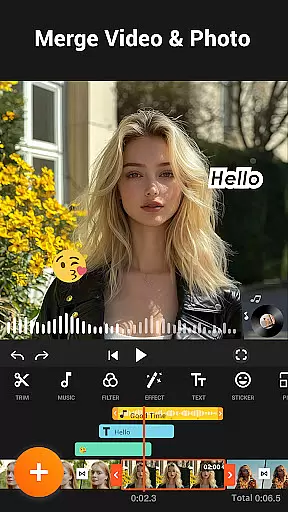
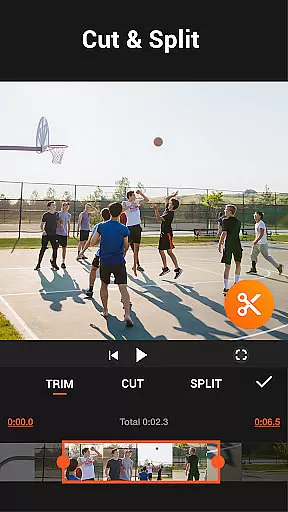
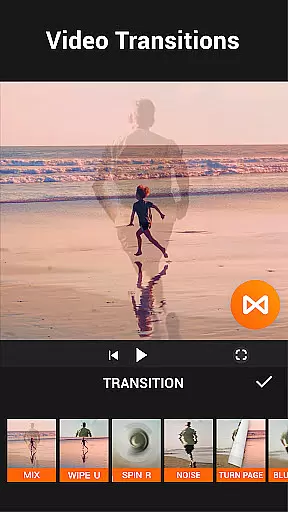

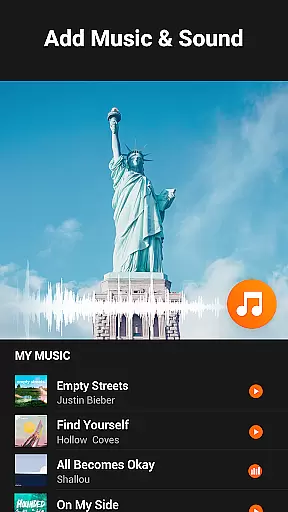

YouCut is a versatile video editing application designed for both casual users and professional content creators. It offers a comprehensive suite of tools including AI-powered features like auto captions and background removal, alongside traditional editing capabilities such as trimming, merging, and slicing videos. The app stands out with its ability to produce high-quality edits without watermarks, making it ideal for social media content creation.
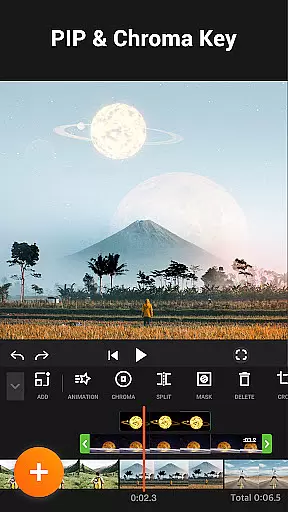
One of the key strengths of YouCut is its user-friendly interface that allows seamless navigation through various editing options. Whether you're looking to create photo slideshows, adjust video speed, or apply stunning filters, this app provides an intuitive platform to achieve your creative vision. Its powerful chroma key feature and aspect ratio adjustments make it suitable for creating professional-grade videos tailored for platforms like YouTube and Instagram.
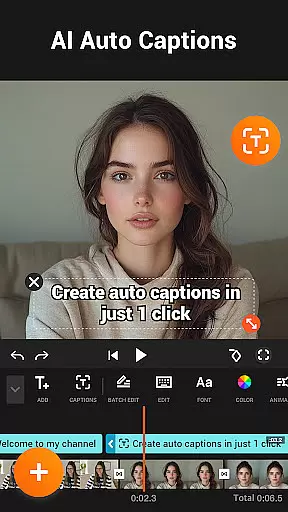
YouCut distinguishes itself through a rich set of innovative features. The AI Video Boost functionality automatically generates captions using speech-to-text technology, removes backgrounds instantly, and enhances video quality with just one tap. These AI-driven tools significantly reduce the time required for manual editing while maintaining professional standards.
Beyond AI capabilities, YouCut excels in traditional video editing tasks. Users can merge multiple clips into one cohesive video, control playback speed from 0.2x to 100x, and apply beautiful film-style filters. The app also supports advanced color adjustments, enabling precise modifications to brightness, contrast, and saturation. With support for resolutions up to 4K, YouCut ensures that every project maintains exceptional clarity and detail.
The app's commitment to user experience extends to its ad-free interface and flexible export options. Unlike many competitors, YouCut doesn't impose watermarks on exported videos, preserving the integrity of your work. Additionally, the absence of intrusive banner ads creates a distraction-free editing environment, allowing creators to focus entirely on their projects.
Video format compatibility is a crucial feature for any video editing application, ensuring that users can work with a wide range of video files without conversion hassles. YouCut stands out in this aspect by supporting multiple formats, allowing creators to import and export videos in their desired resolutions and codecs.
The app's ability to handle high-resolution videos up to 4K showcases its dedication to quality and modern standards. This means whether you're editing casual home videos or professional-grade content, YouCut maintains the integrity and clarity of your footage throughout the editing process.
Moreover, YouCut offers flexible aspect ratio adjustments, enabling users to crop their videos into popular formats like 1:1 for Instagram posts, 16:9 for YouTube, or 3:2 for other platforms. This versatility ensures that your final product fits perfectly on any social media platform without distortion or quality loss.
By providing such comprehensive format support, YouCut empowers creators to focus on their storytelling and creativity rather than technical limitations, making it an indispensable tool for both amateur and professional video editors.
AI-powered editing features are revolutionizing the way we create and edit videos, and YouCut is at the forefront of this innovation. With tools like Auto Captions, which uses advanced speech-to-text technology, users can effortlessly add accurate subtitles to their videos, enhancing accessibility and viewer engagement.
YouCut's AI capabilities extend to background removal, where creators can instantly erase video backgrounds to replace them with more dynamic or relevant scenes. This feature opens up endless creative possibilities, especially for content tailored to social media platforms.
The app also includes AI-driven enhancement options that improve video and photo quality with just a tap. Whether smoothing out slow-motion sequences or boosting overall visual clarity, these intelligent features ensure that every project meets professional standards without requiring expert knowledge from the user.
By integrating these cutting-edge AI tools, YouCut not only simplifies complex editing tasks but also significantly reduces production time, allowing creators to produce high-quality content efficiently and effectively.
User-friendly interface
AI-powered editing tools
No watermark on exports
Supports 4K resolution
Comprehensive feature set
Limited advanced color grading
No multi-track audio editing
Occasional performance lag
Basic motion graphics options
Learning curve for beginners

Create photo video with music & template. AI video maker for stunning slideshow.
 4.60
4.60
Stream high quality video from your camera over NDI protocol
4.3
Capture images & record videos for USB Camera, Webcam, Microscopes, Endoscopes
3.80
AI Video Editor:AI Music, Text to Video,Text to Speech,Auto Caption,Video Effect
4.00
IPTV Loader, loads your own Playlist. DOES NOT CONTAIN ANY LIST OR CHANNELS
4.60
Mix with Virtual DJ directly from your phone or tablet !
3.10
Cast movies, tv shows and live streams to Chromecast, Roku, DLNA, Fire TV & more
4.60
Create, Publish & Maximize
4.70
Manage your YouTube channel on the go
4.40
Download Hub, easy and private way to download and enjoy your videos offline
4.80
Search & download videos from net with all video downloader, auto-detect & safe.
4.60
Seamlessly connect and control your smart devices, anytime, anywhere with ease.
4.60
Fast & easy HD video downloader for all formats, support 4K playback & download.
4.60
Watch IPTV on your Android device
4.60
Video player, file manager for all formats, 4K/HD media player supports subtitle
4.30
VLC for Android is the best open source video and music player, fast and easy!
4.10
Stream Web Videos to Chromecast, Samsung, LG, Sony, Roku, Fire TV, DLNA + more
4.00
Explore the largest library of free GIFs, Stickers & Memes - or create your own!
3.90
You can play SWF format file!
2.50


User Reviews