
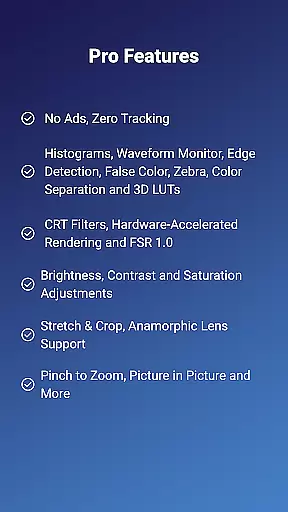
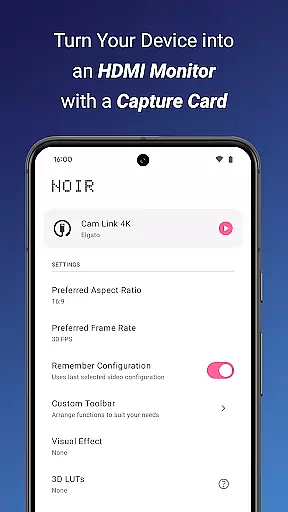
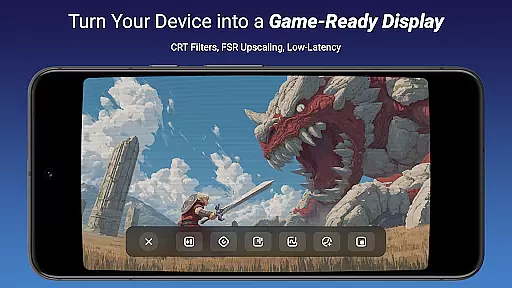
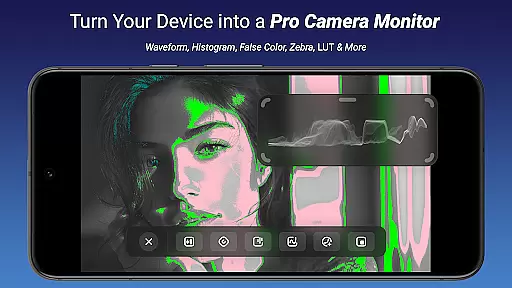
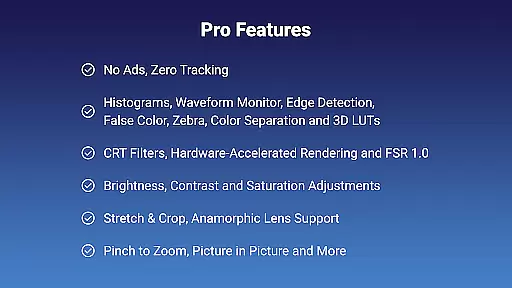
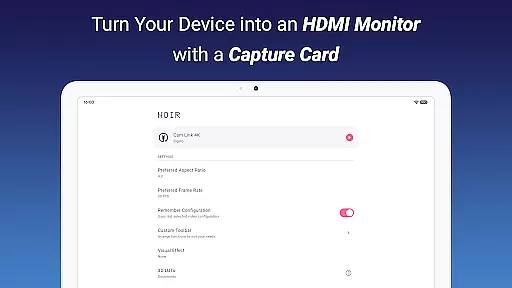
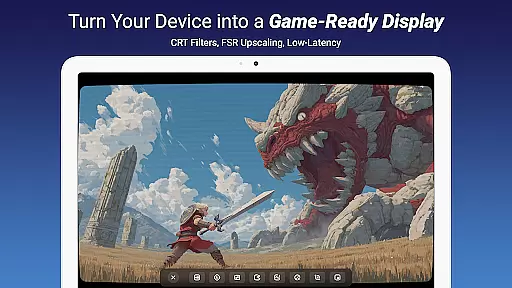
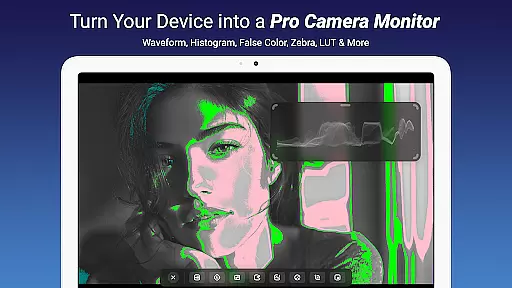
Noir Pro is a professional-grade video player and editor designed for users who require advanced features and high performance. This application transforms your device into a versatile monitor, compatible with gaming consoles, laptops, cameras, and other HDMI-output devices when paired with a USB-C capture card. It supports essential professional tools such as 3D LUTs, Waveform Monitor, Histogram, Edge Detection, and more.
The app offers extensive customization options including brightness, contrast, and saturation adjustments, alongside unique features like CRT filters and FSR 1.0. Noir Pro also provides practical functionalities such as pinch to zoom, stretch and crop, and app-specific volume control. Whether you're using it as a camera monitor, primary display for gaming consoles, or secondary monitor for laptops, Noir Pro delivers a reliable and feature-rich experience.
Noir Pro stands out with its comprehensive suite of professional video editing and monitoring tools. The inclusion of advanced features like 3D LUTs, Waveform Monitor, and False Color allows precise color grading and video analysis. The app's support for both OpenGL ES and Vulkan graphics backends ensures optimal performance across different devices.
One of the key highlights is its compatibility with various external devices through UVC video streaming and UAC audio streaming. This makes it an ideal choice for professionals needing a portable solution for monitoring and editing. Additionally, Noir Pro enhances user experience with practical features such as pinch to zoom, app-specific volume control, and picture-in-picture mode, making multitasking seamless and efficient.
Video format compatibility is a crucial feature for any video player and editor, ensuring that users can work with a wide range of video files without conversion hassles. Noir Pro excels in this area by supporting both UVC video streaming and UAC audio streaming, offering users flexibility in their media choices.
The application provides options between OpenGL ES and Vulkan for the graphics backend, which means it can handle various video formats efficiently while maintaining high performance. This versatility allows users to play or edit videos from different sources without worrying about format support.
For content creators and gamers, this compatibility ensures that they can use Noir Pro as a portable display for gaming consoles, laptops, cameras, or any other HDMI-output devices when paired with a USB-C capture card. The broad format support enhances the user experience by reducing technical barriers.
Overall, Noir Pro's extensive video format compatibility empowers users to focus on their creative work or entertainment without being limited by file type restrictions, making it an invaluable tool for professionals and hobbyists alike.
AI-powered editing features are revolutionizing the way we approach video editing by automating complex tasks and providing intelligent suggestions. Noir Pro incorporates advanced AI tools such as 3D LUTs, Waveform Monitor, Histogram, Edge Detection, False Color, Zebra, and Color Separation, which assist users in achieving professional-grade results with minimal effort.
These features allow for precise color grading and image analysis, enabling editors to make informed decisions about their video projects. For instance, the Waveform Monitor and Histogram provide detailed insights into the video's luminance and color distribution, ensuring accurate color representation.
Noir Pro also includes CRT Filters and FSR 1.0, which enhance the video quality through upscaling and filtering techniques. These AI-driven enhancements help maintain the clarity and sharpness of videos, even when significant edits are made or when converting between formats.
By leveraging these sophisticated AI-powered tools, Noir Pro significantly reduces the time and expertise required for high-quality video editing, making professional editing techniques accessible to a broader audience.
Advanced video editing tools
Wide device compatibility
Customizable settings
High performance
User-friendly interface
Requires specific hardware
Premium price point
Complex for beginners
Limited free features
Occasional bugs

You can play SWF format file!
 2.50
2.50
Powerful, professional, versatile teleprompter. Developed by an active film crew
4.00
Powerful HD video player with support for all formats & subtitles.
4.5
AirMirror Receiver - Screen mirroring/cast web videos to Android TV by AirPlay.
4.40
Powerful Video Editor & Photo Editing App —— Quick Edits & Stunning Effects!
4.30
Cast to Smart TV, Fire TV. Cast video, photo - Fast & Stable!
3.90
The essential companion to your Blue Iris PC software
2.50
Browser for Fire TV to stream webvideos, online movies, livestreams in HD
4.40
A Simple app to download Video & Music from the Internet.
4.70
Pro video editor app for Instagram, edit video with song, AI, effect & slowmo.
4.80
A Quick and Pro Video Editor
4.70
Cast Videos from Web Browser, IPTV to Roku, Chromecast, DLNA, Smart TV +more
4.60
HD video maker with no watermark, no ads & vlog maker with music, PIP, text
4.50
Fast & Private HD Video Downloader with Built-in Proxy Browser and Video Player.
4.50
KineMaster, Your Ultimate Video Editor!
4.40
Create & edit videos with AI
4.30
Capture images & record videos for USB Camera, Webcam, Microscopes, Endoscopes
3.80
Kodi media center, a free and open source cross-platform entertainment hub
3.60
IPTV Player - Watch live TV from m3m & m3u8 playlist, stream IPTV on mobile
3.30


User Reviews