
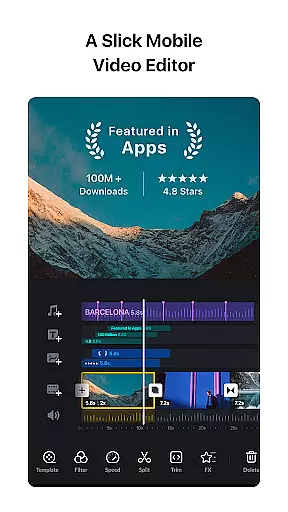
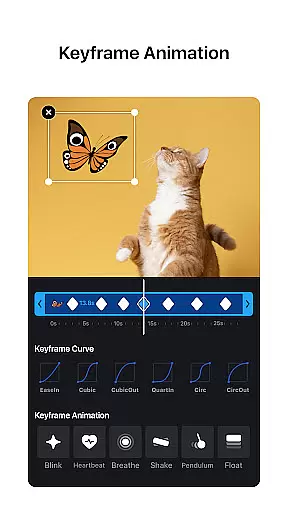
VN is a versatile video editing app designed for both professional and amateur creators. With its intuitive interface, users can easily create high-quality videos without any prior editing knowledge. The app offers advanced features such as multi-track timeline editing, keyframe animations, and rich cinematic filters that elevate video content to professional standards.
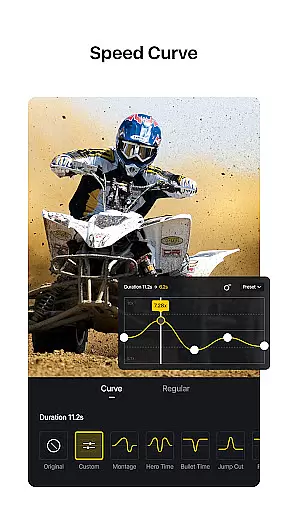
One of VN's standout features is its precise editing capabilities. Users can zoom in/out on materials, select keyframes with precision as short as 0.05 seconds, and utilize speed curve adjustments similar to Time Remapping in Adobe Premiere Pro. Additionally, the app supports seamless collaboration through cloud services like Google Drive and OneDrive, making it easy to transfer projects between devices.
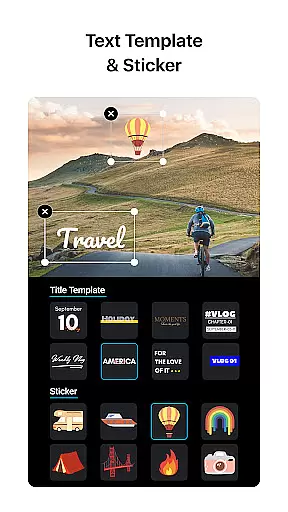
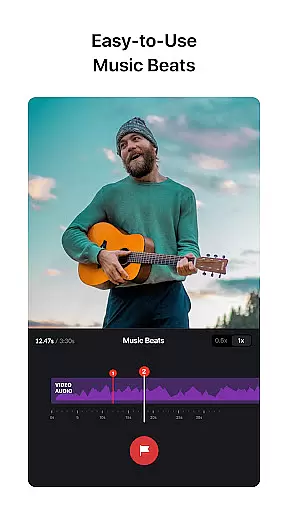
The app also provides creative tools like music beats synchronization, reverse and zoom effects, and customizable text templates. These features allow users to produce engaging content tailored to their unique style. Whether you're creating simple vlogs or complex video projects, VN delivers the tools needed to bring your vision to life while maintaining ease of use.
VN stands out with its comprehensive set of video editing tools designed for simplicity and precision. The app includes an intuitive multi-track editor where users can add picture-in-picture videos, photos, stickers, and texts. Keyframe animation allows for detailed customization, enabling users to create professional-grade transitions and effects effortlessly.
Another notable feature is the Speed Curve tool, which lets users adjust playback speeds with six preset curves, adding dynamic pacing to videos. The inclusion of rich cinematic filters and LUT (.cube) file support enhances color grading possibilities, giving videos a polished look. Advanced options like reverse playback, freeze frame, and zoom effects provide additional creative freedom.
VN also emphasizes user convenience with flexible material imports via Wi-Fi, WhatsApp, or Telegram, along with bulk imports using Zip files. Its collaborative capabilities extend to secure project sharing through cloud services, ensuring that teams can work together seamlessly across different devices while protecting assets with password-protected drafts and templates.
One of VN's standout features is its extensive video format compatibility, ensuring users can work with a wide array of file types without the need for prior conversion. This flexibility allows both amateur and professional editors to import and export videos in their preferred formats, streamlining the editing process.
The app supports popular formats such as MP4, AVI, MOV, and many others, making it versatile for different project requirements. Whether you're creating short social media clips or longer cinematic pieces, VN accommodates various resolutions and frame rates, including 4K at up to 60 FPS, providing crisp and high-quality output.
This compatibility extends to audio files too, enabling seamless integration of soundtracks, voice-overs, and sound effects in formats like MP3 and WAV. By removing technical barriers related to file formats, VN empowers creators to focus on storytelling and visual artistry.
Furthermore, the ability to customize export settings means that users can optimize their videos for specific platforms or devices, balancing quality and file size according to their needs. This feature ensures that your final product is not only visually stunning but also practical for sharing across multiple channels.
VN incorporates advanced AI-powered editing features that significantly enhance the video creation process. These intelligent tools assist users in automating complex tasks, allowing even beginners to achieve professional-grade results with minimal effort.
Among these features is the AI-driven music beat synchronization, which automatically aligns video cuts with the rhythm of the background music. This capability elevates the dynamism of video presentations, making them more engaging and polished without requiring manual adjustments.
In addition, VN offers AI-based color grading filters and LUT (.cube) file imports, transforming ordinary footage into cinematic masterpieces. The app's smart algorithms analyze video content and apply optimal color corrections, enhancing visual appeal while maintaining creative control.
Another notable AI feature is the automatic generation of freeze frames and time remapping effects, similar to those found in industry-standard software like Adobe Premiere Pro. These tools provide innovative ways to manipulate time and motion, adding a unique touch to your projects while simplifying traditionally intricate processes.
User-friendly interface
Advanced editing tools
Professional-grade features
Seamless cross-device sync
No watermark on exports
Limited tutorial resources
Occasional performance lags
Premium export settings locked
Complex for beginners
Frequent updates disrupt workflow

Watch full episodes of your favorite Cartoon Network and Cartoonito shows!
 3.50
3.50
Create & edit videos with AI
4.30
KMPlayer Plus (Divx Codec) officially support Divx codec.
4.30
Turn your phone into a wireless camera!
4.20
All in one HD video downloader & player for multiple formats with full privacy
4.70
Add date and time watermark to photos and videos
4.50
Manage your IPTV live channels and VOD playlists (no playlist included)
3.80
Fast private browser with secure, seamless access & supported video downloads!
4.00
Photo editor & video maker with music and slideshows.
4.10
Find, download, and play torrents with the official BitTorrent® Pro app
4.70
Your media, on your terms.
4.10
Powerful, professional, versatile teleprompter. Developed by an active film crew
4.00
IPTV-Smarters Player Pro M3U - Watch Live Stream TV Channels with Chromecast
4.00
1)AirPlay/DLNA Mirroring/Streaming, up to 4 connections; 2)Samba/NAS/DMS Player.
4.00
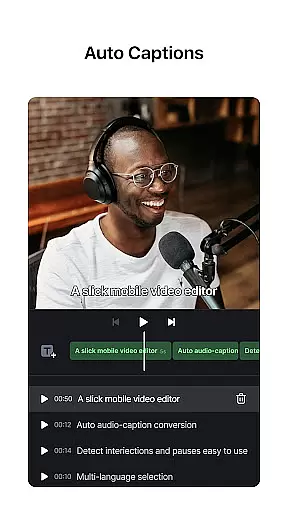
AI Video Editor:AI Music, Text to Video,Text to Speech,Auto Caption,Video Effect
4.00
Make your own Animations, Video and Photo Edits, Visual Effects, and more!
4.00
HD video & music player - All format support with floating & PIP mode!
3.80
All in one multi protocols stream receiver for AirPlay, Cast and DLNA.
3.60
Connect EasyCap or UVC devices for recording and broadcast video/audio stream
3.60


User Reviews