
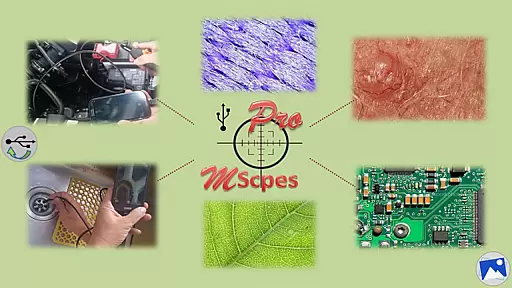
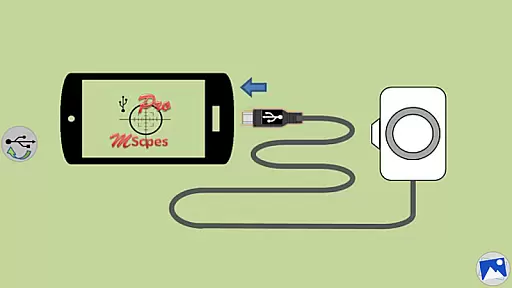
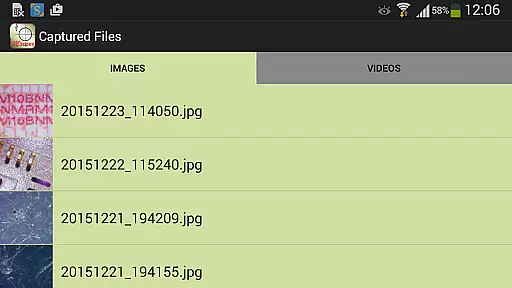
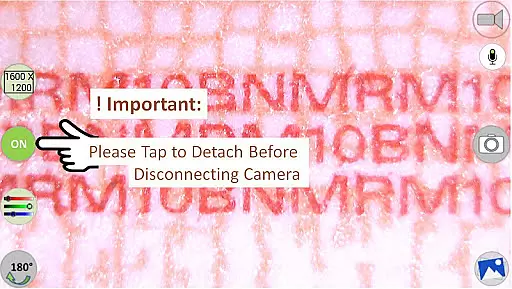
MScopesPro for USB Camera is a powerful tool designed for users who need to connect USB-based digital microscopes, endoscopes, borescopes, or webcams to their Android devices. The app allows you to view live feeds, capture images, and record videos directly from these external cameras. With its advanced features, this application brings professional-grade microscopy and endoscopy capabilities to your fingertips.
One of the standout features of MScopesPro is its ability to function without requiring root access on your device. This ensures that even users with limited technical expertise can easily set up and use the app. Additionally, the app offers extensive compatibility with various USB Video Class (UVC) cameras, although it's important to note that it may not work on all Android devices due to varying levels of UVC support. Specifically, Android 5.1.1 is not supported as it restricts USB camera access.
The practical applications of MScopesPro are vast, ranging from scientific research and industrial inspections to hobbyist explorations. Its portability and ease of use make it an invaluable tool for anyone needing to observe microscopic details or hard-to-reach areas. Whether you're examining cracks in structures, inspecting pipes, or exploring cavities, MScopesPro provides the flexibility and convenience needed to get the job done efficiently.
MScopesPro for USB Camera comes packed with a variety of features that enhance its usability and functionality. One of the key highlights is the full-screen mode, which offers an uninterrupted 100% preview of the camera feed. This feature is complemented by the ability to zoom and pan using one or two fingers, providing precise control over what you see on the screen.
In addition to basic functionalities, MScopesPro supports both JPEG and PNG image formats, giving users flexibility in how they save their captures. The app also includes options to add date and time stamps, three lines of customizable notes, and a cross-hair overlay on previews and captured images. These features are particularly useful for documentation and analysis purposes. Furthermore, the app is free of watermarks, ensuring that your images and videos remain clean and professional-looking.
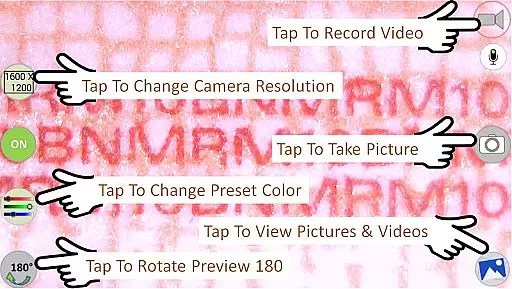
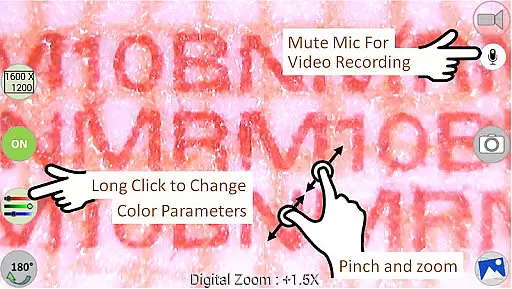
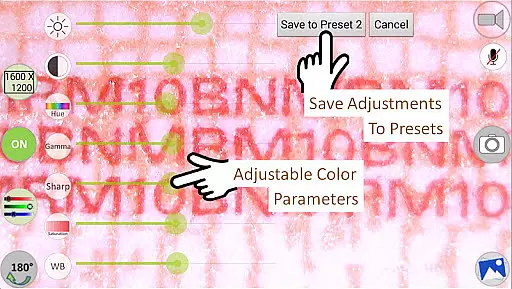
Another significant advantage of MScopesPro is its robust customization options. Users can adjust various color parameters such as brightness, contrast, hue, gamma, sharpness, saturation, and white balance. These settings can be saved into three different presets, allowing quick switching between preferred configurations. The app also supports multiple preview sizes, including 640x480, 800x600, 1280x720, and 1600x1200, catering to different resolution needs. Additional features like pinch-to-zoom, microphone control during video recording, and intuitive buttons for sharing, editing, and deleting media further enhance the user experience.
Video format compatibility is a crucial feature for any video player or editor, ensuring that users can work with a wide range of video files without the need for conversion. MScopesPro for USB Camera excels in this area by supporting multiple video resolutions such as 640x480, 800x600, 1280x720, and 1600x1200.
The application's support extends to various image types including JPEG and PNG, providing flexibility in capturing stills alongside video recording. This versatility ensures that whether you're using a digital microscope, endoscope, or webcam, your content will be accurately captured and easily accessible.
Moreover, MScopesPro offers adjustable color parameters like brightness, contrast, hue, gamma, sharpness, saturation, and white balance. These features allow users to fine-tune their video output to match specific requirements or preferences, enhancing the overall quality of the visual experience.
AI-powered editing features are transforming the landscape of video editing by automating complex tasks and offering intelligent suggestions. While MScopesPro for USB Camera does not explicitly market itself as an AI-driven editor, it incorporates several advanced functionalities that streamline the editing process.
One notable feature is the option to add date and time stamps on both previews and captured images, which can be invaluable for documentation purposes. Additionally, users have the ability to include up to three lines of custom notes, making it easier to annotate videos and images with relevant information.
The app also provides intuitive controls for zooming and panning during preview using one or two fingers, along with pinch-to-zoom functionality. Such tools enhance user interaction and make precise adjustments more accessible, contributing to a smoother and more efficient editing workflow.
Full-screen preview
No root required
Customizable color settings
Multiple resolution options
Comprehensive feature set
Limited device compatibility
Doesn't support Android 5.1.1
Requires OTG adapter
Advanced features may overwhelm beginners
Potential performance issues on older devices

Auto video maker with music & exclusive filters. Video editing made simple.
 4.50
4.50
Fast, private downloading, video saving, social media
4.50
Video Player - Unlimited features, 30 days money back guarantee.
4.60
HD video & music player - All format support with floating & PIP mode!
3.80
Your media, on your terms.
4.10
Video Trimmer, Video to MP3 Converter. Extract music from video, Easy & Fast.
4.80
Play ALL formats in 4K & HD. Video downloader, MP3 player, Chromecast & more.
4.80
Support 1000+ Video Format, Subtitle Download, mp3 & Background Play, Cast On TV
4.60
Fast private browser with secure, seamless access & supported video downloads!
4.00
AI Video Editor with Music, Filter, Slideshow, Effect, Merge & Trim Video.
4.80
Download Hub, easy and private way to download and enjoy your videos offline
4.80
Watch IPTV on your Android device
4.60
Browser + Remote for Roku to stream webvideos, online movies and livestreams
4.60
AirMirror Receiver - Screen mirroring/cast web videos to Android TV by AirPlay.
4.40
Viddo: Generate Action Figure, AI Anime, AI kiss, AI hug Video from image & text
4.40
Video player with 4K & 1080P support, popup play, background play and subtitle.
4.20
Manage your IPTV live channels and VOD playlists (no playlist included)
3.80
Kodi media center, a free and open source cross-platform entertainment hub
3.60
Mix with Virtual DJ directly from your phone or tablet !
3.10


User Reviews