
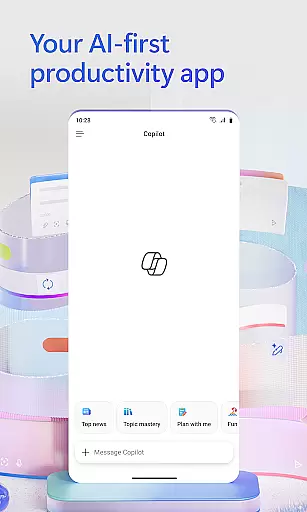
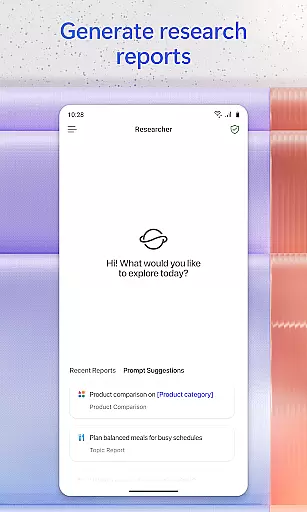
Microsoft 365 Copilot is an AI-powered productivity application designed to streamline work and personal tasks. This app serves as a centralized platform for interacting with an AI assistant, creating and editing various types of content, scanning documents, managing projects, and swiftly locating files while on the move. It leverages advanced AI capabilities to help users accomplish more without increasing their workload.
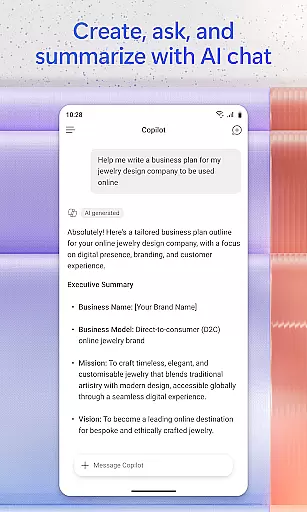
The app's core functionalities include conversing with the AI assistant to summarize documents, draft emails, or analyze spreadsheets using natural language processing. Users can also interact with the app through voice commands, making it easier to prepare for the day hands-free. With features like quick file search, accelerated learning tools, and expert insights from built-in AI agents, Microsoft 365 Copilot enhances productivity by providing smart solutions tailored to individual needs.
Whether you're at work or home, this app ensures that you can efficiently manage your digital content and projects. By integrating access to Word, Excel, PowerPoint, and PDFs in one place, it offers a seamless experience for creating, editing, and organizing documents. Signing in with a Microsoft account allows users to take advantage of these robust features, although some capabilities may require specific licenses or permissions.
Microsoft 365 Copilot stands out with its comprehensive suite of productivity-enhancing features. One of the key highlights is the ability to chat with an AI assistant that can perform complex tasks such as summarizing cloud-stored documents, drafting emails, and analyzing spreadsheets through natural language queries. This functionality not only saves time but also makes sophisticated data analysis accessible to non-experts.
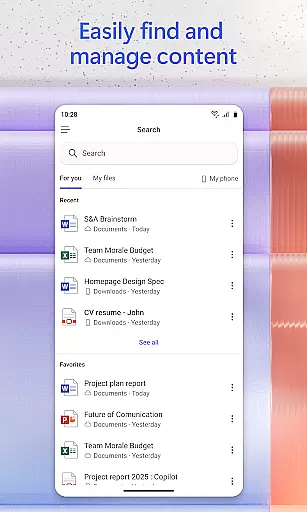
Voice interaction is another standout feature, enabling users to operate the app hands-free. This is particularly useful when multitasking or when accessibility is a concern. Additionally, the app provides powerful search capabilities that allow users to quickly locate specific files, images, or documents, regardless of where they are stored. This ensures that important information is always within reach.
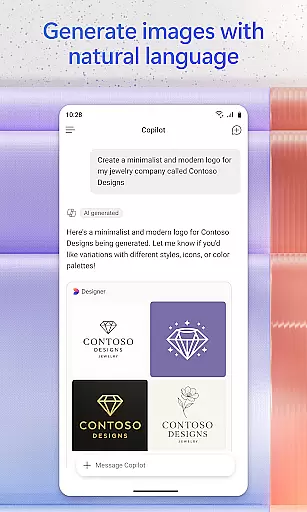
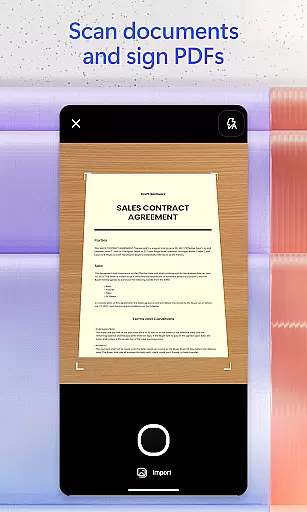
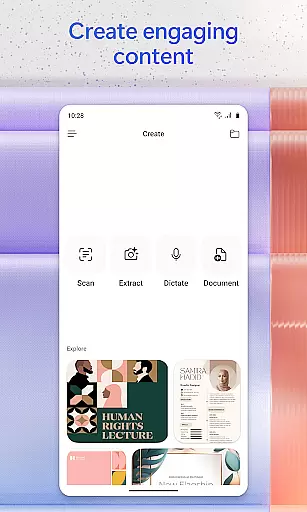
For content creation, Microsoft 365 Copilot offers easy-to-use templates for designing professional-quality images, posters, banners, videos, and surveys. The document scanning feature further extends its utility by allowing users to digitize physical documents effortlessly. Moreover, project management is simplified with Copilot Notebooks, which help consolidate ideas, documents, and links, providing a cohesive overview of ongoing projects. These innovative features collectively enhance user efficiency and creativity.
Task management is a cornerstone of productivity, and Microsoft 365 Copilot excels in this area by offering users an integrated platform to manage their tasks efficiently. The app consolidates various productivity tools such as Word, Excel, PowerPoint, and PDF handling into one place, streamlining the workflow.
With Microsoft 365 Copilot, you can easily upload and save documents from your mobile device's storage, allowing for quick access and editing on the go. This feature ensures that whether you're working on a document at home or reviewing a spreadsheet during your commute, all your files are accessible wherever you are.
The application also provides Copilot Notebooks, which serve as a central hub for organizing ideas, documents, and links related to specific projects. By summarizing content and connecting relevant information, it helps users maintain clarity and focus across multiple tasks without losing sight of the bigger picture.
Ultimately, these capabilities empower users to handle their responsibilities more effectively, ensuring they can prioritize, execute, and track their work with minimal friction, thus enhancing overall productivity.
Cross-device synchronization is vital for maintaining continuity in our digital lives, and Microsoft 365 Copilot addresses this need by providing reliable syncing across devices. Whether switching from a desktop to a smartphone or vice versa, users can expect seamless transitions with up-to-date data available instantly.
This reliability stems from the app's integration with cloud services like OneDrive and SharePoint, where documents and other files are saved automatically. As long as thereu2019s internet connectivity, any changes made will reflect immediately across all linked devices, ensuring consistency and timeliness.
Moreover, the ability to interact with voice commands adds another layer of convenience when moving between different environments. For instance, starting a task on your phone while commuting could be effortlessly continued hands-free at home through voice interaction, thanks to robust cross-device support.
By prioritizing dependable synchronization, Microsoft 365 Copilot not only enhances user experience but also fosters greater flexibility and adaptability in managing daily activities, regardless of location or device used.
AI-Powered Assistance
Voice Command Support
Advanced File Search
Integrated Office Tools
Content Creation Templates
Limited Free Features
Requires Microsoft Account
License Restrictions Apply
Dependent on Cloud Storage
Occasional Sync Issues

Total remote control for your Android device, PC and cloud services (IFTTT)!
 4.20
4.20
Professional calendar app for Google Calendar, MS Outlook & Exchange
4.20
All in one sketching tool. Technical and General drawing. Online Maps support.
3.70
Easily read and manage all your PDF files
4.10
App lock - lock apps with fingerprint, password, pin or pattern, protect privacy
4.70
Stay on top of your to-dos with Google Tasks, part of Google Workspace.
4.60
Simple and reliable communication between inmates, friends and family
3.20
Great calculator for Android named one of USA TODAY's "25 Essential Apps".
4.90
Experience and share your SolidWorks designs on your Android® phone and tablet.
2.50
Scientific calculator for Android - looks and operates like the real thing!
4.90
aCalendar+ makes your day, week and month
4.70
Calendar 2023 widget for Android. Appointment scheduler, planner, and reminder
4.60
PDF scanner & converter for files, photos, lottery, QR codes. One swipe away!
4.50
When you Focus, so will your Bean in this cozy focus timer
4.30
All in One PDF Reader: Manage, Read and Edit your Documents
4.20
Intelligent AI Assistant
4.10
Customizable calendar widget for seamless event sync, planning & scheduling.
4.00
Take control of your clipboard with Clipper!
3.90
Code on-the-go with VScode for Android. Edit,debug and collaborate from mobile!!
3.10


User Reviews