
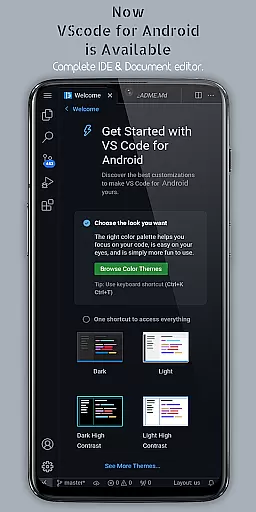
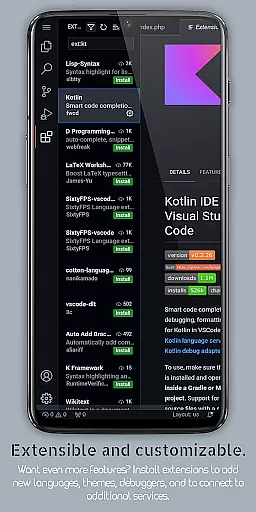
VScode for Android brings the powerful functionality of Visual Studio Code to mobile devices, allowing developers to write, edit, and debug code on-the-go. With support for a wide range of programming languages and file types, this app provides an immersive coding experience with features like customizable themes, IntelliSense, debugging tools, and Git integration.
The app offers a comprehensive set of tools including syntax highlighting, intelligent code completion, snippets, code refactoring, and multi-cursor editing. Its fullscreen mode ensures an uninterrupted coding session by hiding system bars, while remote access allows users to connect via a web browser using their phone's IP address and port 8080.
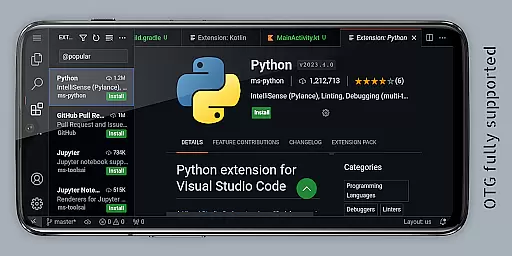
Designed for productivity, VScode for Android is ideal for developers who need a flexible coding environment that supports various languages such as HTML/CSS, JavaScript/TypeScript, Python, Java/Kotlin, C/C++, and more. Whether working locally or collaborating remotely, this app empowers users to maintain their workflow from anywhere in the world.
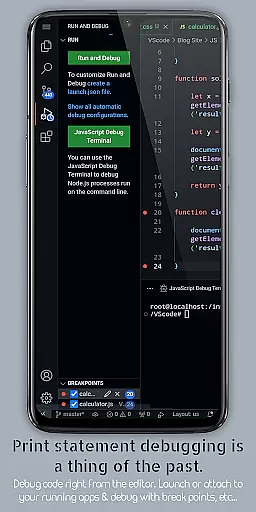
VScode for Android stands out with its robust feature set tailored for developers. The app includes built-in support for debugging, enabling users to find and fix errors efficiently. Syntax highlighting enhances readability across multiple programming languages, making it easier to understand complex code structures.
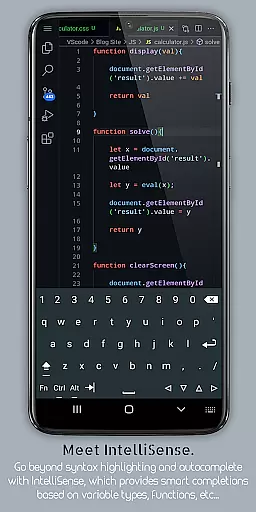
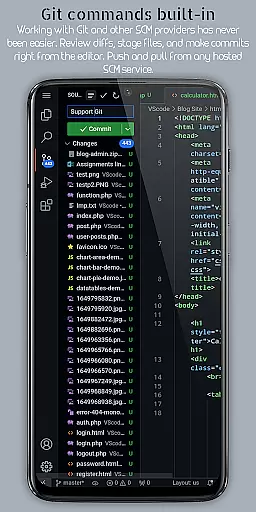
One of the key highlights is IntelliSense, which offers intelligent code completion to speed up coding and reduce errors. Additionally, the app supports code snippets for reusable pieces of code and provides tools for common refactoring tasks like renaming variables or extracting methods. Embedded Git facilitates version control operations directly within the editor.
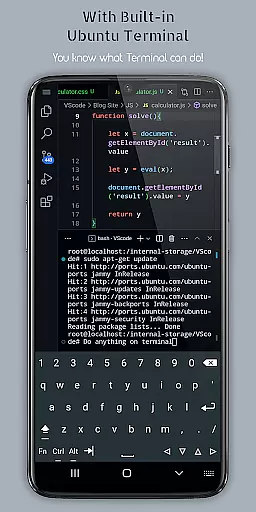
Customizable keyboard shortcuts allow users to tailor key bindings to their preferences, enhancing efficiency. The app also features a built-in terminal, split view editing for multitasking, an integrated task runner for automating tasks, and language-specific settings to optimize workflows. These features collectively ensure a seamless and productive coding experience on mobile devices.
VScode for Android revolutionizes the way developers handle task management on mobile devices. The app brings essential productivity features to your fingertips, allowing you to write, edit, and debug code seamlessly.
With built-in support for Git and other version control systems, users can easily collaborate with team members. This functionality ensures that all changes are tracked and managed efficiently, providing a robust solution for version control.
The integrated task runner automates common development tasks, saving valuable time during the coding process. Whether it's compiling code or running tests, these automated processes enhance overall workflow efficiency.
Additionally, the workspace management feature enables developers to organize and switch between different projects effortlessly. This capability is crucial for maintaining productivity when working on multiple tasks or projects simultaneously.
Cross-device synchronization is a standout feature of VScode for Android, ensuring that your coding environment remains consistent across all devices. This reliability allows developers to start a project on one device and continue working on another without missing a beat.
Through remote access capabilities, users can connect to their mobile VScode instance from any web browser using the phone's IP address and port 8080. This feature provides unparalleled flexibility, enabling coding sessions from anywhere in the world.
The app supports multi-cursor editing and split view functionalities, which remain synchronized across devices. These features allow for efficient code modifications and side-by-side file comparisons, regardless of the device being used.
Furthermore, customizable settings and keyboard shortcuts maintain consistency across different platforms. This uniformity ensures that developers can work comfortably and efficiently, regardless of whether they're using their mobile device or desktop computer.
Powerful code editor
Wide language support
Intuitive UI design
Efficient debugging tools
Remote access capability
Limited screen space
Complex setup process
Frequent updates needed
High resource usage
Not officially by Microsoft

Make your handwriting beautiful, even more than pen on paper.
 3.60
3.60
Absolutely the best CNC machinist speed and feed calculator around. fswizard.com
4.60
⏰ Finally a timer app which can run multiple timers simultaneously on your watch
3.90
Make apps & sites with natural language prompts
4.10
Stay on top of your to-dos with Google Tasks, part of Google Workspace.
4.60
Multilingual translator for text, voice, and image translation!
4.90
Subscribe to Webcal & .ics calendars and keep them up-to-date!
4.50
Secure your apps with lock screens, use custom themes and different features.
4.40
Use powerful, industry-leading AI tools to generate visual charts from any data
4.80
Understand anything with a personalized AI research assistant
4.80
Direct Chat without saving contacts & Dual WA Account on Single Device
4.70
CalenGoo is a very flexible and feature-rich calendar app
4.40
Access, manage and transfer files on Android, PC, Mac, NAS and cloud storages.
4.30 4.20
4.20
Activate Two Factor Authentication (2FA or Multi OTP), Password manager and more
4.10
Unlock AutoNotification
4.00
Customizable calendar widget for seamless event sync, planning & scheduling.
4.00
A Revolutionary All-in-One Artificial Intelligence Tools
3.80
A comprehensive suite of tools designed specifically for Lactation Consultants
4.2


User Reviews