
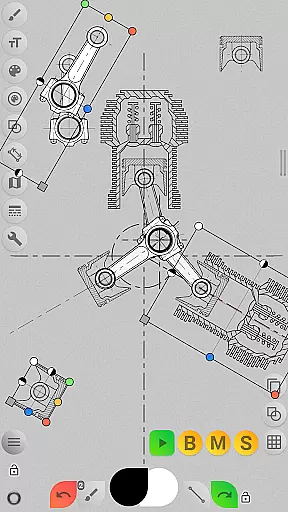
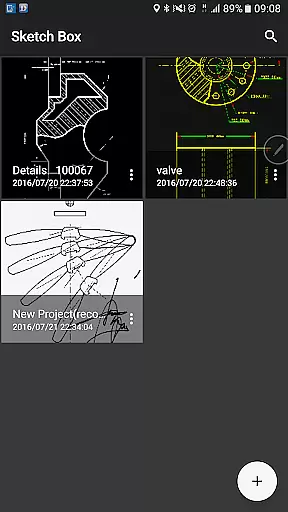
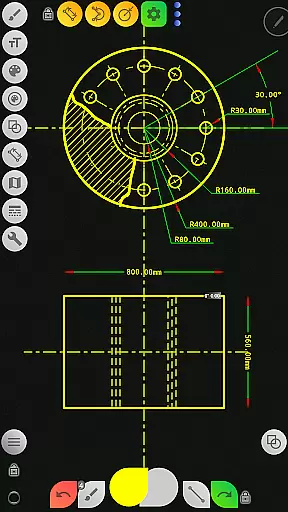
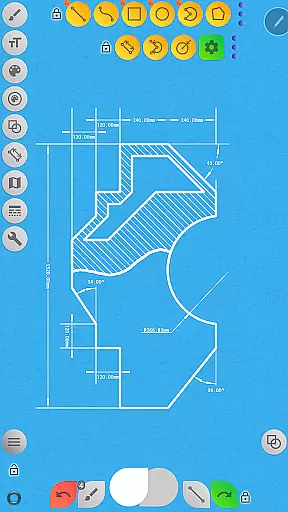
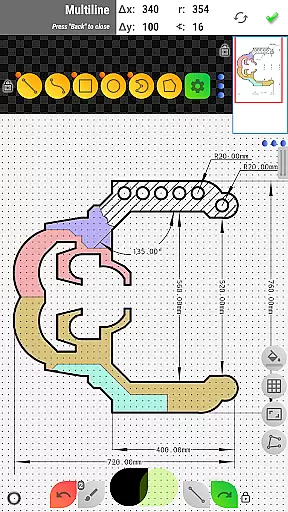

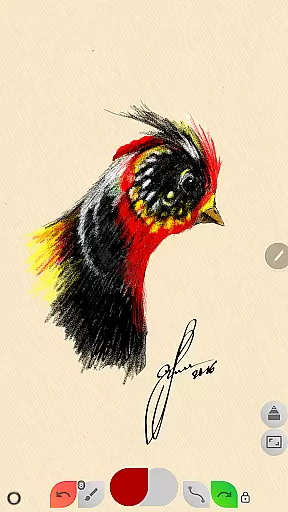
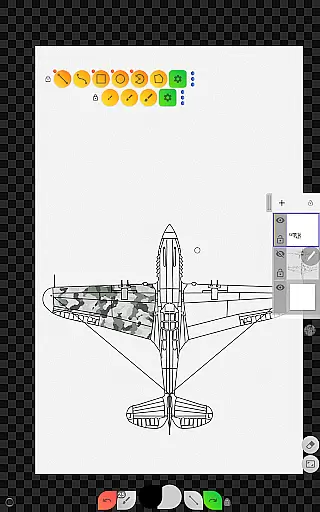
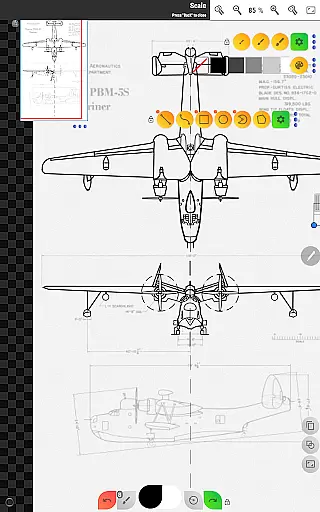
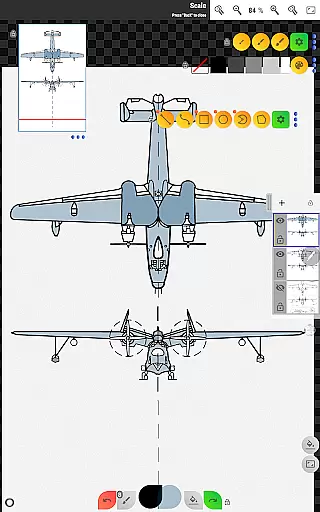
Sketch Box Pro is a versatile sketching and drawing application designed to meet diverse requirements, from technical drawings to general sketching. It serves as an alternative to vector CAD systems while maintaining the simplicity of traditional drawing tools. The app uniquely combines the precision of CAD systems with the flexibility of freehand drawing, making it suitable for engineers, designers, and casual sketchers alike.
A key feature of Sketch Box Pro is its project-based workflow. Users can create projects from scratch with predefined themes, import snapshots from online maps, or use images from their device gallery. This makes it an ideal tool for both professional and personal use cases, allowing users to capture ideas instantly and revisit them anytime. Whether you need to create detailed technical drawings or quick conceptual sketches, Sketch Box Pro provides the necessary tools in a convenient, pocket-sized format.
The app's value lies in its comprehensive feature set that includes layers support, a wide range of basic shapes, dimensioning tools, and online map integration. These features enable users to produce precise and professional-quality sketches efficiently. With its intuitive interface and powerful drawing engine, Sketch Box Pro is a valuable productivity tool for anyone involved in design, engineering, or creative work.
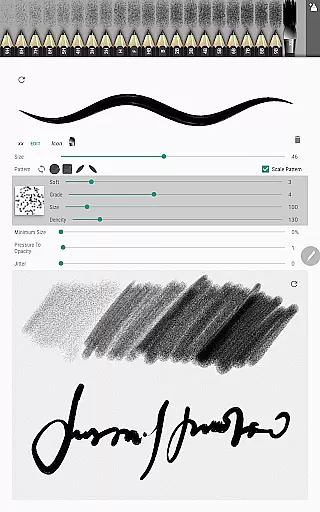
Sketch Box Pro offers a rich set of features that cater to both technical and artistic drawing needs. One standout feature is the Pencils Set, which allows users to customize and save different pencil characteristics using the powerful Pencil Redactor. This customization extends to the Multiline tool, now optimized for continuous drawing with manual point positioning in both scalar and radial coordinates. Additionally, the introduction of free and radial selection tools enhances precision and control during the drawing process.
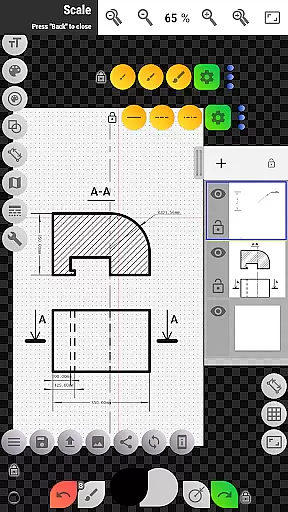
The app supports up to six layers in its Pro version, providing advanced layer management capabilities such as locking, opacity control, duplication, clearing, deletion, and merging. This layer support enables complex compositions and non-destructive editing. Other notable features include a wide range of basic shapes, predefined brushes for freehand drawing, grid tools for technical accuracy, and dimension tools for quick measurements. The scale tool helps maintain proper proportions, while the flood filling and hatching tools allow for efficient coloring and shading.
Sketch Box Pro also excels in its online map support. Users can utilize Google Maps as a background for their projects, share locations with comments and markings, and employ interactive compass tools for orientation. The vector tool facilitates azimuth display directly on the canvas, considering the compass's north direction. Map tools further enhance functionality by enabling distance measurement between objects and area calculation through simple outlining on the canvas. These features make Sketch Box Pro an indispensable tool for professionals requiring accurate spatial representation in their work.
Sketch Box Pro excels in core task management by offering a versatile platform for various drawing and sketching needs. This includes technical drawings, general sketching, and interactive map tools, making it an all-in-one solution for productivity.
The app provides a projects-based approach where users can create projects from scratch, online maps snapshots, or device galleries. This flexibility ensures that whether you're drafting new ideas or working on existing ones, Sketch Box Pro supports your workflow seamlessly.
With layers support, including up to 6 layers in the Pro version, users can manage complex drawings with features like lock layer, opacity control, and merging options. These capabilities enhance task management by allowing precise control over different elements of a project.
Ultimately, Sketch Box Pro's comprehensive toolset, including basic shapes, predefined brushes, grid tools, and dimension tools, empowers users to efficiently handle tasks ranging from simple sketches to intricate technical drawings.
Cross-device synchronization is crucial for maintaining productivity across multiple devices, and Sketch Box Pro ensures reliable performance in this area. Users can start a project on one device and continue working on another without losing progress or data integrity.
The app supports exporting current drawings to the gallery or sharing them directly. This feature facilitates easy transfer and backup of work, ensuring that users can access their projects anytime and anywhere, thus enhancing synchronization reliability.
Additionally, the ability to insert images from the device gallery, rotate, resize, and control opacity allows users to assemble more complex sketches from parts. This functionality not only enriches the drawing experience but also strengthens cross-device compatibility.
By providing flexible workspace setup options and movable panels, Sketch Box Pro ensures that users can customize their interface according to their needs, further supporting consistent and dependable synchronization across different devices.
User-friendly interface
Powerful customization options
Comprehensive drawing tools
Excellent layer management
Unique map integration
Pro features require purchase
Steep learning curve
Limited free resources
Occasional performance issues
Complex UI for beginners

Unlock AutoNotification
 4.00
4.00
The upgraded version of Name Wheel with AI and the power to add your own wheels.
4.4
aCalendar+ makes your day, week and month
4.70
CalenGoo is a very flexible and feature-rich calendar app
4.40
Subscribe to Webcal & .ics calendars and keep them up-to-date!
4.50
* block pre-roll ads, pop-up and forced redirect ads * Samsung certification app
4.00
Intelligent AI Assistant
4.10
Use powerful, industry-leading AI tools to generate visual charts from any data
4.80
Lightweight PDF, Word, Excel reader.
4.60
A beautiful digital clock with autostart and many other functions
4.70
Send files, sync SMS, notifications & clipboard across devices via local network
4.40
When you Focus, so will your Bean in this cozy focus timer
4.30
Automates browsing any website and notifies you of important changes or events
4.30
Enjoy classic gameplay with customizable features and retro-style graphics.
4.30
Auto-shutoff Alarm with Sunrise, Sunset & Fixed Options.
3.50
Simple and reliable communication between inmates, friends and family
3.20
Ads Free App! Editor, Hide File, Copy, Move, Delete and Rename.. all facility av
1.70
Create study competitions, track your hours, and stay consistent with friends
4.5
A comprehensive suite of tools designed specifically for Lactation Consultants
4.1


User Reviews