
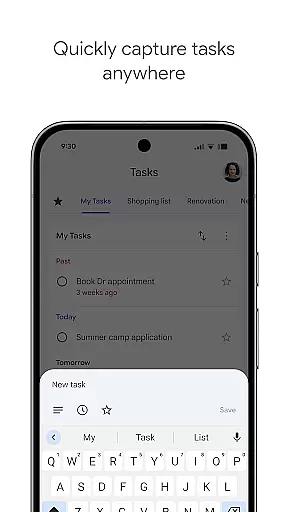
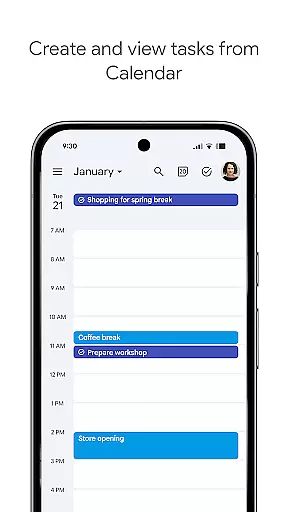
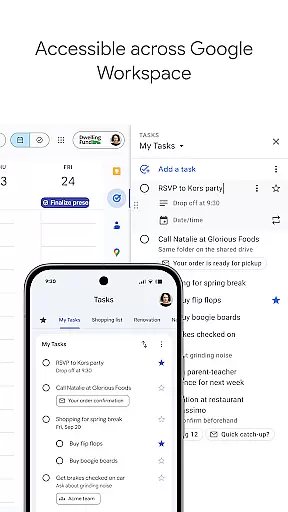
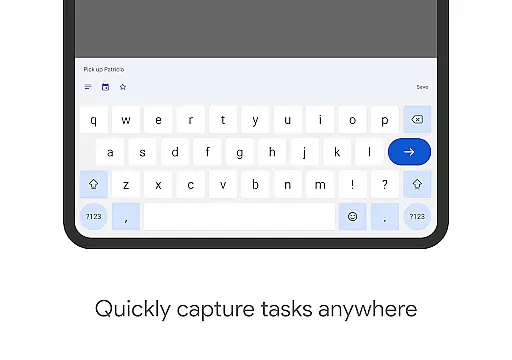
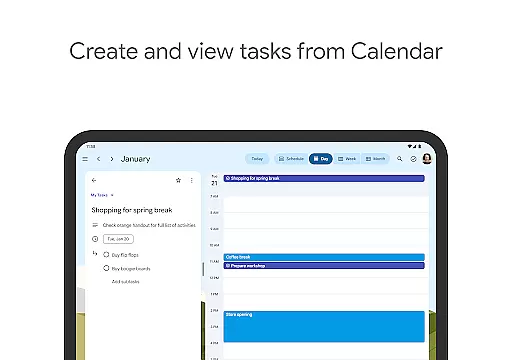
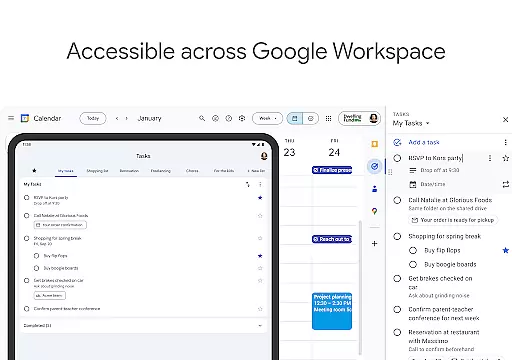
Google Tasks is a productivity app designed to help users manage their daily tasks efficiently. The app allows you to capture, organize, and track your to-dos from any device, ensuring you never miss an important deadline. With seamless integration across Gmail and Google Workspace, it creates a unified task management experience that boosts productivity.
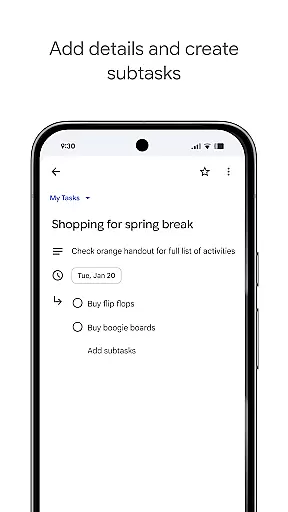
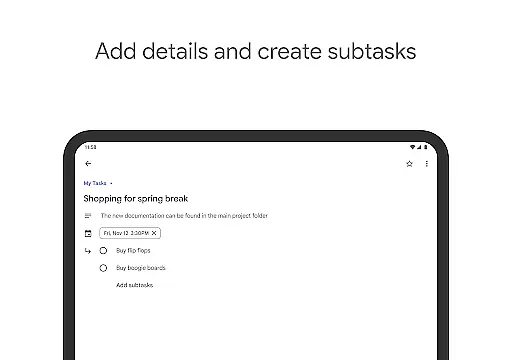
The app's key features include creating multiple task lists for better organization, setting priority levels through drag-and-drop functionality, and adding subtasks to break down complex projects. You can also set reminders and due dates to ensure timely completion of tasks. Whether you're managing work projects or personal errands, Google Tasks provides a simple yet powerful tool to keep you on track.
Google Tasks offers a variety of features that make task management intuitive and efficient. One standout feature is its ability to sync tasks across all devices, ensuring your to-do list is always up-to-date whether you're using a phone, tablet, or computer. This cross-platform functionality is particularly useful for users who switch between devices throughout the day.
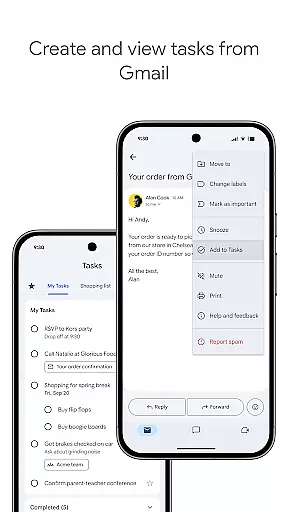
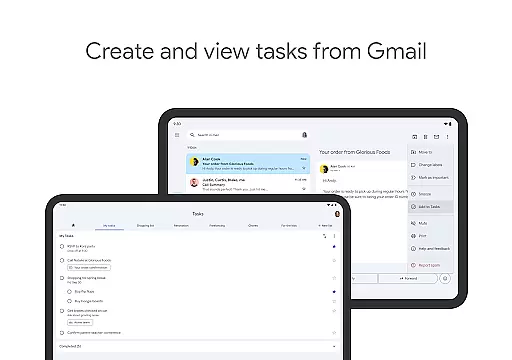
Another notable feature is its deep integration with Gmail, allowing users to create tasks directly from emails. Each task retains a link to the original email for quick reference, streamlining workflows. Additionally, the app supports subtasks, priority markers, and due date notifications, helping users break down larger projects into manageable steps while staying on top of deadlines.
The app's minimalist design ensures ease of use without compromising functionality. Its drag-and-drop interface lets users reorder tasks effortlessly, while the ability to star important items helps prioritize critical to-dos. These features combine to create a task management solution that is both flexible and user-friendly.
Google Tasks excels in core task management by providing a simple yet powerful platform to organize your daily activities. The app allows users to create, edit, and manage tasks with ease, ensuring that nothing falls through the cracks. With intuitive drag-and-drop functionality, prioritizing tasks becomes effortless, enabling users to focus on what truly matters.
The application supports the creation of multiple task lists, catering to different aspects of your personal and professional life. This segmentation helps maintain clarity and ensures that each area receives the attention it deserves. Additionally, the ability to star important tasks provides quick visual cues about priority items, making daily planning more efficient.
Subtasks further enhance productivity by breaking down complex projects into manageable steps. This feature not only clarifies the path to completion but also provides a sense of accomplishment as each subtask is marked done. Overall, Google Tasks transforms the way users approach their to-do lists, promoting better organization and time management.
Cross-device synchronization is where Google Tasks truly shines, offering unparalleled reliability and consistency across all your devices. Whether you're using a smartphone, tablet, or desktop computer, your tasks are seamlessly updated in real-time. This ensures that you always have access to the most current version of your to-do list, regardless of the device you're using.
The synchronization process is not only fast but also highly dependable. Changes made on one device instantly appear on all others, eliminating the risk of missing important updates or duplicating efforts. This level of integration extends to Gmail, where users can create tasks directly from emails, with convenient links back to the original messages for context.
This robust syncing capability is powered by Google's infrastructure, renowned for its stability and security. As a result, users can trust that their data is safe and accessible whenever needed. The peace of mind that comes from knowing your tasks are always up-to-date across devices significantly enhances productivity and reduces stress.
User-friendly interface
Seamless cross-device sync
Deep Gmail integration
Supports subtasks and priorities
Free to use
Limited advanced features
No team collaboration tools
Basic notification options
Offline functionality restricted
No desktop app version

Create study competitions, track your hours, and stay consistent with friends
 4.4
4.4
IP Camera Viewer - Android TV : RTSP Surveillance camera viewer for Android TV
4.0
App lock - lock apps with fingerprint, password, pin or pattern, protect privacy
4.70
Font maker keyboard with your own handwriting
4.10
ID.me Authenticator is a simple and free Two Factor Authentication solution
3.50
Secure, open-source, SPICE and SSH Remote Desktop for QEMU KVM virtual machines
4.00
Code on-the-go with VScode for Android. Edit,debug and collaborate from mobile!!
3.10
Access, manage and transfer files on Android, PC, Mac, NAS and cloud storages.
4.30
Okta MFA
4.70
The long-awaited modern gallery app for your Nextcloud server
4.70
Lightweight PDF, Word, Excel reader.
4.60
CalenGoo is a very flexible and feature-rich calendar app
4.40
A Pixel Art watchface inspired by other iconic 90s designs for Wear OS devices!
4.40
Device's storage information in a simple and clear graphical form (infographics)
4.10
Cloud storage, automatic phone backup, and more.
4.10
Customizable calendar widget for seamless event sync, planning & scheduling.
4.00
Remotely view listen control and record cameras.
3.70
Auto-shutoff Alarm with Sunrise, Sunset & Fixed Options.
3.50
The upgraded version of Name Wheel with AI and the power to add your own wheels.
4.1


User Reviews