
Calculator Plus stands out as an essential productivity tool designed to simplify and enhance calculation tasks on Android devices. Recognized by USA TODAY as one of the '25 Essential Apps', this calculator app surpasses traditional handheld calculators in functionality and design.
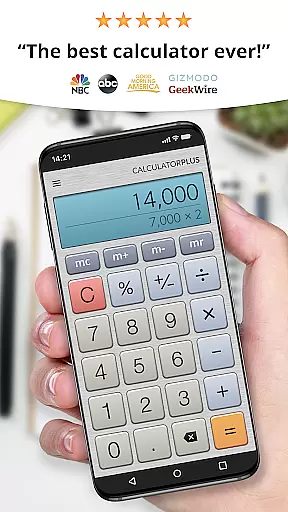
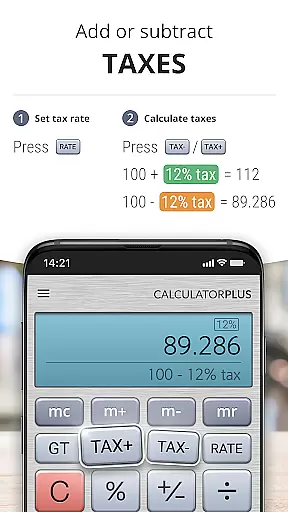
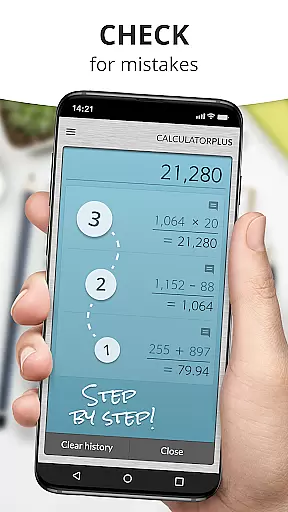
The app's core features include an elegant, easy-to-read display with proper comma placements, memory functions that allow users to retain a running total, and the ability to review past calculations. These capabilities make it ideal for various scenarios such as shopping, homework, financial management, or tax assistance. Calculator Plus is thoughtfully crafted to save time and effort while providing a seamless user experience.
With its intuitive interface and advanced functions accessible via swipe gestures, Calculator Plus caters to both everyday and complex mathematical needs. Its backspace feature for correcting mistakes and clear percentage calculations further augment its practicality, ensuring users can rely on it for accurate and efficient computations.
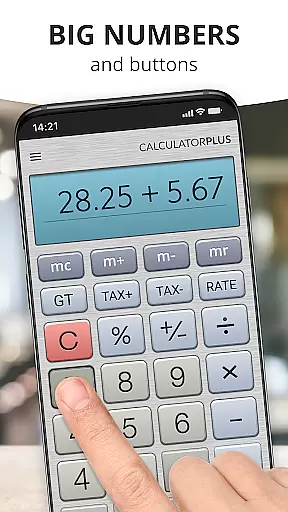
Calculator Plus boasts a range of features that cater to diverse computational requirements. The app displays calculations in crisp, elegant typography, ensuring clarity and precision. It employs intelligent formatting with commas placed appropriately, which enhances readability significantly.
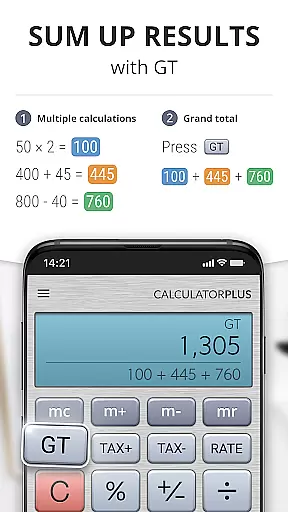
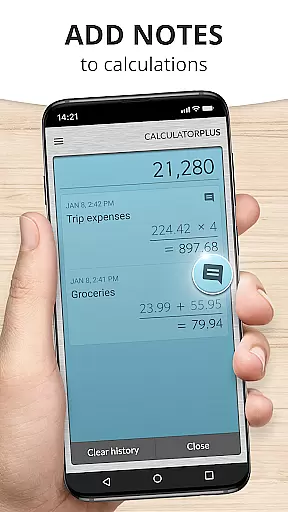
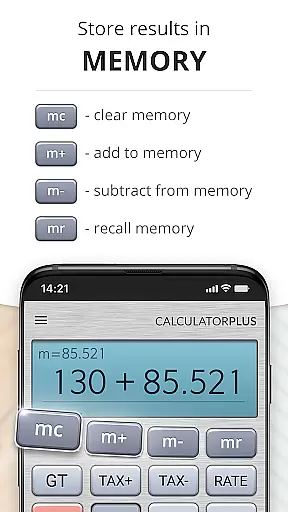
One standout feature is its memory functionality, which allows users to maintain and view a running total. This proves invaluable for cumulative calculations. Additionally, the app remembers past computations, enabling users to revisit and verify their work at any time. The inclusion of advanced math functions, accessible by swiping aside memory keys, adds another layer of versatility.
Usability is further improved by the backspace key for correcting errors without restarting and a transparent percentage function that eliminates confusion. Designed for both simplicity and power, Calculator Plus delivers an unmatched calculating experience on mobile devices.
Calculator Plus excels in core task management by offering a seamless calculation experience. The app allows users to save and review past calculations effortlessly, making it an ideal tool for various tasks such as shopping, homework, or balancing checkbooks.
With its memory function, users can maintain a running total that is visible at all times. This feature ensures that users have a clear overview of their ongoing calculations without losing track of any details, enhancing productivity and accuracy.
The app's intuitive design includes a backspace key for correcting mistakes easily, eliminating the need to restart calculations from scratch. This functionality significantly reduces time spent on recalculations and improves overall efficiency.
By providing advanced math functions through swipeable memory keys, Calculator Plus supports complex computations while maintaining simplicity. Users can access these features without cluttering the main interface, ensuring a streamlined and efficient task management experience.
Calculator Plus ensures reliable cross-device synchronization, allowing users to access their calculations across multiple devices seamlessly. This feature is particularly beneficial for individuals who use both phones and tablets for different tasks throughout the day.
The app's ability to save calculations means that users can start a computation on one device and continue on another without missing a beat. Whether switching from a phone to a tablet or vice versa, the transition is smooth and uninterrupted.
Moreover, Calculator Plus provides real-time updates, ensuring that all devices reflect the latest calculations instantly. This reliability eliminates the risk of discrepancies between devices, offering peace of mind and consistent data integrity.
By integrating with cloud services, Calculator Plus guarantees that user data remains secure and accessible anytime, anywhere. This robust synchronization capability enhances the app's utility, making it a dependable tool for managing calculations across various devices.
User-friendly interface
Advanced math functions
Memory retention feature
Backspace correction tool
Clear percentage display
Limited to Android
No iOS version
Requires manual updates
Ads in free version
Some features locked

Seamlessly integrate data and reports to build your presentation to impress
 4.80
4.80
Mega cloud explorer plugin for Solid Explorer
3.80
The Pro Version of Android's tiniest Notepad app. Just 0.3MB but feature-packed!
4.60
Todo reminder
4.10
Fill, sign & send docs, forms, agreements & contracts via electronic signature.
4.50
A comprehensive suite of tools designed specifically for Lactation Consultants
4.1
Scan paperwork into PDF/JPG, generate your own e-signature and send fax or email
4.70
AI Chatbot and AI writing assistant powered by ChatGPT.
4.60
QuickEdit is a fast, stable and full featured text and code editor.
4.20
Multilingual translator for text, voice, and image translation!
4.90
Use powerful, industry-leading AI tools to generate visual charts from any data
4.80
Calendar 2023 widget for Android. Appointment scheduler, planner, and reminder
4.60
To do list widget with a notebook organizer, checklist, simple shopping list
4.60
Tally and goal counter for Wear OS & mobile
4.50
Send files, sync SMS, notifications & clipboard across devices via local network
4.40
Total remote control for your Android device, PC and cloud services (IFTTT)!
4.20
⏰ Finally a timer app which can run multiple timers simultaneously on your watch
3.90
Access your phone's notifications, calls, apps, photos & texts on your PC
3.90
Ads Free App! Editor, Hide File, Copy, Move, Delete and Rename.. all facility av
1.70


User Reviews