
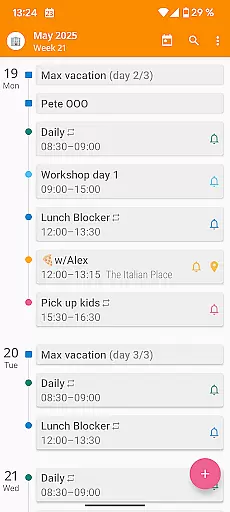

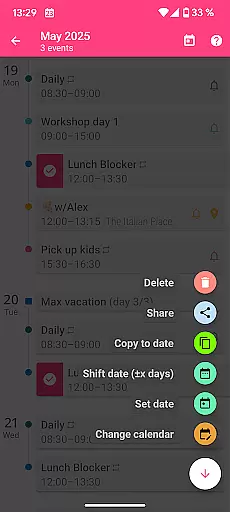
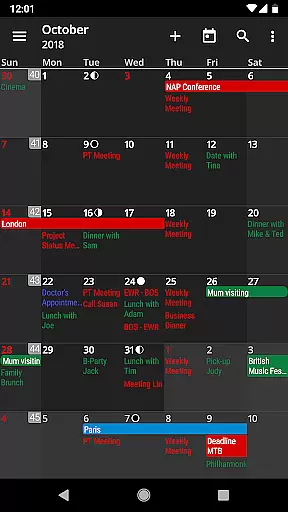
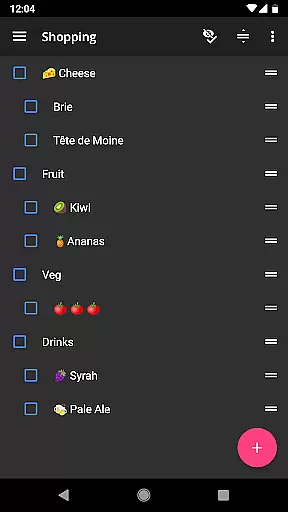
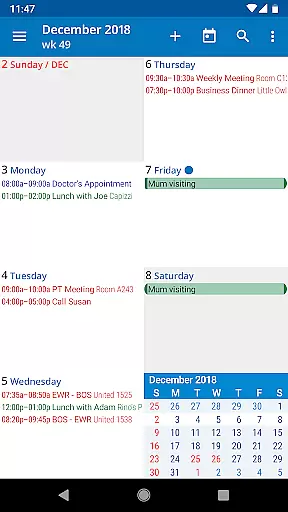
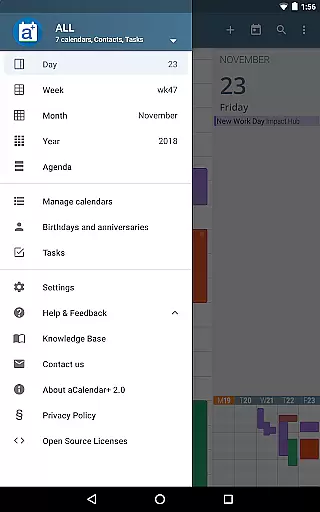
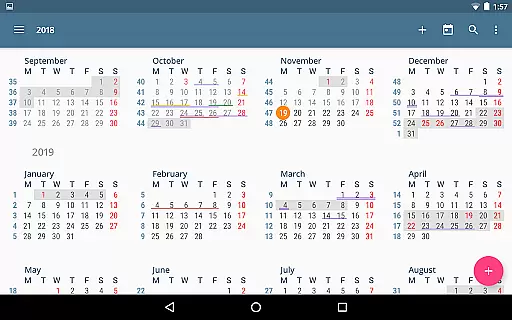
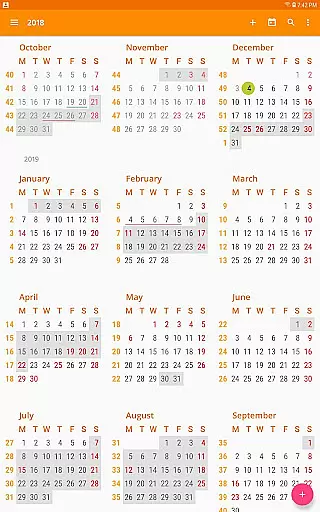
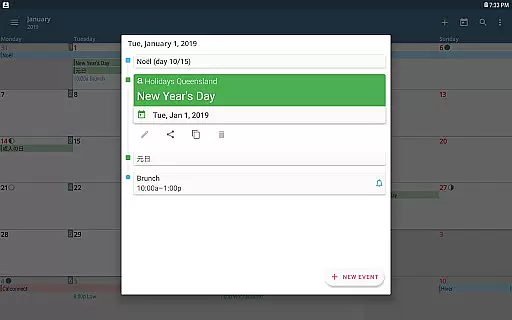
aCalendar+ is a premium productivity app designed to enhance your daily, weekly, and monthly planning. It offers an intuitive navigation experience with smooth transitions between day, week, month, and year views, ensuring you stay organized effortlessly.
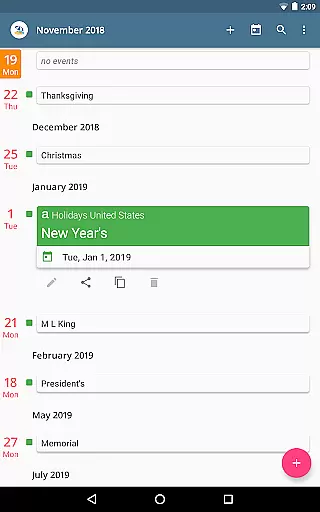
One of the standout features is its ability to manage both Google Tasks and tasks from CalDAV/OpenTasks, making it versatile for personal and business use. With over 100 color options for calendar customization and additional themes, users can tailor the interface to their preferences. The app also supports public holidays and school holidays for certain countries, providing comprehensive scheduling assistance.
Whether you're scheduling meetings, managing tasks, or setting reminders for important dates, aCalendar+ ensures that all your events are easily accessible and visually distinct. Its integration with Android's native calendar backend guarantees seamless synchronization across devices, enhancing productivity without compromising privacy.
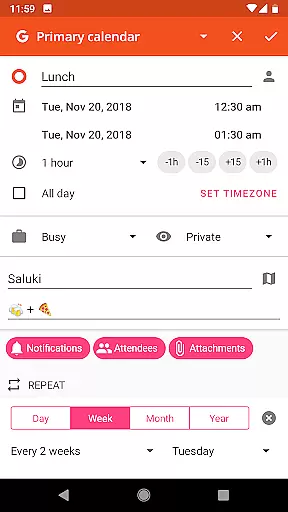
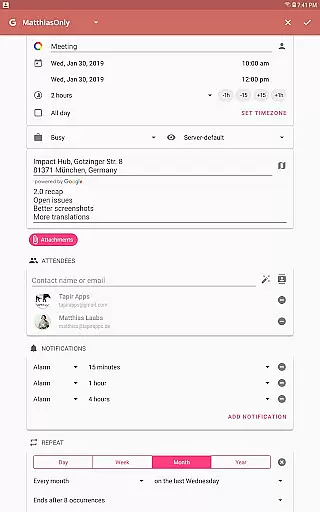
aCalendar+ stands out with its rich feature set tailored for productivity enthusiasts. The app provides flexible recurrence options for events, such as every 3 weeks or every Mon, Wed, and Fri, allowing precise scheduling. Users can choose from over 100 colors for calendar events and enjoy per-event color coding even if not supported by the event's calendar.
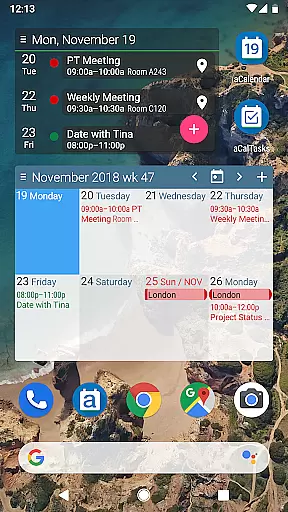
Additional functionalities include fullscreen widgets, custom event font sizes, and birthday/anniversary management with photos from your address book. Business users benefit from features like inviting attendees, linking contacts, and sharing events as ICS files. The app also respects user privacy, never sending private data unless configured by the user.
The app's usage is intuitive, with vertical swiping to move through the calendar and horizontal swiping to switch views. Configurable actions on various gestures ensure a personalized experience. With translations in over 30 languages, aCalendar+ caters to a global audience, ensuring everyone can manage their schedules efficiently.
aCalendar+ excels in core task management by offering a comprehensive suite of features that cater to both personal and business needs. The application allows users to manage Google Tasks or tasks from CalDAV/OpenTasks, ensuring seamless integration with existing systems.
With intuitive navigation and smooth transitions between day, week, month, and year views, users can efficiently organize and prioritize their tasks. The flexible recurrence options enable setting up reminders for repetitive activities, such as every 3 weeks or every Mon, Wed, and Fri, which is crucial for maintaining a productive schedule.
Moreover, the ability to configure actions on 3-finger-tap, tap on title, and even volume buttons adds a layer of customization that enhances user interaction and control over their task management process.
Cross-device synchronization is a pivotal feature of aCalendar+, ensuring that all your calendar events and tasks are reliably updated across all your devices. By utilizing Android's native calendar backend and synchronization, aCalendar+ guarantees that any changes made on one device are instantly reflected on others.
This synchronization extends to Fullscreen widgets, which provide at-a-glance information without needing to open the app. Users can move forward and backward in the calendar by swiping vertically, switch between views with horizontal swipes, and even jump to specific dates with long-press actions on the mini-month view.
The reliability of this synchronization ensures that whether you're at your desk or on the go, your schedule remains consistent and up-to-date, empowering you to manage your time effectively regardless of location or device.
User-friendly interface
Extensive customization options
Seamless synchronization
Comprehensive task management
Privacy-focused design
Premium version costs
Occasional sync delays
Limited free features
Complex settings for beginners
Ads in free version

QuickBooks Workforce lets teams view pay info and track time in one place.
 4.70
4.70
Experience real multitasking on your Android!
4.00
Ads Free App! Editor, Hide File, Copy, Move, Delete and Rename.. all facility av
1.70
Send files, sync SMS, notifications & clipboard across devices via local network
4.40
We're working to become the best machining app on the market! www.cncdirt.com
4.80
Make your handwriting beautiful, even more than pen on paper.
3.60
Fill, sign & send docs, forms, agreements & contracts via electronic signature.
4.50
Stay on top of your to-dos with Google Tasks, part of Google Workspace.
4.60
Experience and share your SolidWorks designs on your Android® phone and tablet.
2.50
The long-awaited modern gallery app for your Nextcloud server
4.70
A lightweight JSON & XML files creator, editor and viewer (Premium Version)
4.40
Enjoy classic gameplay with customizable features and retro-style graphics.
4.30
All in One PDF Reader: Manage, Read and Edit your Documents
4.20
Device's storage information in a simple and clear graphical form (infographics)
4.10
Todo reminder
4.10
Font maker keyboard with your own handwriting
4.10
Activate Two Factor Authentication (2FA or Multi OTP), Password manager and more
4.10
The upgraded version of Name Wheel with AI and the power to add your own wheels.
4.3
A comprehensive suite of tools designed specifically for Lactation Consultants
4.2


User Reviews