
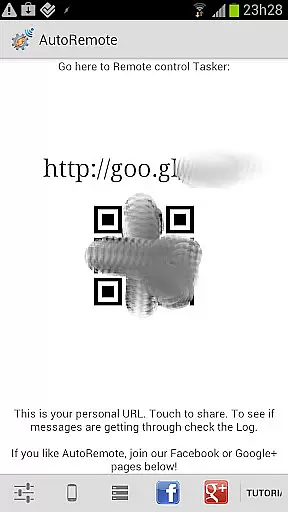
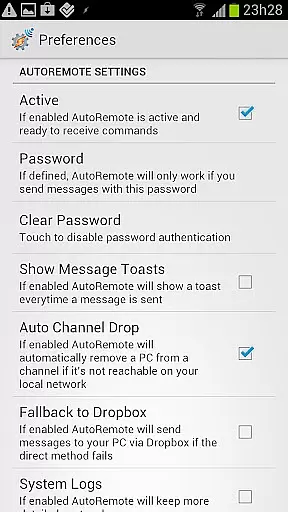
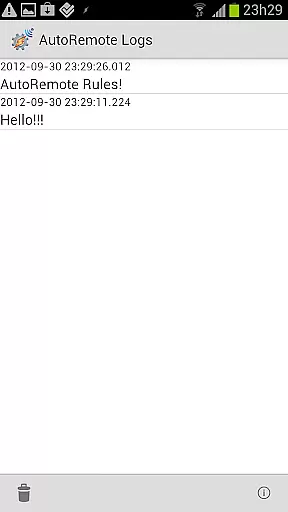
AutoRemote is a powerful productivity tool that allows users to remotely control their devices, including phones, PCs, and web services. With seamless IFTTT integration, it enables you to send push notifications between devices and trigger actions through Tasker or standalone apps. Whether you want to control your PC from your Android device or manage your Android from various web services like Facebook or Twitter, AutoRemote provides the flexibility to do so.
The app offers unprecedented control options, making remote management intuitive and limitless. You can execute commands, share links or text across devices, and even request your phone's location to be displayed on another device. Its advanced matching options and flexible command system allow for fully customizable uses, limited only by your imagination.
From finding your misplaced phone to automating shopping lists, AutoRemote empowers users to create personalized workflows that enhance productivity and connectivity.
AutoRemote stands out with its extensive feature set tailored for maximum productivity. The app facilitates bi-directional messaging between devices, allowing users to control one device from another or even from a PC. This includes sending messages via Tasker plugins, which makes full two-way communication possible.
One of the key features is the ability to use the Share menu in Android to directly send links or text to another device. For example, you can open a YouTube video on your phone and instantly play it on a larger tablet screen. Additionally, AutoRemote supports advanced matching options and a flexible command system, similar to joaomgcd's AutoBarcode app.
With endless possibilities, users can automate tasks such as creating a 'lost-my-phone' command or setting up a spoken shopping list triggered at a specific time. These features not only save time but also add layers of convenience and security to everyday tasks.
At the heart of AutoRemote lies its robust core task management system, which allows users to remotely control devices and applications through simple commands. This feature is essential for anyone looking to automate their digital life.
The application enables you to set up specific profiles in Tasker that react to messages sent from various platforms such as web browsers, desktops, or even other devices. These messages can trigger a wide array of actions, from opening apps to sending notifications.
Users benefit greatly from this level of control, as it streamlines workflows and increases productivity by reducing manual intervention. Whether you're managing your Android device from a PC or controlling your home automation system while away, AutoRemote puts the power in your hands.
This functionality not only enhances convenience but also opens up endless possibilities for customization and personalization of your remote control experience. With AutoRemote's advanced matching options and flexible command system, users have unprecedented freedom to tailor their interactions according to their unique needs.
Cross-device synchronization is a critical component of AutoRemote, ensuring that all your connected devices work together seamlessly. This reliability is what makes the app stand out in the realm of productivity tools.
AutoRemote provides bi-directional messaging between devices, allowing for real-time updates and interactions across different platforms. Whether you're sharing links from your phone to tablet or requesting your phoneu2019s location to be displayed on your PC, the process is smooth and instantaneous.
The benefits of this reliable synchronization are manifold; it means never missing an important update or action item because one device was out of sync. It ensures that whether you're at home or on the go, your data remains consistent and accessible wherever you need it most.
Moreover, with direct integration into Android's Share menu, users can effortlessly move content between devices without worrying about compatibility issues. This seamless connectivity empowers users to maintain continuity in their tasks regardless of which device they choose to use at any given moment.
User-friendly interface
Flexible command system
IFTTT integration
Bi-directional messaging
Advanced customization
Requires Tasker for full functionality
Steep learning curve
Limited without additional plugins
Occasional connection issues
Premium features locked behind paywall

A customizable calendar for your Wear OS watch
 4.20
4.20
Wake up & get tasks done! Add alarms & reminders on the Clock Launcher.
4.00
The Pro Version of Android's tiniest Notepad app. Just 0.3MB but feature-packed!
4.60
Mind Map and brainstorm, note taking and idea collection
4.80
App Lock with fingerprint, password: Lock apps & hide photos with lock screens
4.60
Calendar 2023 widget for Android. Appointment scheduler, planner, and reminder
4.60
A Pixel Art watchface inspired by other iconic 90s designs for Wear OS devices!
4.40
Scientific calculator for Android - looks and operates like the real thing!
4.90
Use powerful, industry-leading AI tools to generate visual charts from any data
4.80
Android Wallet Password Manager
4.80
Fill, sign & send docs, forms, agreements & contracts via electronic signature.
4.50
Subscribe to Webcal & .ics calendars and keep them up-to-date!
4.50
Docker, Kubernetes management over Portainer Mobile
4.40
Pwnagotchi companion app
4.20
Todo reminder
4.10
Font maker keyboard with your own handwriting
4.10
All in one sketching tool. Technical and General drawing. Online Maps support.
3.70
Simple and reliable communication between inmates, friends and family
3.20
Create study competitions, track your hours, and stay consistent with friends
4.4


User Reviews