
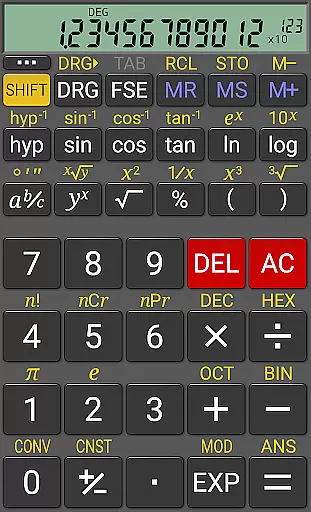
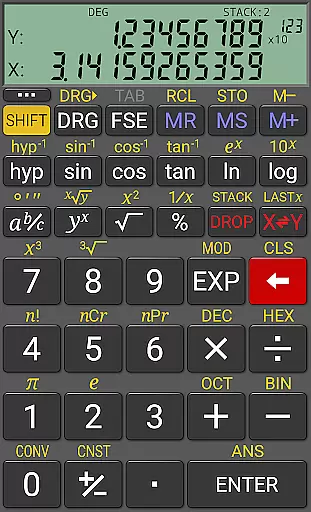
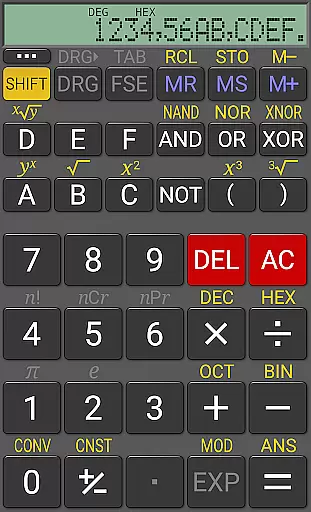
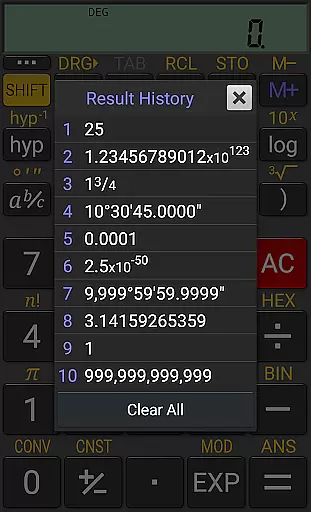
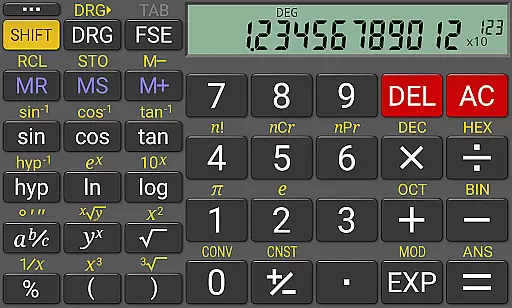
RealCalc Plus is the advanced version of RealCalc, a leading scientific calculator on Android. It mirrors the functionality of a real hand-held calculator and includes all standard scientific functions along with additional capabilities such as fraction calculations, degrees/minutes/seconds conversions, and history tracking. The app also offers customizable unit conversions, constants, and supports binary, octal, and hexadecimal calculations. With an optional RPN mode and multiple display styles, it caters to both simplicity and customization needs.
The calculator provides a 12-digit display with extended internal precision (32-digit), ensuring accuracy in complex computations. Its user-friendly interface is complemented by full help documentation included within the app. Whether you are a student, engineer, or professional requiring precise calculations, RealCalc Plus delivers a reliable and versatile calculation tool that enhances productivity.
RealCalc Plus stands out with its comprehensive feature set tailored for diverse computational needs. The calculator supports both traditional algebraic and RPN operations, catering to different user preferences. Fraction calculations and conversions to/from decimal, along with degrees/minutes/seconds calculations, provide specialized tools for various mathematical tasks. The inclusion of 10 memories and result history ensures users can easily track and reuse previous calculations.
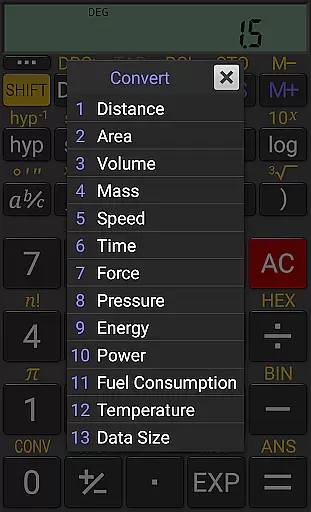
Customization is at the heart of RealCalc Plus, allowing users to define their own unit conversions and constants. The app's support for binary, octal, and hexadecimal calculations makes it indispensable for computer science and engineering professionals. Additionally, features like multi-window support with drag & drop, external keyboard support, and landscape mode enhance usability. With full built-in help and a homescreen widget with RPN support, RealCalc Plus combines powerful functionality with user convenience.
For a productivity app like RealCalc Plus, core task management refers to how effectively it handles essential calculator operations and scientific functions. This app excels by offering both traditional algebraic and RPN operational modes, catering to different user preferences.
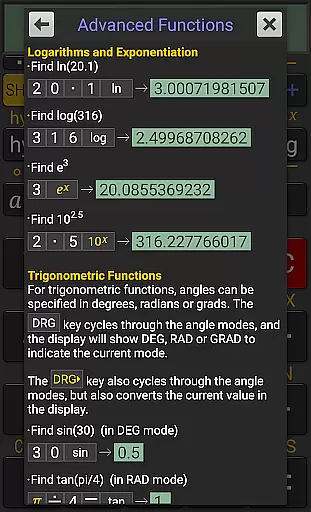
RealCalc Plus supports fraction calculations, degrees/minutes/seconds conversions, trigonometric functions in various units, and scientific, engineering, and fixed-point display modes. These features ensure that users can perform a wide range of calculations with precision and ease.
Users benefit from the app's extended internal precision of 32 digits and a clear 12-digit display, which are crucial for accuracy in complex computations. The inclusion of customizable unit conversions and constants further enhances its utility for specialized tasks.
The app's comprehensive functionality ensures that users can rely on it for diverse mathematical needs, making it an indispensable tool for students, engineers, and professionals who require efficient and accurate calculations.
Cross-device synchronization is vital for maintaining consistency and accessibility across multiple devices. While RealCalc Plus does not focus heavily on cloud-based synchronization, it offers other reliable features that support consistent performance on individual devices.
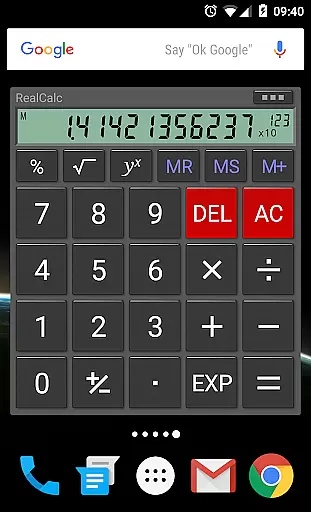
The app provides a homescreen widget with RPN support, multi-window capabilities with drag & drop, and external keyboard support. These features allow users to seamlessly integrate RealCalc Plus into their workflow, regardless of the device they are using at any given time.
RealCalc Plus includes landscape mode and configurable digit grouping and decimal points, ensuring that the interface adapts well to different screen sizes and orientations. This adaptability contributes to a reliable user experience across various Android devices.
With full built-in help and customizable settings, users can tailor the app to their specific needs, ensuring that their experience remains consistent and productive, even if they switch between devices. This makes RealCalc Plus a dependable choice for anyone needing a powerful scientific calculator on their Android device.
User-friendly interface
Highly customizable
Extended precision
Multiple calculation modes
Comprehensive help included
Paid version only
No graphing capabilities
Limited visual themes
Advanced features may overwhelm beginners
Occasional lag in processing

Unlock AutoNotification
 4.00
4.00
8 custom complications. Custom Time Fonts. Beautiful color schemes. A++ Design.
5.00
A simple, portable logger for POTA, SOTA, Field Day, and more
4.3
Device's storage information in a simple and clear graphical form (infographics)
4.10
Remotely view listen control and record cameras.
3.70
App Lock with fingerprint, password: Lock apps & hide photos with lock screens
4.60
Functional QR scanner and barcode reader that requires little storage space.
4.60
Create and edit presentations with Google Slides, part of Google Workspace.
4.00
Put a lock on your cloud: Take the security of your data into your own hands
3.70
Mind Map and brainstorm, note taking and idea collection
4.80
A beautiful digital clock with autostart and many other functions
4.70
Stay on top of your to-dos with Google Tasks, part of Google Workspace.
4.60
A simple Whisper AI keyboard for reliable speech transcription and rewording
4.60
Lightweight PDF, Word, Excel reader.
4.60
Activate Two Factor Authentication (2FA or Multi OTP), Password manager and more
4.10
Wake up & get tasks done! Add alarms & reminders on the Clock Launcher.
4.00
Secure, open-source, SPICE and SSH Remote Desktop for QEMU KVM virtual machines
4.00
ID.me Authenticator is a simple and free Two Factor Authentication solution
3.50
Easiest event planning, volunteer signups & parent teacher conference scheduling
2.20


User Reviews