
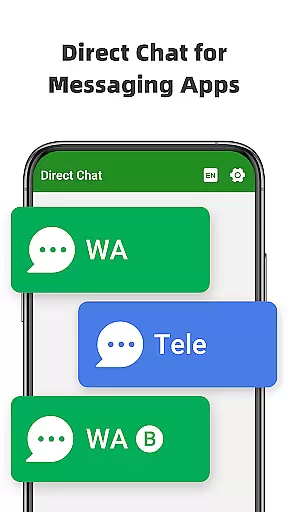
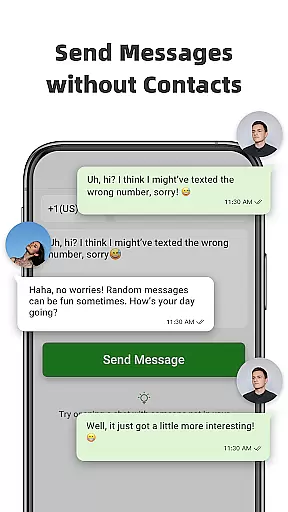
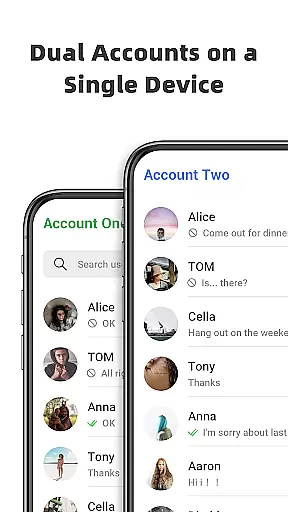
Direct Chat & Messaging is a productivity-focused application designed to streamline communication tasks without the need to save temporary contacts. The app offers three core functionalities that cater to different messaging needs. First, it allows users to engage in direct chats for WA, WA Business, and Tele Chatting App without storing phone numbers, making it ideal for one-off conversations. Second, the Dual App - Web Scan feature enables managing multiple WA accounts on a single device or accessing the same account across different devices seamlessly. Lastly, the app provides a Message Recovery function that retrieves deleted messages and media from WA, ensuring no important information is lost. These features collectively enhance user convenience while maintaining privacy and data security.
The app proves particularly valuable for professionals and individuals who frequently engage in business communications or manage multiple accounts. By eliminating the need to save contacts and offering message recovery options, Direct Chat & Messaging ensures efficient and secure communication. Its ability to sync messages across devices and protect user privacy makes it an essential tool for modern productivity.
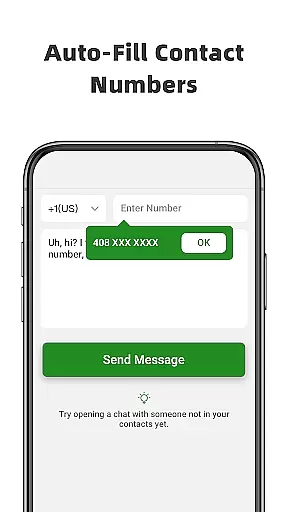
Direct Chat & Messaging stands out with its innovative features tailored for enhanced productivity. The Direct Chat functionality allows users to initiate conversations on WA, WA Business, and Tele Chatting App without saving contacts. This is achieved by simply entering the recipient's phone number, copying the message, and clicking send, thus bypassing the traditional contact-saving process. This feature is especially beneficial for first-time interactions where permanent contact storage is unnecessary.
The Dual App - Web Scan feature exemplifies the app's versatility by enabling users to access the same WA account on multiple devices or manage two accounts on a single device. It ensures seamless connectivity with strong synchronization, preventing unexpected logouts and allowing efficient management of downloaded files from cloned WA accounts. Additionally, the Message Recovery function adds a layer of security by retrieving deleted messages and media, including photos and videos. This is facilitated through notification access, automatic recovery alerts, and private viewing options, all while assuring that recovered content remains securely on the user's device.
These features collectively contribute to a comprehensive communication tool that prioritizes user convenience, data security, and operational efficiency. Whether for professional or personal use, Direct Chat & Messaging offers practical solutions that address common pain points in digital communication.
Direct Chat & Messaging excels in core task management by streamlining communication processes. The app eliminates the need to save temporary contacts, making it efficient for users who engage in frequent, one-off conversations. This is particularly useful in professional settings where time is of the essence.
The Direct Chat feature allows users to send messages via WA, WA Business, and Tele Chatting App without saving numbers. By simply entering a phone number, copying a message, and clicking send, users can communicate instantly. This functionality not only saves time but also reduces clutter in the user's contact list, contributing to better organization.
In addition to direct messaging, the Dual App - Web Scan for WA feature enhances productivity by enabling access to the same WA account on multiple devices or managing two accounts on one device. This seamless connection ensures that all messages are synced automatically, allowing users to read and reply anytime, anywhere, thus optimizing their workflow.
Cross-device synchronization is a pivotal aspect of Direct Chat & Messaging, ensuring reliable and uninterrupted communication. With the Dual App - Web Scan for WA feature, users can manage multiple WA accounts across different devices without unexpected logouts. This robust synchronization capability keeps users connected and ensures they never miss important messages.
All messages from cloned WA accounts are synced efficiently, which means users can easily access their chats regardless of the device they are using. Moreover, the ability to handle downloaded files from cloned accounts adds another layer of convenience, allowing users to manage their communications and related documents seamlessly.
Another impressive feature is the Message Recovery function, which works across devices to retrieve deleted messages and media. By enabling notifications access, the app detects and saves messages before they are deleted. This ensures that users can recover and view their content privately on any device, reinforcing the app's commitment to reliable cross-device functionality.
User-friendly interface
Efficient message recovery
Secure data management
Multi-device support
Private communication options
Limited to specific platforms
Requires notification access
Potential sync delays
No cross-platform recovery
Dependent on WA services

A customizable calendar for your Wear OS watch
 4.20
4.20
Seamlessly integrate data and reports to build your presentation to impress
4.80
Native client for Forgejo and Gitea
5.00
Smart PDF reader & editor to view, organize and manage PDF documents easily.
3.70
A simple, portable logger for POTA, SOTA, Field Day, and more
4.2
Make your handwriting beautiful, even more than pen on paper.
3.60
ID.me Authenticator is a simple and free Two Factor Authentication solution
3.50
Access your phone's notifications, calls, apps, photos & texts on your PC
3.90
Note taking, handwriting, record audio, PDF annotation, planner & journal
4.20
Multilingual translator for text, voice, and image translation!
4.90
We're working to become the best machining app on the market! www.cncdirt.com
4.80
The Pro Version of Android's tiniest Notepad app. Just 0.3MB but feature-packed!
4.60
Tally and goal counter for Wear OS & mobile
4.50
Easily read and manage all your PDF files
4.10
Device's storage information in a simple and clear graphical form (infographics)
4.10
Experience real multitasking on your Android!
4.00
Wake up & get tasks done! Add alarms & reminders on the Clock Launcher.
4.00
Create and edit presentations with Google Slides, part of Google Workspace.
4.00
AI Video AI Image Private LLM AI Browser Llama Gemma Ollama Connect LLM Studio
4.2


User Reviews