

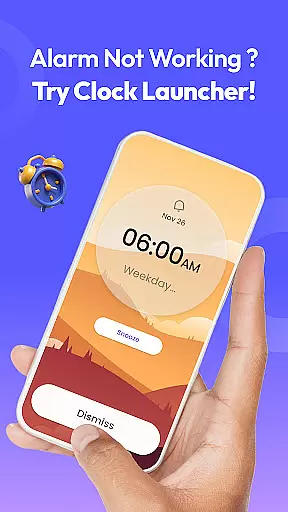
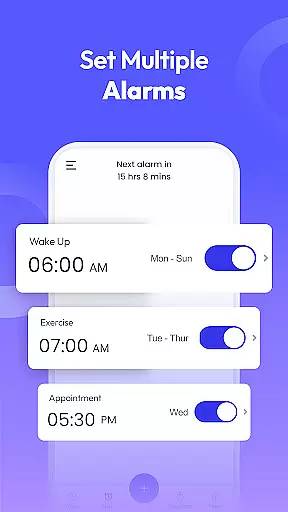
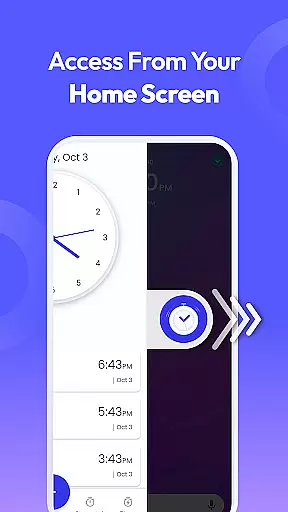
Clock Launcher is a productivity-focused app designed to streamline time management through its intuitive interface and comprehensive features. The app serves as both an alarm clock and launcher, offering users instant access to essential tools such as alarms, timers, reminders, and world clocks with a simple swipe from the home screen. Its user-friendly design ensures that even those unfamiliar with advanced applications can effortlessly manage their schedules.
One of the standout features of Clock Launcher is its ability to integrate seamlessly into the user's daily routine. Whether it's setting personalized alarms for waking up, tracking international time zones for business meetings, or using timers and stopwatches for various tasks, the app provides all necessary functionalities in one place. Additionally, the customizable home screen widget displays not only the time but also weather updates, enhancing the overall user experience by keeping them informed at a glance.
The app is particularly beneficial for individuals who require efficient time management solutions without the complexity often associated with similar tools. By consolidating multiple functions into a single platform, Clock Launcher helps users stay organized and punctual, ensuring they never miss important appointments or deadlines. This makes it an invaluable tool for anyone looking to optimize their daily routines and improve productivity.
Clock Launcher stands out due to its rich array of features tailored to enhance productivity and simplify time management. One of the key aspects is its one-swipe access functionality, which allows users to set alarms, timers, and reminders directly from their home screen. This feature eliminates the need to navigate through multiple menus, providing quick and easy access to essential tools whenever needed.
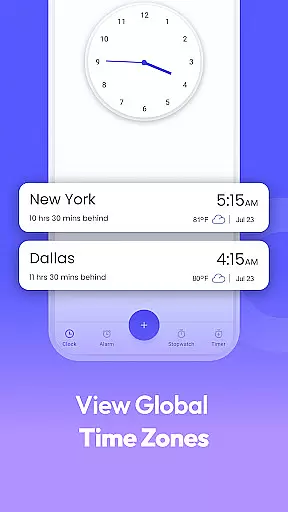
In addition to its core alarm clock capabilities, Clock Launcher offers a world clock function that is perfect for frequent travelers or professionals managing international meetings. Users can check the time in any city worldwide and save their favorite locations for easy reference. The app also includes robust reminder settings, enabling users to set travel reminders for flights and event reminders for personal and business engagements, ensuring they are always prepared.
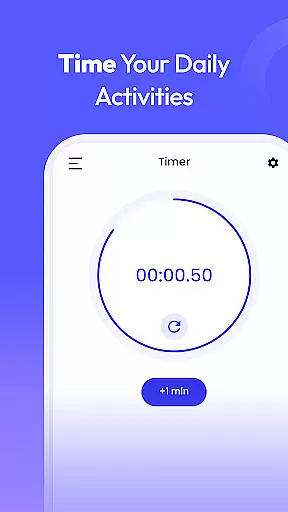
Another notable feature is the highly accurate stopwatch and timer, ideal for tracking workout durations, cooking times, or important phone calls. These tools help users maintain focus and efficiency in their daily activities. Furthermore, the app provides a selection of beautiful clock-themed wallpapers and a customized home screen widget displaying the time and weather, adding a personal touch to the user's device while keeping them informed. Overall, Clock Launcher combines practicality with customization, making it a versatile tool for enhancing productivity.
Efficient task management is at the heart of Clock Launcher, ensuring users can organize their day with ease. The app offers a comprehensive suite of tools including alarms, reminders, timers, and a stopwatch, all accessible from the home screen.
With one swipe, users can set alarms for daily routines or important meetings, configure timers for cooking or workouts, and create reminders for events or tasks. This instant access ensures that users never miss a beat in their busy schedules.
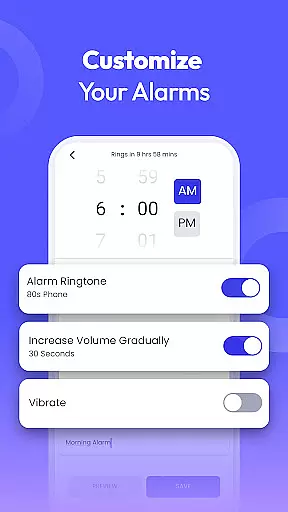
The app's intuitive design allows for customization of alarms with different tones, snooze durations, and repeat settings, catering to individual preferences. Whether you're a light sleeper needing a gentle wake-up call or a heavy sleeper requiring a louder alarm, Clock Launcher has you covered.
By integrating these essential time management features into a single platform, Clock Launcher empowers users to maintain a consistent routine and stay on top of their commitments, enhancing productivity and time efficiency.
Clock Launcher excels in providing reliable cross-device synchronization, allowing users to seamlessly manage their time across multiple devices. This feature ensures that whether you're at home, in the office, or on the go, your alarms, timers, and reminders are always up-to-date.
The synchronization process is designed to be fast and dependable, updating in real-time so that changes made on one device are immediately reflected on others. This means if you set an alarm on your phone, it will automatically appear on your tablet, ensuring continuity and convenience.
For frequent travelers or professionals managing international meetings, the world clock feature syncs across devices, providing accurate time zone information wherever you are. Saved cities and their respective times remain consistent, helping you track time differences effortlessly.
This robust synchronization capability not only enhances user experience by maintaining consistency but also provides peace of mind knowing that your time management tools are reliably backed up and accessible from any device.
User-friendly interface
Comprehensive time management tools
Customizable home screen widget
Accurate world clock feature
Quick access to alarms and reminders
Home screen layout changes after install
Limited wallpaper options
No integration with third-party calendars
Occasional ads in the free version
Requires manual update checks

Secure, fast, open-source, VNC and SSH Remote Desktop for Windows, Linux and Mac
 4.70
4.70
Create study competitions, track your hours, and stay consistent with friends
4.0
Unlock AutoNotification
4.00
Easily read and manage all your PDF files
4.10
A lightweight JSON & XML files creator, editor and viewer (Premium Version)
4.40
⏰ Finally a timer app which can run multiple timers simultaneously on your watch
3.90
Make apps & sites with natural language prompts
4.10
Experience and share your SolidWorks designs on your Android® phone and tablet.
2.50
Browse and view your photos and videos from the phone with photo & video hide.
4.10
Multilingual translator for text, voice, and image translation!
4.90
Use powerful, industry-leading AI tools to generate visual charts from any data
4.80
Direct Chat without saving contacts & Dual WA Account on Single Device
4.70
Secure, fast, open-source, Remote Desktop Client for Windows and Linux with SSH
4.60
Lightweight PDF, Word, Excel reader.
4.60 4.20
4.20
Secure, open-source, SPICE and SSH Remote Desktop for QEMU KVM virtual machines
4.00
Find and delete junk files & block unwanted notifications & manage files
3.70
Make your handwriting beautiful, even more than pen on paper.
3.60
IP Camera Viewer - Android TV : RTSP Surveillance camera viewer for Android TV
4.0


User Reviews