
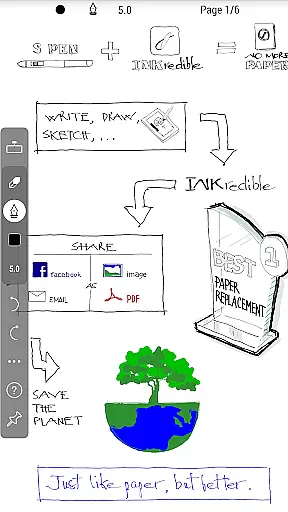
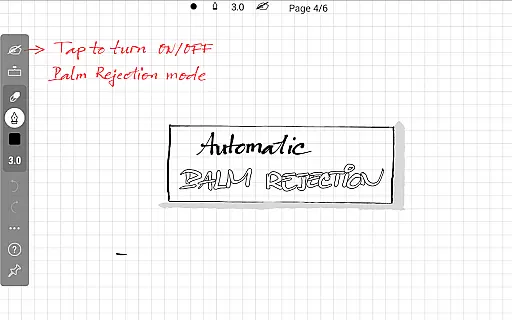
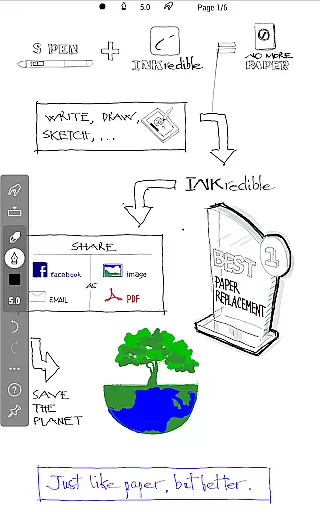
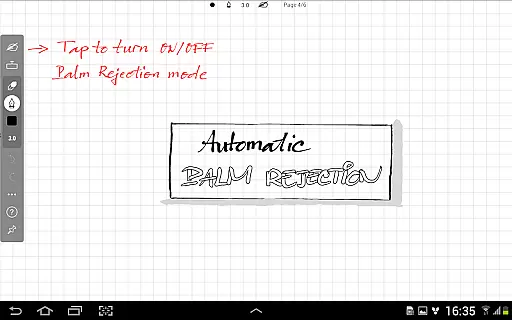
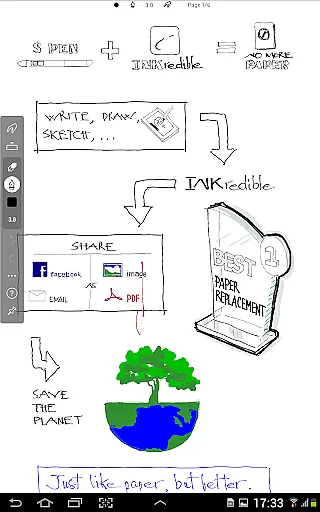
INKredible PRO is a premium productivity app designed to deliver an exceptional writing experience on tablets. This app includes all in-app purchase features of INKredible, offering users a $9 value, along with free future updates. With its advanced automatic palm and wrist rejection technology inherited from the popular Notes Plus app, INKredible PRO ensures that writing on a tablet feels as natural and fluid as using a pen on paper.
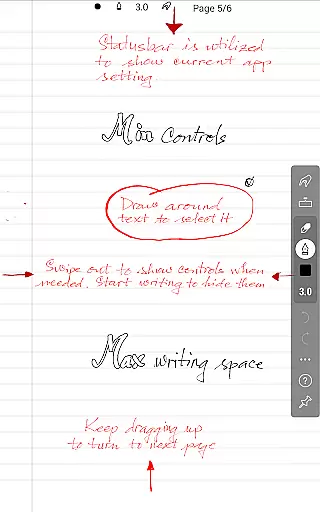
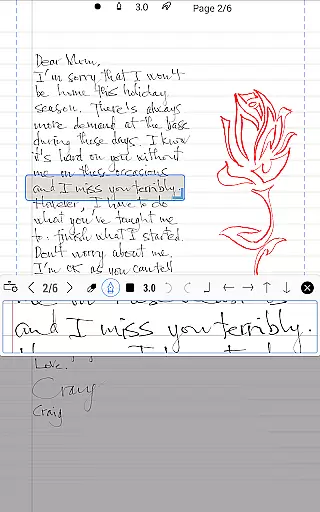
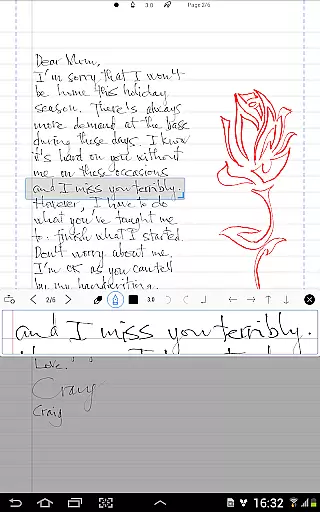
The app focuses on simplicity, providing a distraction-free environment by minimizing UI controls and buttons. It also excels in beauty, utilizing over three years of R&D in vector-graphics inking technology to make handwriting appear more elegant than on traditional paper. Whether for printing or displaying, INKredible PRO maintains high resolution quality, making it a top choice for those seeking perfection in digital writing.
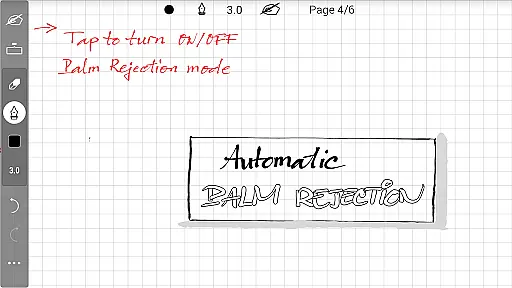
INKredible PRO stands out with its sophisticated manipulation of Bezier curves, ensuring that your handwriting looks stunning at any resolution. The app's primary feature is its unparalleled writing experience, achieved through advanced inking technology that mimics the feel of pen on paper. Its automatic palm rejection allows users to write comfortably without unintended touches interfering with their work.
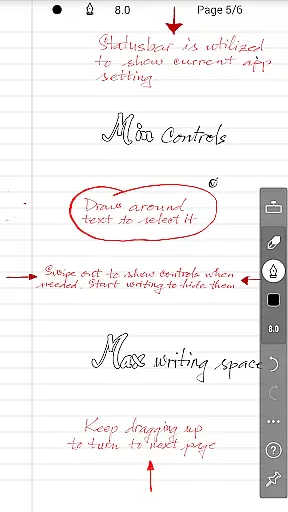
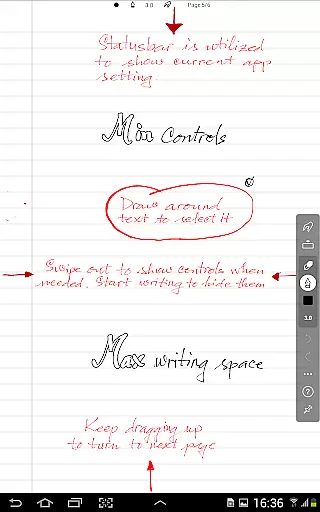
Another remarkable feature is its minimalist design, which removes distractions by hiding most UI controls, allowing users to focus solely on their writing. Additionally, INKredible PRO offers flexibility and future-proofing by including all current and upcoming in-app purchases for free. This makes it not only a beautiful but also a practical tool for anyone looking to enhance their productivity through digital means.
INKredible PRO excels in core task management by focusing on delivering an unparalleled writing experience. The app strips away unnecessary distractions, offering users a clean slate to work on, free from intrusive UI elements. This minimalist approach ensures that the user's focus remains solely on their content.
The app's dedication to simplicity is evident in its design philosophy. By removing all extraneous controls and buttons, INKredible PRO creates an environment where users can concentrate entirely on their writing tasks. This singular focus enhances productivity by minimizing distractions and maximizing workspace.
For those who need to manage their notes and ideas efficiently, INKredible PRO provides a seamless experience. Users can easily organize their thoughts without the clutter of traditional digital interfaces, making it an ideal tool for students, professionals, and creatives alike.
While INKredible PRO emphasizes a distraction-free writing experience, it also ensures reliable cross-device synchronization. This feature allows users to start their work on one device and continue seamlessly on another, maintaining consistency across all platforms.
The app employs advanced cloud technology to ensure that documents are synced accurately and promptly. Whether switching between a tablet and a smartphone, users can trust that their latest changes will be reflected everywhere, providing peace of mind and continuity in workflow.
This synchronization capability enhances the overall productivity of users. With reliable access to their documents regardless of the device, individuals can work flexibly and efficiently, knowing their data is always up-to-date and accessible.
Advanced palm rejection
Beautiful handwriting rendering
Distraction-free interface
Free future updates
Included in-app purchases
Higher cost
Limited to tablets
No additional features
Requires learning
Specific use case

When you Focus, so will your Bean in this cozy focus timer
 4.30
4.30
Experience real multitasking on your Android!
4.00
All in one sketching tool. Technical and General drawing. Online Maps support.
3.70
Planet Free VPN - The best Fast Unlimited and Secure VPN Without Logs
4.50
Secure, fast, open-source, Remote Desktop Client for Windows and Linux with SSH
4.60
Great calculator for Android named one of USA TODAY's "25 Essential Apps".
4.90
A beautiful digital clock with autostart and many other functions
4.70
AI Chatbot and AI writing assistant powered by ChatGPT.
4.60
Set up, print, and get support—in one place
4.20
Android Wallet Password Manager
4.80
Direct Chat without saving contacts & Dual WA Account on Single Device
4.70
Quickly and easily keep track of your work shifts
4.70
A simple Whisper AI keyboard for reliable speech transcription and rewording
4.60
Lightweight PDF, Word, Excel reader.
4.60
Subscribe to Webcal & .ics calendars and keep them up-to-date!
4.50
Share files & memories safely. Keep your photos and videos secure.
4.40
Mega cloud explorer plugin for Solid Explorer
3.80
Simple and reliable communication between inmates, friends and family
3.20
IP Camera Viewer - Android TV : RTSP Surveillance camera viewer for Android TV
4.2


User Reviews