
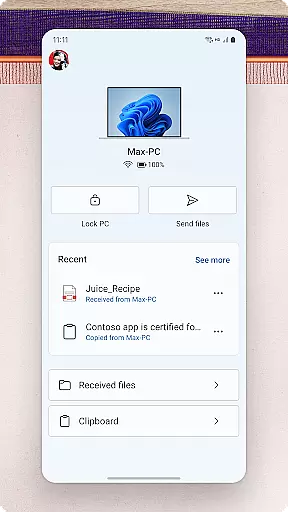
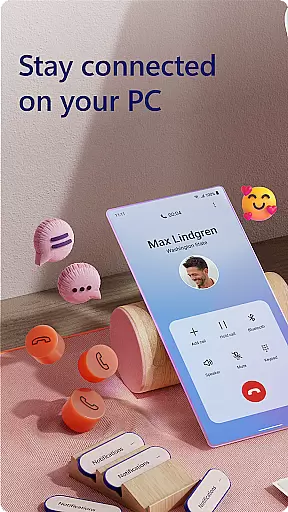
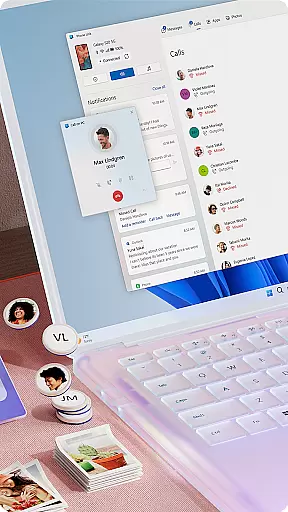
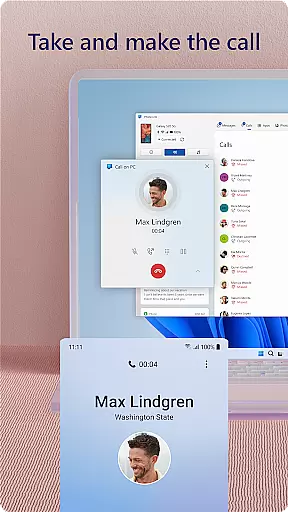
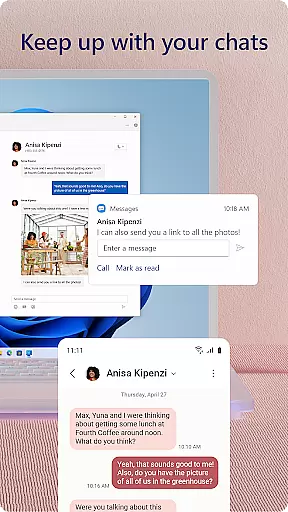
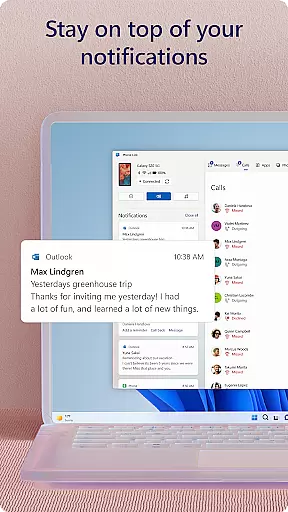
Link to Windows is a productivity-focused application that bridges the gap between your Android phone and Windows PC. This app allows users to seamlessly interact with their mobile devices directly from their computers, enhancing workflow efficiency. Key functionalities include making and receiving calls, managing notifications, and accessing mobile apps on the PC.
The app also supports advanced features like drag-and-drop file sharing, cross-device copy-paste, and instant photo access. These capabilities are further optimized when used with select Microsoft Duo, Samsung, and HONOR phones, offering an integrated experience through the Quick Access tray. With its innovative approach to cross-device interaction, Link to Windows transforms how users handle multitasking across devices.
Link to Windows offers a comprehensive suite of features designed to maximize productivity. The app enables users to make and receive calls directly from their PCs, provided the computer has Bluetooth capability. It also allows for managing Android phone notifications on the PC, ensuring users never miss important alerts while working.
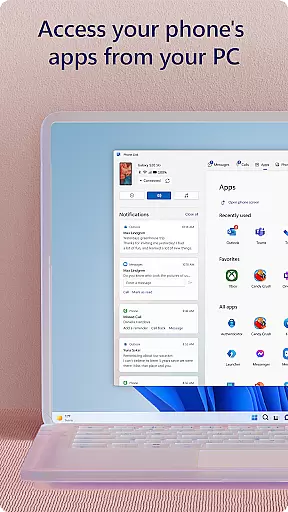
One standout feature is the ability to access favorite mobile apps on the PC screen. This functionality, along with reading and replying to text messages from the computer, creates a unified workspace. Additionally, the app supports advanced capabilities such as drag-and-drop file transfer, cross-device copy-paste, and instant photo access when paired with compatible devices like Microsoft Duo, Samsung, or HONOR phones.
Task management is a cornerstone of productivity applications, and Link to Windows excels in this area by seamlessly integrating your Android phone's tasks with your Windows PC. This integration allows users to handle calls, text messages, and notifications directly from their PC, streamlining the way they manage daily tasks.
The app enables you to make and receive calls, read and reply to text messages, and manage Android phone notifications on your PC. This means you can maintain your workflow without constant interruptions from your mobile device. The convenience of accessing mobile apps and responding to communications from one location enhances efficiency and focus.
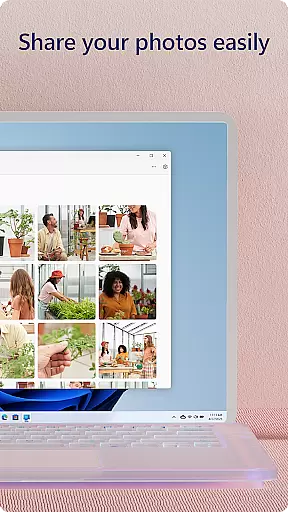
Additionally, Link to Windows offers features like drag-and-drop file sharing and cross-device copy-paste functionality. These capabilities ensure that moving content between devices is effortless, further refining task management. Users can easily share photos, documents, and other files between their phone and PC without interrupting their workflow.
Cross-device synchronization is vital for maintaining productivity across multiple devices, and Link to Windows ensures reliable and real-time updates between your Android phone and Windows PC. This synchronization allows for seamless interaction, ensuring that all your important data is accessible no matter which device you're using.
With integrated support for select Microsoft Duo, Samsung, and HONOR phones, Link to Windows provides an enhanced experience through exclusive features like Phone screen and Apps. These features allow users to interact with their phone's interface directly from their PC, providing a unified experience that boosts productivity.
Moreover, the app supports advanced functionalities such as cross-device copy-paste and file drag-and-drop, provided you have a compatible device. Such features are crucial for users who require efficient ways to transfer information quickly and reliably between devices, ensuring that their workflow remains uninterrupted.
Seamless cross-device integration
Enhanced productivity features
User-friendly interface
Advanced functionality with compatible devices
Integrated accessibility service
Limited call functionality requirements
Device compatibility restrictions
Advanced features need specific OS versions
Requires substantial PC resources
Privacy concerns for some users

Take control of your clipboard with Clipper!
 3.90
3.90
Direct Chat without saving contacts & Dual WA Account on Single Device
4.70
The Pro Version of Android's tiniest Notepad app. Just 0.3MB but feature-packed!
4.60
A beautiful digital clock with autostart and many other functions
4.70
Share files & memories safely. Keep your photos and videos secure.
4.40
Scan paperwork into PDF/JPG, generate your own e-signature and send fax or email
4.70
AT&T Internet customers can use this app to personalize their Wi-Fi network.
4.40
Set up, print, and get support—in one place
4.20
Browse and view your photos and videos from the phone with photo & video hide.
4.10
8 custom complications. Custom Time Fonts. Beautiful color schemes. A++ Design.
5.00
Scientific calculator for Android - looks and operates like the real thing!
4.90
aCalendar+ makes your day, week and month
4.70
Client for Nextcloud Deck
4.60
All document reader, all in one file viewer read PDF, DOCX, XLS, PPT, TXT files.
4.60
Tally and goal counter for Wear OS & mobile
4.50
A customizable calendar for your Wear OS watch
4.20
Create and edit presentations with Google Slides, part of Google Workspace.
4.00
Smart PDF reader & editor to view, organize and manage PDF documents easily.
3.70
A simple, portable logger for POTA, SOTA, Field Day, and more
4.0


User Reviews