
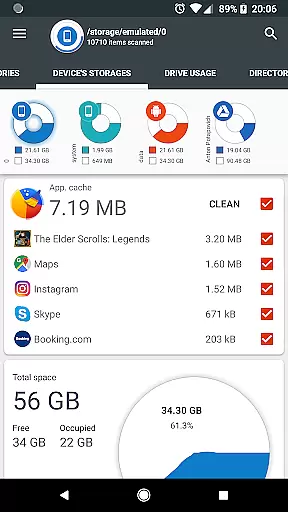
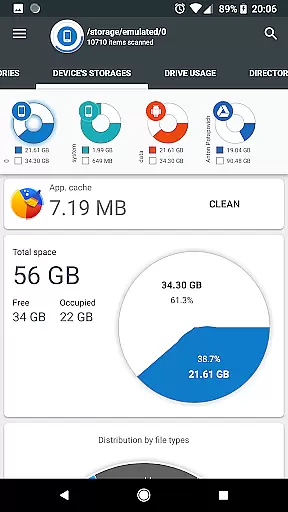
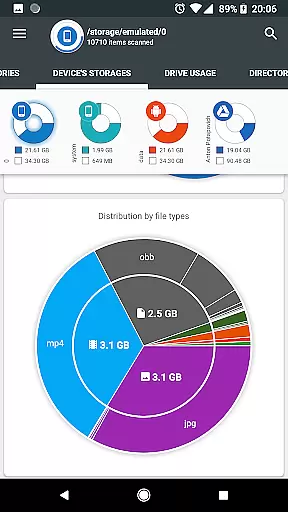
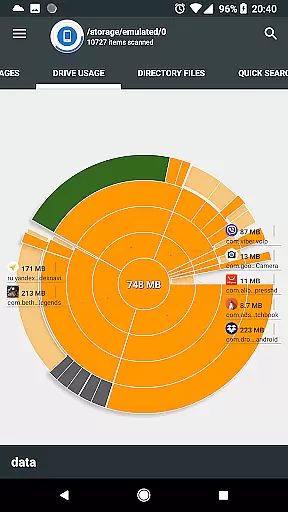
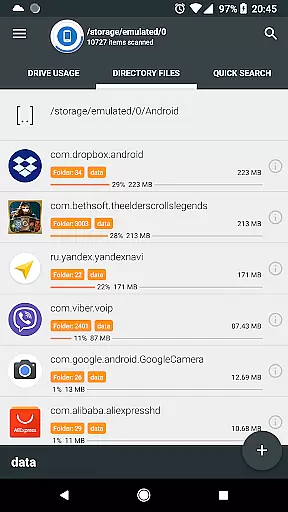
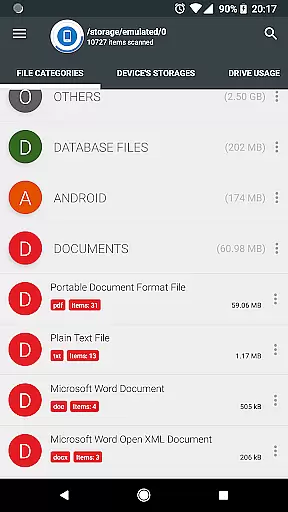
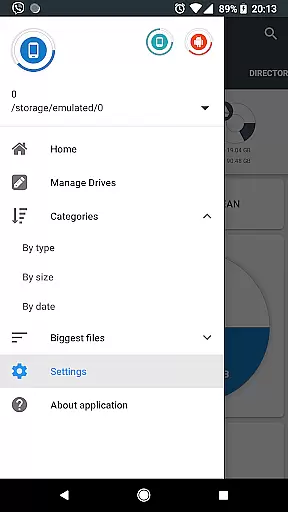
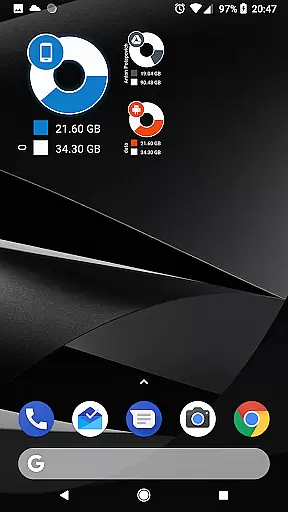
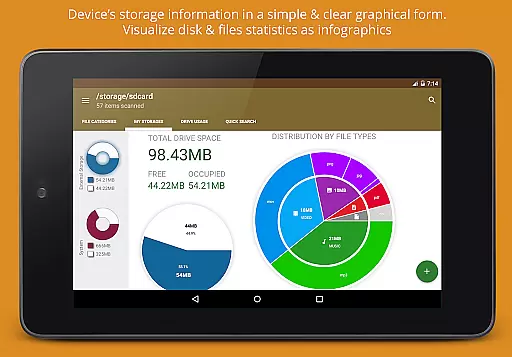
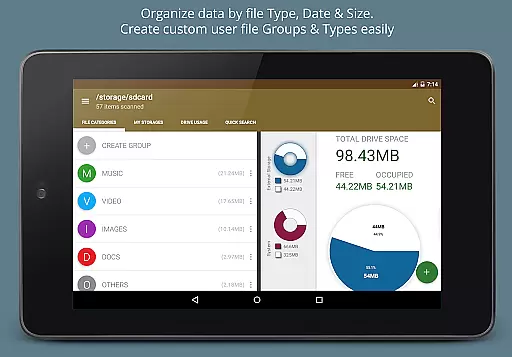
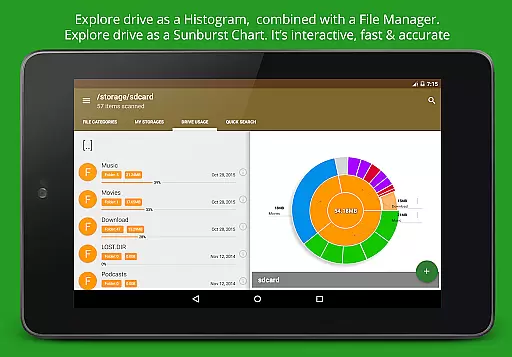
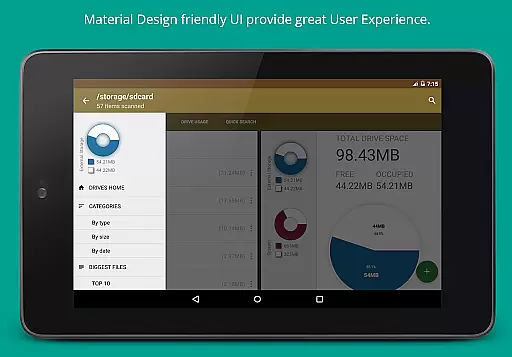
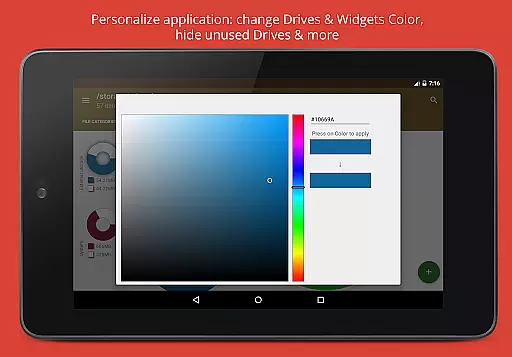
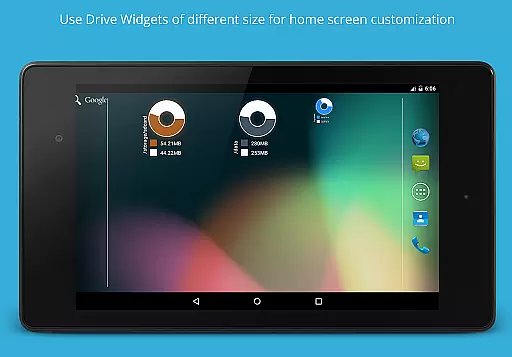
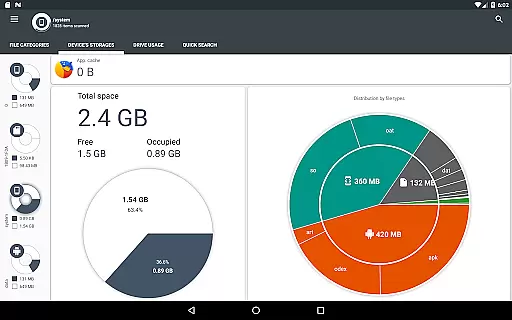
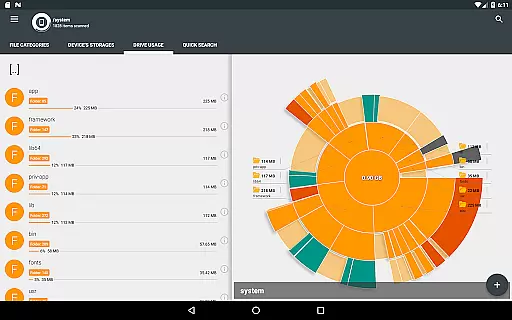
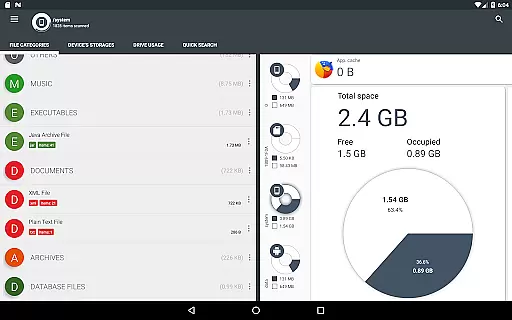
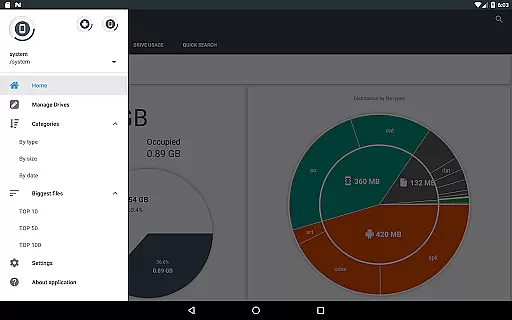
Disk & Storage Analyzer [PRO] is a comprehensive productivity tool designed to help users manage their device's storage efficiently. This app provides detailed insights into internal and external storage, USB devices, and even cloud drives through clear graphical representations like pie charts and sunburst diagrams. By analyzing file-specific data such as size, name, path, and last modified date, the app generates easy-to-understand reports that allow users to monitor and optimize their storage usage.
One of the standout features of Disk & Storage Analyzer [PRO] is its ability to connect with popular cloud services like Google Drive, Dropbox, and Yandex.Disk. Once connected, the app reads cloud-stored files and presents them in organized reports, enabling users to visualize their cloud storage consumption. Additionally, it offers tools for managing installed applications by displaying their sizes, cache, and last used dates, allowing users to clean up unnecessary apps or cached data. With no ads and no need for user registration, this app ensures a seamless experience while maintaining user privacy.
This app is particularly useful for users who frequently run out of storage space on their devices. Whether you're trying to declutter your phone’s internal memory or looking to better organize your cloud storage, Disk & Storage Analyzer [PRO] equips you with the necessary tools to take control of your digital footprint. Its intuitive interface and powerful analytics make it an essential utility for anyone seeking to improve their device's performance by optimizing storage.
Disk & Storage Analyzer [PRO] stands out due to its rich set of features tailored for efficient storage management. One of its core functionalities is the ability to display storage information graphically using infographics such as pie charts and sunburst diagrams. These visualizations provide a clear breakdown of how storage is utilized across different categories—be it documents, videos, music, or other file types. Users can drill down into specific directories simply by clicking on sectors within the chart, making navigation both intuitive and informative.
In addition to local storage analysis, the app supports integration with major cloud storage platforms including Google Drive, Dropbox, and Yandex.Disk. Upon connecting these services, the app retrieves file-specific details such as names, paths, sizes, and modification dates, presenting them in structured reports. This functionality allows users to gain insights into their cloud storage habits and identify areas where they can save space. Furthermore, the app includes robust tools for managing installed applications. It lists all apps sorted by size, cache, and last used date, offering options to clean cache or uninstall selected apps directly from the interface.
The app also boasts advanced search capabilities, indexing files at startup for quick retrieval via the Quick Search page. Long clicks on files bring up context menus with options to open, delete, or share files, while long clicks on categories or extensions filter results accordingly. With permissions like MANAGE_EXTERNAL_STORAGE and QUERY_ALL_PACKAGES, the app ensures comprehensive access to all device files, empowering users to make informed decisions about their storage needs.
Disk & Storage Analyzer [PRO] excels in core task management by offering users a comprehensive suite of tools to monitor and manage their device's storage effectively. The application provides detailed insights into file usage, categorizing data across internal and external storage, USB devices, and cloud drives.
Through its intuitive interface, the app allows users to access specific file data such as name, path, size, and last modified date. This functionality supports efficient organization and cleanup of files, empowering users to maintain optimal device performance.
Additionally, the app offers advanced features like cache cleaning and app deletion, which are crucial for task management. Users can sort installed applications by size and cache, making it easier to identify and remove unnecessary apps that consume valuable storage space.
The ability to visualize file usage through infographics, including pie charts and sunburst diagrams, enhances the user's understanding of their storage distribution. This visual representation simplifies complex data, enabling users to make informed decisions about managing their digital content efficiently.
Cross-device synchronization is a standout feature of Disk & Storage Analyzer [PRO], ensuring reliable and consistent access to storage data across various platforms. By integrating with cloud services like Google Drive, Dropbox, and Yandex.Disk, the application enables seamless data management irrespective of the device in use.
This synchronization capability extends to reading file-specific data from connected cloud drives, allowing users to build comprehensive statistics and reports. Such functionality ensures that users have up-to-date information on their file usage, regardless of whether they access their data from a smartphone, tablet, or computer.
Moreover, the app indexes files at startup, presenting search results swiftly on the Quick Search page. This indexing process enhances synchronization reliability by maintaining current data and providing quick access to files based on user queries.
By supporting multiple storage types and cloud services, Disk & Storage Analyzer [PRO] delivers a robust solution for users who require dependable cross-device synchronization. This reliability is crucial for individuals who manage extensive digital libraries and need consistent access to their files across different devices.
User-friendly interface
Comprehensive storage analysis
No ads or registration required
Cloud drive integration
Efficient app management tools
Requires multiple permissions
May overwhelm novice users
Limited customization options
Premium version only
Occasional force closes reported

Native client for Forgejo and Gitea
 5.00
5.00
A lightweight JSON & XML files creator, editor and viewer (Premium Version)
4.40
Fill, sign & send docs, forms, agreements & contracts via electronic signature.
4.50
Multilingual translator for text, voice, and image translation!
4.90
Translate text/voice/photos in 150+ languages. Offline & fast translator app.
4.50
Create and edit presentations with Google Slides, part of Google Workspace.
4.00
* block pre-roll ads, pop-up and forced redirect ads * Samsung certification app
4.00
A Pixel Art watchface inspired by other iconic 90s designs for Wear OS devices!
4.40
AT&T Internet customers can use this app to personalize their Wi-Fi network.
4.40
A beautiful digital clock with autostart and many other functions
4.70
Scan paperwork into PDF/JPG, generate your own e-signature and send fax or email
4.70
Client for Nextcloud Deck
4.60
Subscribe to Webcal & .ics calendars and keep them up-to-date!
4.50
Experience Reading - Night Mode for Documents
4.40
Send files, sync SMS, notifications & clipboard across devices via local network
4.40
Font maker keyboard with your own handwriting
4.10
Customizable calendar widget for seamless event sync, planning & scheduling.
4.00
Access your phone's notifications, calls, apps, photos & texts on your PC
3.90
A simple, portable logger for POTA, SOTA, Field Day, and more
4.2


User Reviews