
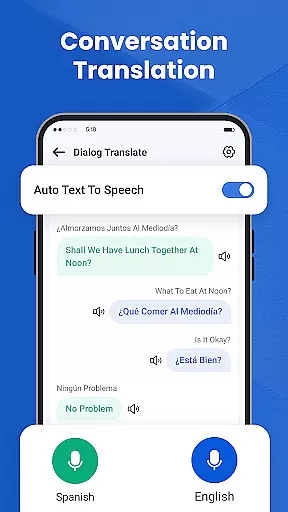
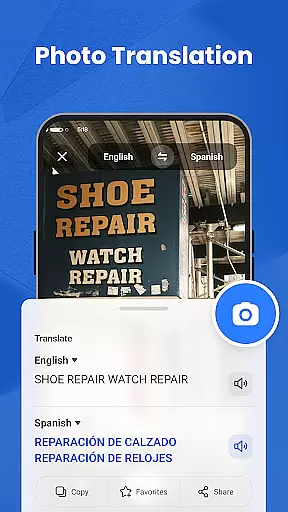
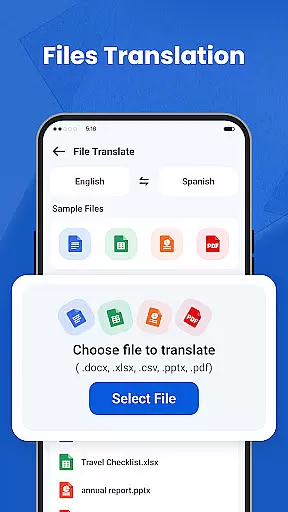
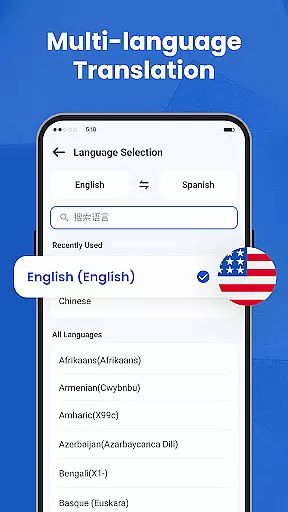
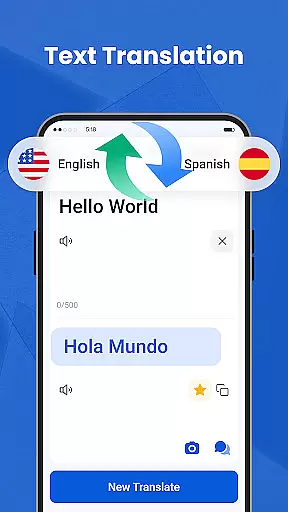
We Translate is a powerful productivity app designed to break language barriers and facilitate seamless global communication. The app offers multiple translation modes including text, voice, and photo translation, making it an essential tool for daily conversations, travel, study, and work scenarios.
With features like document translation, history tracking, favorites, and personalized settings, We Translate provides users with a comprehensive translation solution. Whether you need to translate menus, signs, or important documents, this app ensures accurate and efficient multilingual communication.
The app's ability to automatically detect languages in real-time conversations and its support for various document formats make it particularly valuable for international business and cross-cultural exchanges. Users can customize their experience through adjustable settings, creating a personalized and intelligent translation assistant tailored to their needs.
We Translate stands out with its diverse range of innovative features that cater to various translation needs. The app supports multi-language text translation with instant results, perfect for both casual and professional use cases.
Its conversation translation feature enables real-time speech translation, automatically detecting languages for smooth face-to-face or phone communication. The photo translation function allows users to snap pictures of text and receive immediate translations, ideal for translating physical documents or environmental text without manual input.
Additional notable features include one-tap document translation supporting PDF, Word, Excel, and TXT formats, plus comprehensive history tracking and favorite management. These capabilities, combined with customizable settings for language options and voice reading speed, create a versatile translation tool that adapts to different user preferences and requirements.
Efficient task management is essential for productivity applications, serving as the backbone that keeps users organized and focused. We Translate excels in this area by offering features like History and Favorites, which allow users to save and quickly retrieve past translations.
The app automatically saves translation records, ensuring that users can revisit previous work without the fear of losing important information. This functionality is particularly useful for those who require frequent access to certain phrases or documents, streamlining their workflow significantly.
Additionally, the Favorites feature enables marking frequently used translations for quick access, enhancing efficiency. Users can personalize their experience by customizing settings such as voice reading speed and translated text options, tailoring the app to their specific needs.
By integrating these comprehensive task management features, We Translate not only aids in breaking language barriers but also boosts productivity, allowing users to manage their translation tasks more effectively and with greater ease.
In today's interconnected world, reliable cross-device synchronization is crucial for maintaining continuity and consistency across different platforms. We Translate addresses this need by ensuring that user data, including translation history and personalized settings, is seamlessly synced across all devices.
This means that whether you're using the app on your smartphone, tablet, or computer, you'll have access to the same saved translations, favorite phrases, and customized preferences. Such synchronization ensures that users can switch between devices without missing a beat, providing a fluid and uninterrupted experience.
The app supports translation of files in multiple formats, such as PDF, Word, and Excel, which are synced across devices. This feature is particularly beneficial for professionals who require document translations for work or study purposes, allowing them to access translated files wherever they go.
With We Translate's robust cross-device synchronization, users can enjoy a cohesive and reliable translation experience, making multilingual communication effortless and efficient regardless of the device they choose to use.
Accurate translations
User-friendly interface
Multi-mode support
Real-time processing
Customizable settings
Limited free usage
Occasional inaccuracies
Internet required
Premium subscription
Ads in free version

Take control of your clipboard with Clipper!
 3.90
3.90
The Pro Version of Android's tiniest Notepad app. Just 0.3MB but feature-packed!
4.60
A lightweight JSON & XML files creator, editor and viewer (Premium Version)
4.40
aCalendar+ makes your day, week and month
4.70
Simple and reliable communication between inmates, friends and family
3.20
Activate Two Factor Authentication (2FA or Multi OTP), Password manager and more
4.10
Tally and goal counter for Wear OS & mobile
4.50
To do list widget with a notebook organizer, checklist, simple shopping list
4.60
Daily processing of PDF documents.
4.40
Scientific calculator for Android - looks and operates like the real thing!
4.90
Protect and view your important info on your phone and tablet with eWallet®
4.80
Use powerful, industry-leading AI tools to generate visual charts from any data
4.80
QuickBooks Workforce lets teams view pay info and track time in one place.
4.70
Secure, fast, open-source, Remote Desktop Client for Windows and Linux with SSH
4.60
Docker, Kubernetes management over Portainer Mobile
4.40
Remotely view listen control and record cameras.
3.70
ID.me Authenticator is a simple and free Two Factor Authentication solution
3.50
Code on-the-go with VScode for Android. Edit,debug and collaborate from mobile!!
3.10
Create study competitions, track your hours, and stay consistent with friends
4.1


User Reviews