

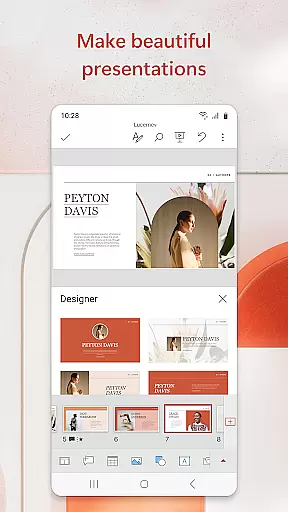
Microsoft PowerPoint is the quintessential presentation tool that empowers users to create, edit, and deliver professional slideshows from their mobile devices. With its comprehensive suite of features, it allows for seamless integration of multimedia elements such as music, graphics, and charts into presentations. The app's templated slideshows are designed to enhance quarterly and yearly reports, making them visually compelling.
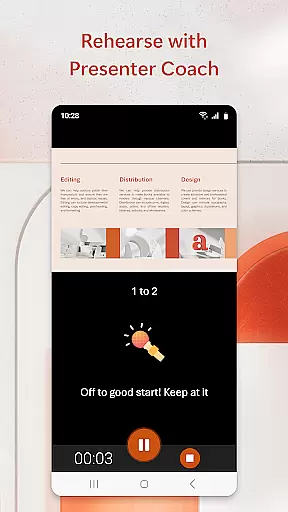
The PowerPoint app offers a familiar interface with added functionalities like Presenter Coach, an AI-driven assistant that helps refine public speaking skills through real-time feedback. This feature ensures that users can practice and perfect their presentations on-the-go, with suggestions that improve pacing and articulation. Additionally, PowerPoint's synchronization capabilities across devices mean that users can access recent files and collaborate in real time without worrying about version control.
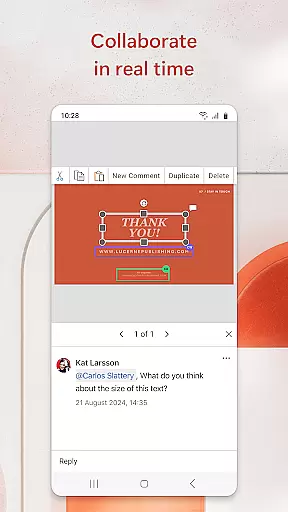
Whether you're crafting a slideshow from scratch or editing pre-existing slides, Microsoft PowerPoint provides the tools necessary to make impactful presentations. Its collaboration features allow teams to work together efficiently, providing integrated comments and permissions management. For those looking to elevate their presentation game, PowerPoint stands out as a powerful productivity tool that combines mobility with functionality.
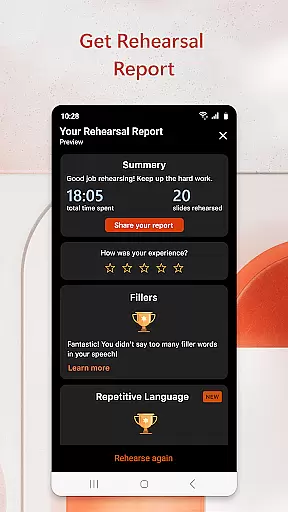
Microsoft PowerPoint boasts an array of features that cater to both novice and experienced presenters. One standout feature is Presenter Coach, which leverages artificial intelligence to provide real-time feedback during practice sessions. This tool not only tracks your pace but also alerts you to filler words, helping you maintain audience engagement throughout your delivery.
The app supports rich multimedia integration, allowing users to insert photos, videos, and charts directly into their slides. With customizable templates, PowerPoint enables users to design unique presentations tailored to their specific needs. Furthermore, the app facilitates collaboration by offering real-time editing capabilities, ensuring that team members can contribute simultaneously regardless of location.
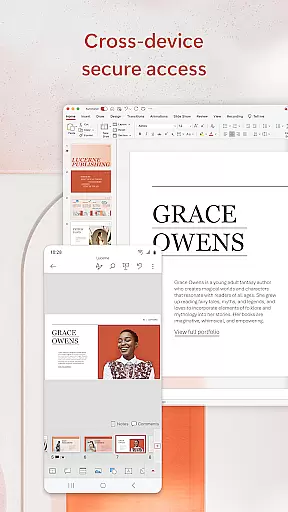
PowerPoint's cross-device synchronization ensures that all changes are updated across platforms, providing a consistent experience whether you're working on a phone, tablet, or PC. The inclusion of a presentation timer helps speakers manage their time effectively, while the ability to add animations and transitions enhances the overall visual appeal. These robust features collectively position Microsoft PowerPoint as a leader in mobile productivity applications.
Microsoft PowerPoint offers robust core task management features that streamline the process of creating, editing, and presenting slideshows. This functionality is crucial for users who need to manage multiple tasks within a single application efficiently.
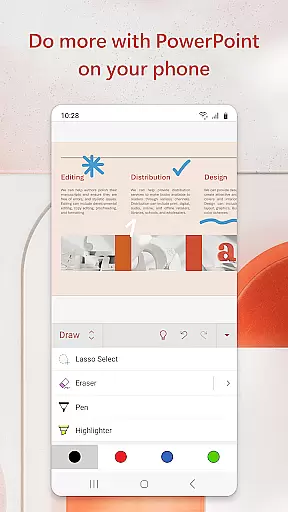
The app allows users to create presentations from scratch or work on pre-existing slides, ensuring flexibility in task handling. With seamless synchronization across devices, users can edit their ppt or pptx files in real time without worrying about version control issues.
Additionally, PowerPoint's Presenter Coach acts as an AI-driven assistant that helps refine public speaking skills. It provides real-time suggestions, helping users adjust pacing, avoid filler words, and speak confidently during practice sessions.
By integrating these comprehensive task management tools, Microsoft PowerPoint ensures that users can focus on delivering impactful presentations while managing all related tasks effortlessly.
Cross-device synchronization is a cornerstone of Microsoft PowerPoint's productivity suite, ensuring reliable access to presentations regardless of the device being used. This feature is essential for professionals who require consistent access to their work materials on the go.
PowerPoint presentations sync seamlessly across smartphones, tablets, PCs, and Macs, eliminating concerns about multiple file versions. Users can start a presentation on one device and continue working on another without any disruptions, maintaining continuity in their workflow.
Moreover, the app supports real-time collaboration, allowing teams to work together on presentations simultaneously. Integrated comments and permissions visibility enable efficient teamwork, ensuring everyone stays updated on changes and feedback.
This reliable synchronization empowers users to collaborate effectively and present confidently, knowing their latest work is always accessible wherever they are.
User-friendly interface
Real-time collaboration
AI-powered Presenter Coach
Seamless cross-device sync
Rich multimedia support
Subscription required for full features
Limited offline functionality
Occasional syncing issues
Resource-intensive on older devices
Advanced features have a learning curve

A Revolutionary All-in-One Artificial Intelligence Tools
 3.80
3.80
Experience Reading - Night Mode for Documents
4.40
Send files, sync SMS, notifications & clipboard across devices via local network
4.40
The upgraded version of Name Wheel with AI and the power to add your own wheels.
4.2
Mind Map and brainstorm, note taking and idea collection
4.80
PDF scanner & converter for files, photos, lottery, QR codes. One swipe away!
4.50
Simple and reliable communication between inmates, friends and family
3.20
Experience and share your SolidWorks designs on your Android® phone and tablet.
2.50
Secure your apps with lock screens, use custom themes and different features.
4.40
8 custom complications. Custom Time Fonts. Beautiful color schemes. A++ Design.
5.00
Scientific calculator for Android - looks and operates like the real thing!
4.90
Scan paperwork into PDF/JPG, generate your own e-signature and send fax or email
4.70
Translate text/voice/photos in 150+ languages. Offline & fast translator app.
4.50
Activate Two Factor Authentication (2FA or Multi OTP), Password manager and more
4.10
Create and edit presentations with Google Slides, part of Google Workspace.
4.00
Make your handwriting beautiful, even more than pen on paper.
3.60
ID.me Authenticator is a simple and free Two Factor Authentication solution
3.50
Easiest event planning, volunteer signups & parent teacher conference scheduling
2.20
IP Camera Viewer - Android TV : RTSP Surveillance camera viewer for Android TV
4.2


User Reviews