
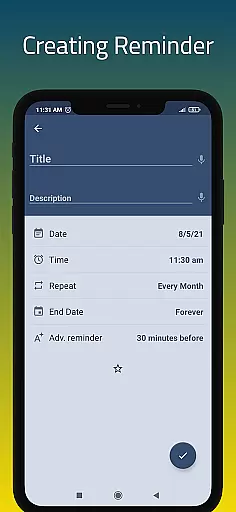
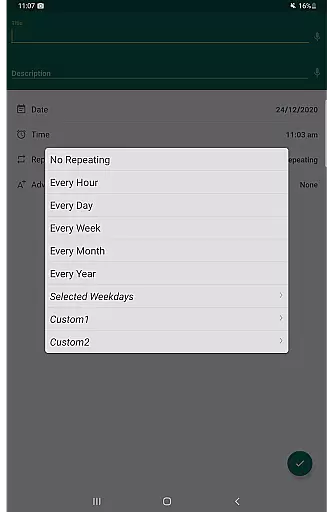
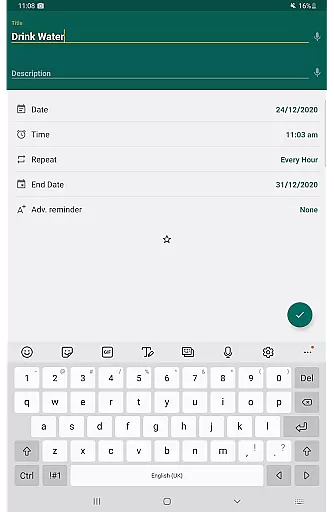
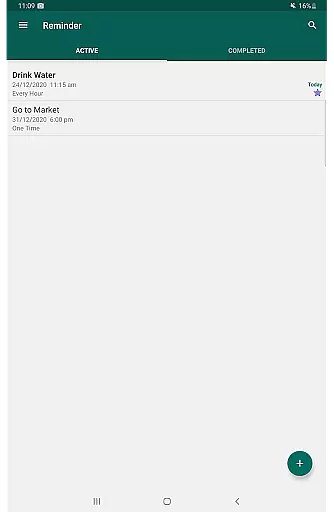
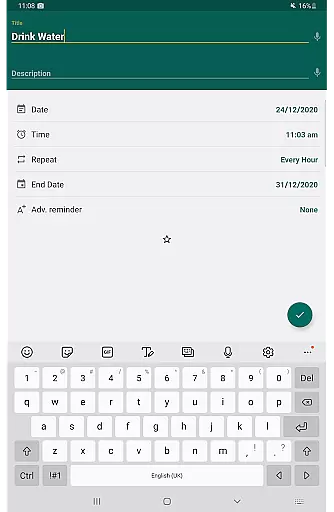
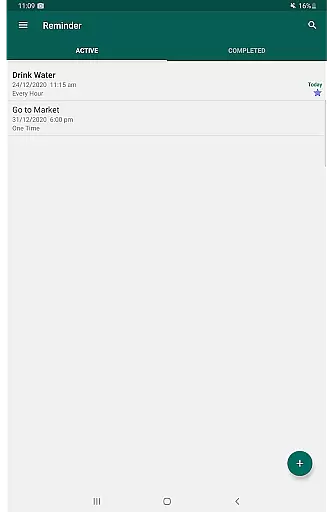
Reminder Pro is a versatile productivity application designed to help users manage their daily tasks and important deadlines efficiently. This app allows you to create both one-time and recurring reminders, ensuring that no critical task or event is forgotten. With its user-friendly interface, Reminder Pro makes setting up reminders quick and straightforward, eliminating the need for complicated configurations.
The app's core functionality lies in its ability to send timely notifications for various activities such as meetings, homework deadlines, bill payments, medication schedules, and more. Whether you need a pill reminder, an appointment alert, or a birthday notification, Reminder Pro has got you covered. Its versatility extends to organizing your life with features like custom recurring reminders, popup notifications, and snooze options, making it an indispensable tool for personal and professional use.
One of the standout features of Reminder Pro is its adaptability to different user needs. From students tracking assignments to professionals managing work schedules, this app provides a comprehensive solution for staying on top of your responsibilities. By integrating seamlessly into your daily routine, Reminder Pro helps boost productivity and ensures peace of mind by keeping you informed and prepared for what lies ahead.
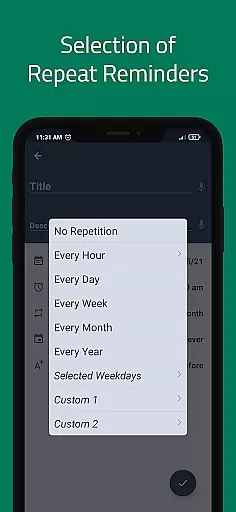
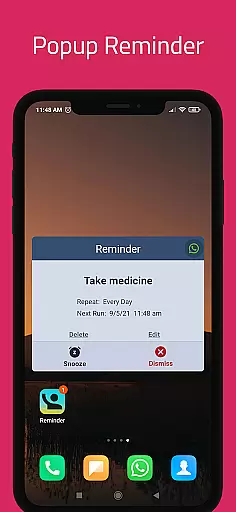
Reminder Pro boasts an array of features that cater to diverse user requirements. One of its primary strengths is the ability to set custom recurring reminders, allowing users to establish patterns for routine tasks without repetitive input. This feature is particularly beneficial for activities like taking medication or attending weekly meetings, where consistency is key. Additionally, the app offers popup notifications that grab your attention at the right moment, ensuring you never miss an important deadline or event.
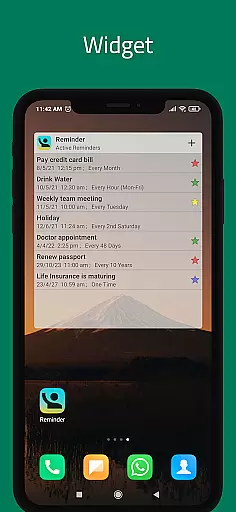
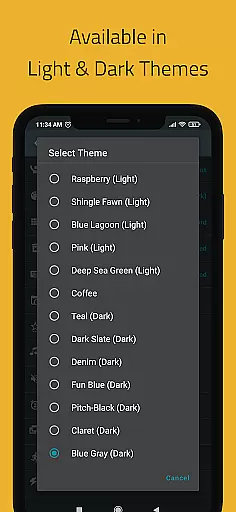
Another notable aspect of Reminder Pro is its flexibility in managing reminders. Users can take advantage of the snooze option to delay notifications temporarily, providing a brief respite when needed. The inclusion of a widget enhances accessibility, enabling quick adjustments and views directly from the home screen. Moreover, the app supports multiple themes, catering to individual preferences and enhancing the overall user experience with visually appealing interfaces.
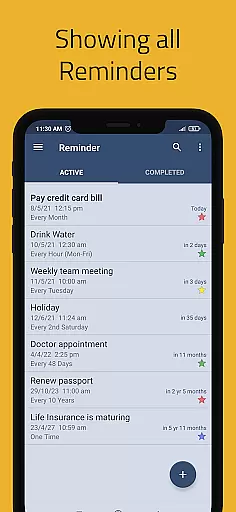
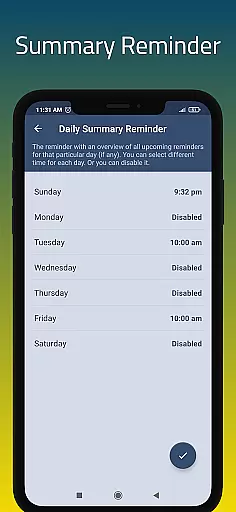
For those who require detailed organization, Reminder Pro provides advanced functionalities such as categories with distinct colors and settings, standard/compact/monthly grouping views, and search capabilities. These tools facilitate efficient management of extensive reminder lists, making it easier to locate specific entries and maintain order. Furthermore, features like quiet hours settings and auto/manual backup options demonstrate the app's commitment to user convenience and data security, ensuring uninterrupted service and peace of mind.
Task management is at the heart of any productivity app, and Reminder Pro excels in this area. The app allows users to create both one-time and recurring reminders for a variety of tasks, ensuring that nothing important slips through the cracks. Whether it's deadlines, meetings, or daily chores, users can easily input and organize their to-do lists.
The app offers versatile features such as custom recurring reminders, quiet hours settings, and multiple categories with unique colors and settings. These functionalities enable users to tailor their task management experience according to their specific needs. With options like standard, compact, and monthly grouping views, Reminder Pro provides flexibility in how tasks are displayed and managed.
Users benefit from features like popup notifications, snooze options, and widgets that make managing tasks effortless. The ability to add detailed notes and set advance reminders ensures that users have all the information they need at their fingertips. This comprehensive approach to task management helps users stay organized and productive.
Cross-device synchronization is crucial for users who rely on multiple devices throughout their day. Reminder Pro ensures that all your reminders and tasks are seamlessly synced across your devices. This means you can start setting up reminders on your phone and continue editing them on your tablet or computer without missing a beat.
The app employs reliable auto-backup and manual backup options to safeguard your data. This ensures that even if you switch devices or experience technical difficulties, your reminders remain intact and up-to-date. Such reliability fosters confidence in using the app as your primary task manager.
Moreover, the synchronization process is smooth and happens in real-time, providing users with the most current view of their tasks no matter which device they use. This feature is particularly beneficial for those juggling work and personal responsibilities across different environments. By maintaining consistency and accuracy, Reminder Pro enhances user engagement and satisfaction.
User-friendly interface
Customizable reminders
Popup notifications
Snooze option available
Multiple theme choices
Limited advanced features
No voice command support
Premium version required
Occasional bugs reported
Ads in free version

Secure, fast, open-source, VNC and SSH Remote Desktop for Windows, Linux and Mac
 4.70
4.70
Client for Nextcloud Deck
4.60
Take control of your clipboard with Clipper!
3.90
Planet Free VPN - The best Fast Unlimited and Secure VPN Without Logs
4.50
The upgraded version of Name Wheel with AI and the power to add your own wheels.
4.3
Make apps & sites with natural language prompts
4.10
Secure, open-source, SPICE and SSH Remote Desktop for QEMU KVM virtual machines
4.00
A comprehensive suite of tools designed specifically for Lactation Consultants
4.5
Note taking, handwriting, record audio, PDF annotation, planner & journal
4.20
Scientific calculator for Android - looks and operates like the real thing!
4.90
Absolutely the best CNC machinist speed and feed calculator around. fswizard.com
4.60
Translate text/voice/photos in 150+ languages. Offline & fast translator app.
4.50
A Pixel Art watchface inspired by other iconic 90s designs for Wear OS devices!
4.40
A customizable calendar for your Wear OS watch
4.20
Total remote control for your Android device, PC and cloud services (IFTTT)!
4.20
Professional calendar app for Google Calendar, MS Outlook & Exchange
4.20
All in One PDF Reader: Manage, Read and Edit your Documents
4.20
Font maker keyboard with your own handwriting
4.10
* block pre-roll ads, pop-up and forced redirect ads * Samsung certification app
4.00


User Reviews