

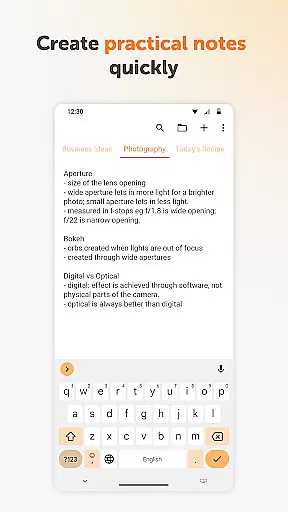
Simple Notes Pro is a productivity-focused note-taking application designed to help users quickly capture ideas, create shopping lists, and manage daily tasks with ease. The app offers an intuitive interface that allows for fast typing and organization without any complicated setup steps.
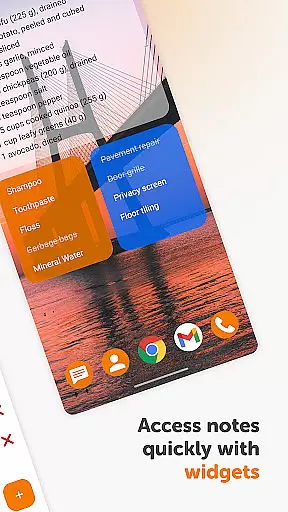
One of the standout features of Simple Notes Pro is its autosave functionality, ensuring that users never lose their important notes due to accidental closures or errors. Additionally, it supports multiple independent plain text notes and lists, making it versatile for various note-taking needs. Its customizable and resizable widget provides quick access to your notes directly from the home screen.
This app is particularly useful for busy professionals and students who need a reliable tool to keep track of their duties, meetings, and personal reminders. With its ad-free environment, customizable colors, and material design, Simple Notes Pro delivers both functionality and user comfort, enhancing productivity without distractions.
Simple Notes Pro stands out with its array of practical features tailored for efficient note-taking and task management. The app includes an autosave feature that automatically saves changes, preventing accidental data loss. This ensures that all your important information is securely stored without requiring manual intervention.
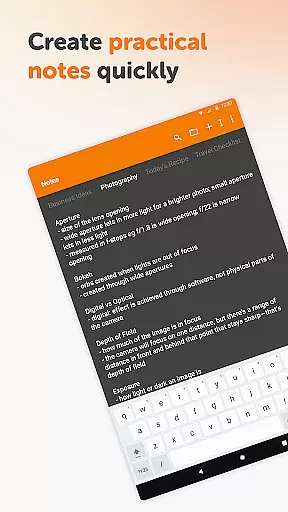
Another notable feature is the ability to create multiple independent plain text notes and lists rapidly. This flexibility allows users to organize different types of information separately, such as work-related tasks, personal reminders, or brainstorming sessions. The customizable and resizable widget further enhances accessibility by providing instant access to your notes right from the home screen.
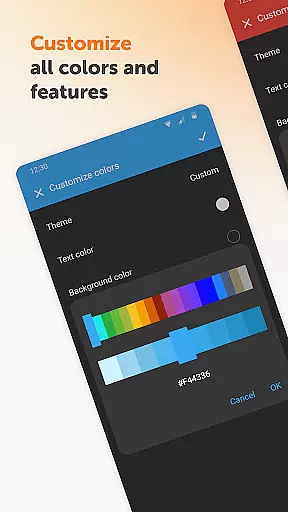
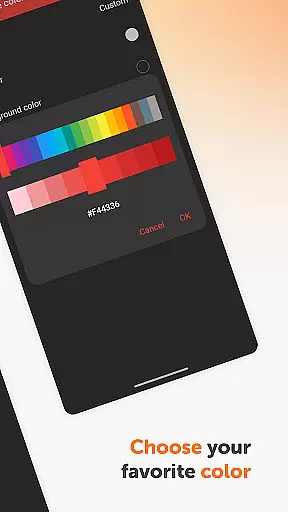
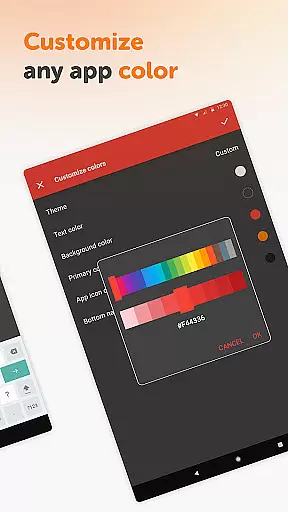
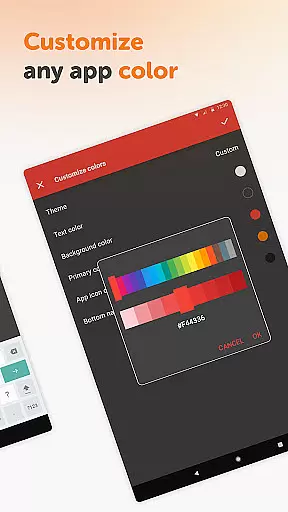
In addition to these functionalities, Simple Notes Pro offers a clean, ad-free experience with customizable colors and themes, including a default dark theme. These customization options not only improve usability but also cater to individual preferences, making the app a pleasure to use for extended periods. The lack of internet access required ensures enhanced privacy, security, and stability compared to other similar applications.
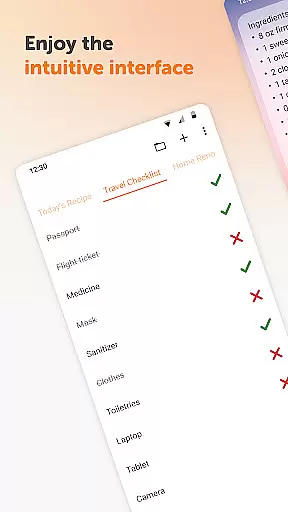
Task management is at the heart of productivity applications, and Simple Notes Pro excels in this area. This feature allows users to efficiently organize their daily activities, ensuring that nothing important slips through the cracks. With its intuitive interface, users can create quick lists, checklists, and reminders for anything from grocery shopping to startup ideas.
The app supports multiple independent plain text notes and lists, which can be created rapidly, allowing users to compartmentalize different aspects of their lives. The autosave functionality ensures that no changes are ever lost, providing peace of mind and reliability. This means you can trust the app to keep your information safe while you focus on completing tasks.
Simple Notes Pro also offers a customizable and resizable widget, making it easy to access your lists and organize your to-do list with just a tap. This seamless integration into your daily routine enhances productivity by reducing the time needed to switch between tasks. The simplicity and efficiency of managing your duties with this tool make it an invaluable asset for anyone looking to streamline their day.
Cross-device synchronization is crucial for users who rely on multiple devices throughout their day. Simple Notes Pro ensures that your notes and lists are reliably synced across all your devices, providing a consistent experience whether you're at home, in the office, or on the go. This reliability is essential for maintaining productivity and ensuring that you have access to your information whenever and wherever you need it.
The app's lack of internet access might seem counterintuitive for synchronization, but it enhances privacy, security, and stability compared to other apps. By focusing on local storage and synchronization through user-controlled means, Simple Notes Pro provides a secure environment for your data. This approach not only protects your information but also ensures that your notes are always available, even without an internet connection.
Furthermore, Simple Notes Pro is fully open-source, offering customizable colors and settings that can be adjusted quickly. This flexibility allows users to tailor the app to their specific needs and preferences, enhancing the overall user experience. With no ads or unnecessary permissions, Simple Notes Pro delivers a clean, efficient, and reliable cross-device synchronization solution that stands out in the realm of productivity tools.
User-friendly interface
Autosave functionality
Customizable colors
No ads or unnecessary permissions
Multiple independent notes
Limited advanced features
No cloud sync option
Basic design elements
Restricted collaboration tools
Offline-only access

Experience Reading - Night Mode for Documents
 4.40
4.40
A simple, portable logger for POTA, SOTA, Field Day, and more
4.0
Absolutely the best CNC machinist speed and feed calculator around. fswizard.com
4.60
Easiest event planning, volunteer signups & parent teacher conference scheduling
2.20
Create and edit presentations with Google Slides, part of Google Workspace.
4.00
Experience and share your SolidWorks designs on your Android® phone and tablet.
2.50
Scientific calculator for Android - looks and operates like the real thing!
4.90
Ultimate Virtual AI Character for immersive Roleplay Chat. Perfect Companion
3.90
Set up, print, and get support—in one place
4.20
Best Tool for the professionals Electrician, Electrical contractors, etc.
4.90
Android Wallet Password Manager
4.80
A beautiful digital clock with autostart and many other functions
4.70
The Pro Version of Android's tiniest Notepad app. Just 0.3MB but feature-packed!
4.60
Planet Free VPN - The best Fast Unlimited and Secure VPN Without Logs
4.50
Send files, sync SMS, notifications & clipboard across devices via local network
4.40
Docker, Kubernetes management over Portainer Mobile
4.40
Enjoy classic gameplay with customizable features and retro-style graphics.
4.30
Font maker keyboard with your own handwriting
4.10
A Revolutionary All-in-One Artificial Intelligence Tools
3.80


User Reviews