
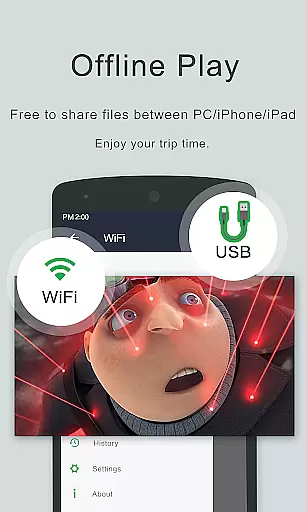
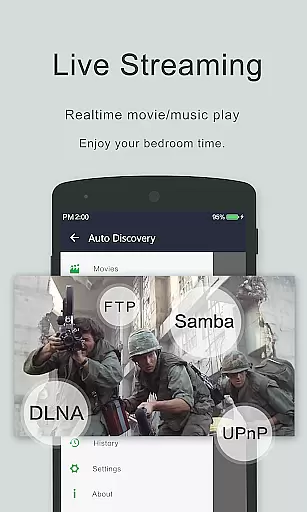

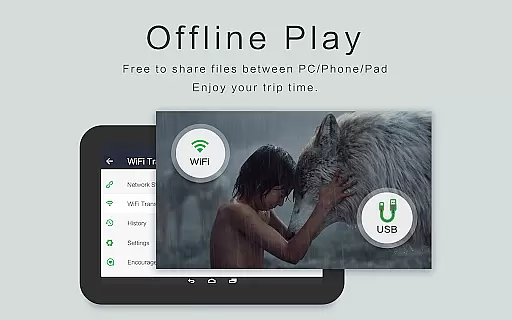
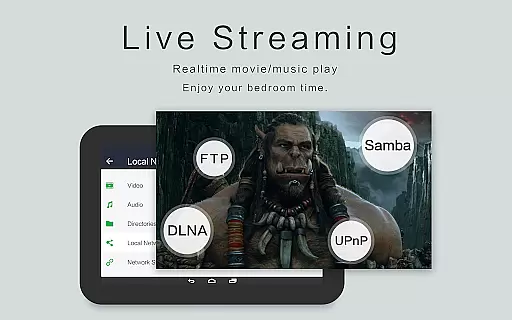
OPlayer is a professional media playback tool that has been under development for 12 years, offering support for DTS and DivX formats. As one of the best HD video players available, it supports nearly all media formats including MKV, MP4, AVI, and more, making it ideal for both Android tablets and phones.
With features like 4K Ultra HD video playback, hardware acceleration, and Chromecast support, OPlayer ensures high-quality viewing experiences. It also includes practical functionalities such as gesture unlock for video safety, pop-up window playback, and comprehensive file management tools.
Whether you're looking to enjoy movies, music, or manage your media files efficiently, OPlayer provides a versatile solution with its advanced playback options and user-friendly interface.
OPlayer distinguishes itself through an array of sophisticated features tailored for media enthusiasts. Its ability to play most video formats, including MKV, MP4, and AVI, ensures compatibility across various media types. The inclusion of 4K Ultra HD support and hardware acceleration guarantees smooth, high-quality playback.
Beyond basic playback, OPlayer offers innovative functionalities such as casting videos to TV via Chromecast, playing videos in pop-up windows for multitasking, and background video playback. These features cater to users seeking flexibility and convenience in their media consumption.
Additionally, OPlayer serves as a fully featured file manager, allowing users to organize, move, cut, paste, and share video files effortlessly. With automatic identification of all video files on your device and SD card, managing extensive media libraries becomes hassle-free.
Video format compatibility is a crucial feature for any video player application, determining its ability to play various types of video files. OPlayer excels in this area by supporting an extensive range of formats including MKV, MP4, AVI, and many more.
The app's comprehensive codec support ensures that users can enjoy Ultra HD and 4K videos without worrying about format restrictions. This wide compatibility is not just limited to popular formats but also extends to less common ones like RMVB and TS.
For users, this means unparalleled flexibility. Whether they're watching movies, TV shows, or personal recordings, the playback experience remains smooth and uninterrupted. The hardware acceleration feature further enhances this by optimizing performance for different file types.
Additionally, OPlayer's advanced format handling includes subtitle support and Chromecast integration, making it a complete solution for both casual viewers and home theater enthusiasts who demand high-quality playback across all their devices.
While primarily known for its playback capabilities, OPlayer also incorporates AI-powered editing features that enhance the overall user experience. These intelligent tools help streamline video management and improve playback quality through automated processes.
The app's AI functionality includes automatic video file identification across devices and SD cards, saving users time and effort in organizing their media libraries. This smart categorization extends to the built-in file manager, which offers advanced options like move, cut, and paste operations.
Furthermore, OPlayer's AI enhances viewing comfort with features like night mode and quick mute, adapting to user preferences and environmental conditions. The intelligent playback options automatically adjust screen orientation and aspect ratios based on content type.
These AI-driven enhancements demonstrate OPlayer's commitment to providing a comprehensive media solution that goes beyond basic playback, offering users sophisticated tools that simplify their digital media management while maintaining optimal viewing quality.
Wide format support
4K Ultra HD playback
Chromecast integration
Advanced file management
Multitasking capabilities
Interface may feel dated
Occasional playback issues
Limited customer support
Premium version costs
Heavy on system resources

Online Videos Player
 3.90
3.90
Auto video maker with music & exclusive filters. Video editing made simple.
4.50
Client application for NextPVR software
3.00
Powerful, professional, versatile teleprompter. Developed by an active film crew
4.00
HD video & music player - All format support with floating & PIP mode!
3.80
Make your own Animations, Video and Photo Edits, Visual Effects, and more!
4.00
Mix with Virtual DJ directly from your phone or tablet !
3.10
Create, Publish & Maximize
4.70
Photo editor & video maker with music and slideshows.
4.10
Flud is a simple and beautiful BitTorrent client for Android.
4.80
?100% FREE! Download & save videos? safely in this app. All formats supported.
4.60
Cast movies, tv shows and live streams to Chromecast, Roku, DLNA, Fire TV & more
4.60
AirMirror Receiver - Screen mirroring/cast web videos to Android TV by AirPlay.
4.40
KMPlayer Plus (Divx Codec) officially support Divx codec.
4.30
Powerful Video Editor & Photo Editing App —— Quick Edits & Stunning Effects!
4.30
Stream Web Videos to Chromecast, Samsung, LG, Sony, Roku, Fire TV, DLNA + more
4.00
Fast private browser with secure, seamless access & supported video downloads!
4.00
AirMirror is Receiver for Screen Mirroring and Casting from Apple Devices.
3.60
A full editing room to accompany your Insta360 cameras and handheld gimbals.
3.30


User Reviews