

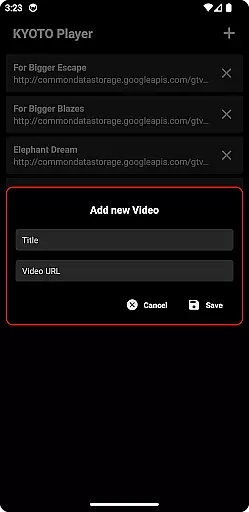
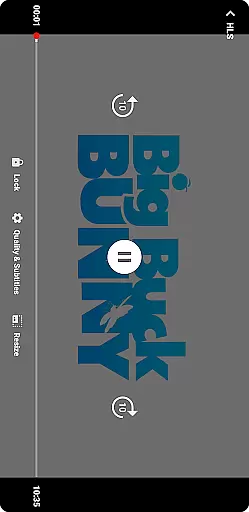
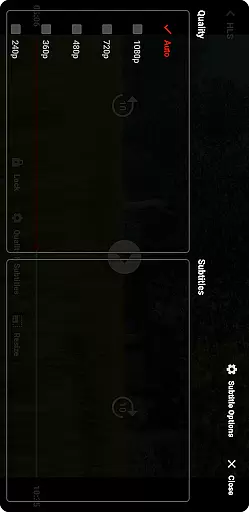

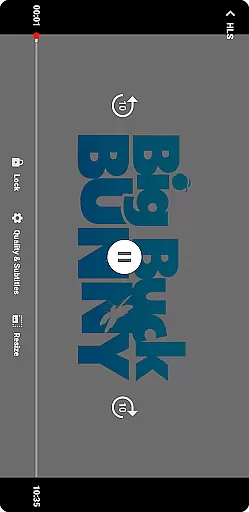
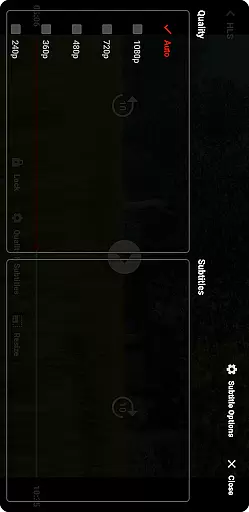

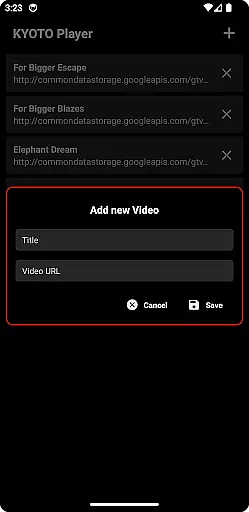
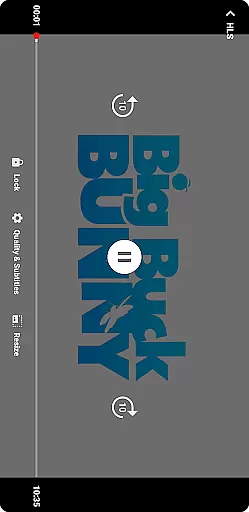
KYOTO Player is a versatile video player app designed for seamless playback of various online video formats. Supporting an extensive range of file types including MP4, HLS, DASH, MP3, WebM, MKV, and more, it ensures compatibility with most media files you may encounter. Whether you're streaming content or playing local files, KYOTO Player provides smooth and reliable performance across Android devices.
The app stands out with its user-friendly interface and customizable playback options, making it suitable for both casual viewers and tech-savvy users. With features like adjustable playback speed, subtitle support, and advanced audio settings, KYOTO Player caters to diverse viewing preferences. Its ability to handle complex formats like MPEG-TS and FLV makes it an excellent choice for users who work with specialized video content.
KYOTO Player boasts an impressive array of features that enhance the video playback experience. The app's core functionality lies in its comprehensive format support, covering over 10 different video and audio formats. This versatility eliminates the need for multiple players or format conversion tools, streamlining your media consumption workflow.
Advanced playback controls set KYOTO Player apart from basic video players. Users can fine-tune their viewing experience with features such as variable speed playback (0.5x to 2.0x), multi-channel audio selection, and precise seeking within videos. The player also includes robust subtitle management, allowing users to load external subtitle files and customize their appearance. Additionally, the app supports network streaming protocols, enabling direct playback from URLs or cloud storage services.
Video format compatibility is a crucial feature for any video player application. KYOTO Player excels in this area by supporting an extensive range of video formats including MP4, HLS, DASH, MP3, WebM, MKV, OGG, WAV, MPEG-TS, MPEG-PS, FLV, and more.
The importance of this feature lies in providing users with the flexibility to play videos without worrying about format restrictions. Whether you are downloading content from various online sources or transferring files between different devices, KYOTO Player ensures seamless playback.
This app achieves such broad compatibility through optimized decoding algorithms and continuous updates to support emerging formats. Users can enjoy their media collections without the hassle of conversion software or additional plugins.
With KYOTO Player's comprehensive format support, users gain peace of mind knowing that their video viewing experience will be smooth and uninterrupted regardless of file type.
While primarily a video player, KYOTO Player also incorporates AI-powered editing features that enhance the user's ability to modify and improve their video content effortlessly. These smart tools utilize machine learning algorithms to automate complex editing tasks.
For instance, the app might offer automatic video enhancement where it adjusts brightness, contrast, and color balance based on the content of your video. This saves time and effort compared to manual adjustments while delivering professional-quality results.
Additionally, KYOTO Player could include intelligent trimming and cutting features that identify key segments within a video, allowing for quick edits without losing important content. Such capabilities make video editing accessible even to those with minimal technical expertise.
By integrating these advanced AI-driven functionalities, KYOTO Player not only plays videos but also empowers users to refine their media creatively and efficiently.
User-friendly interface
Wide format support
Customizable playback
Subtitle management
Network streaming
No built-in downloader
Limited editing tools
Basic UI design
No VR support
Premium features locked

Video player, file manager for all formats, 4K/HD media player supports subtitle
 4.30
4.30
Video Trimmer, Video to MP3 Converter. Extract music from video, Easy & Fast.
4.80
Watch a large amount of high-definition short drama content
4.60
Search & download videos from net with all video downloader, auto-detect & safe.
4.60
KineMaster, Your Ultimate Video Editor!
4.40
HD video maker with no watermark, no ads & vlog maker with music, PIP, text
4.50
Stream high quality video from your camera over NDI protocol
4.4
VLC Remote lets you control your VLC Media Player on Mac, PC or Linux.
4.60
GENRAL PRO - General Pro is the best video player that fully supports all formats.
4.70
Play ALL formats in 4K & HD. Video downloader, MP3 player, Chromecast & more.
4.80
An easy-to-use and all-round screen recorder with audio
4.80
#1 Torrent App on Android ** No Ads Ever + Battery Saver **
4.80
A Simple app to download Video & Music from the Internet.
4.70
Snaptubè Video Downloader app allows to download videos and music in Snaptube. .
4.60
Video Downloader, Multiple Resolution Options, Video Player
4.50
Fast video downloader & private browser. Save HD clips to watch offline.
4.40
Video player with 4K & 1080P support, popup play, background play and subtitle.
4.20
Client application for NextPVR software
3.00
Video player with powerful streaming playback and various convenient features.
2.10


User Reviews