
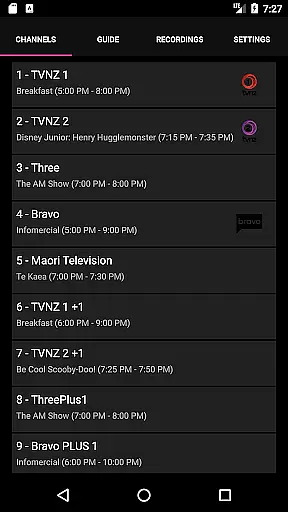
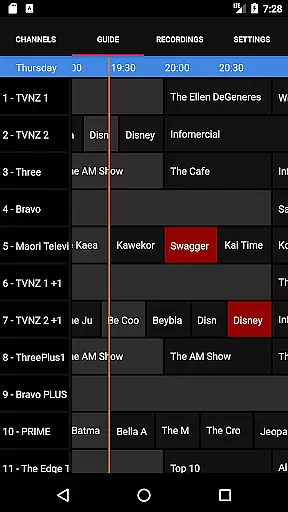
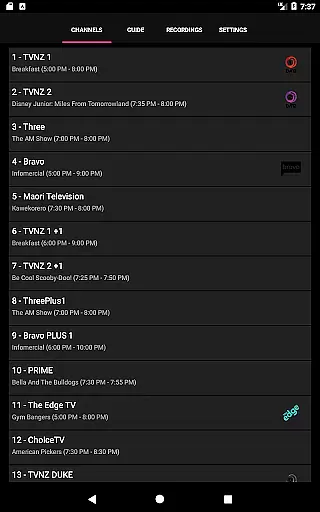
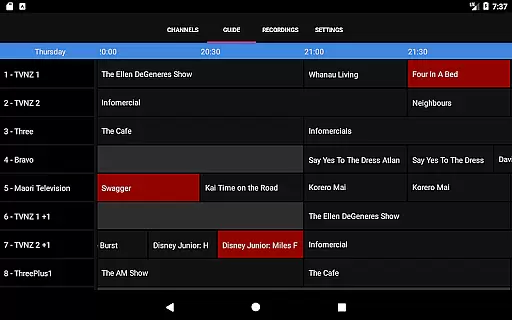
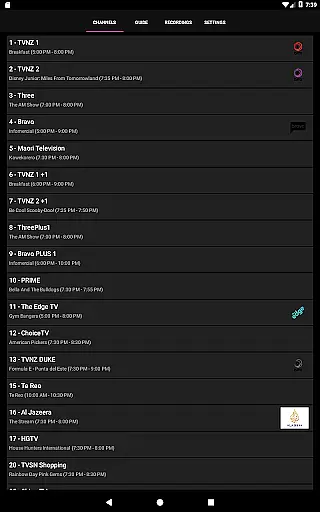
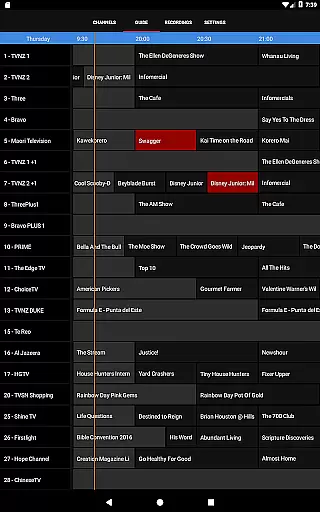
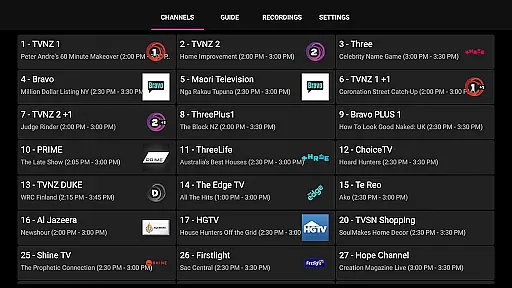
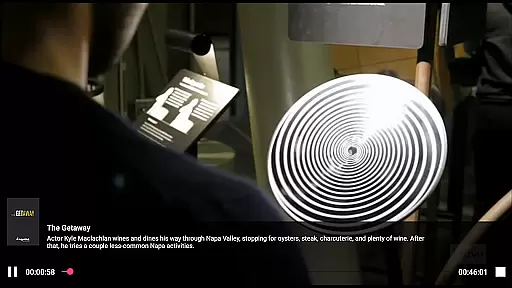
NextPVR is a versatile client application designed for users who already have the NextPVR software installed on their network. This app allows you to seamlessly interact with your media center, providing access to live TV streaming, an intuitive TV guide, and recording management. With support for various video capture sources including ATSC, DVB, and Analog TV tuners, it transforms your Windows PC into a powerful media hub. Whether you're at home or on the go, this app ensures that you can conveniently manage and enjoy your media content from any location.
The true value of NextPVR lies in its ability to integrate with your existing setup, offering a user-friendly interface that simplifies the complexities of digital media management. By connecting to a PC where NextPVR is installed, users can effortlessly schedule recordings, browse through channels, and watch previously recorded shows. The app's compatibility with multiple tuner types makes it adaptable to different user needs, ensuring high-quality playback and reliable performance.
NextPVR boasts a range of features tailored to enhance your media consumption experience. One of its standout capabilities is the seamless integration with NextPVR software, allowing users to stream live TV directly to their mobile devices. The app provides an interactive TV guide, giving you a clear overview of channel schedules and helping you plan your viewing sessions efficiently. Additionally, the recording management system lets you schedule, start, and stop recordings remotely, ensuring you never miss your favorite shows.
Another notable feature is the app's support for various video capture sources, making it compatible with a wide array of TV tuners. This flexibility ensures that users can customize their setups according to their preferences. Furthermore, the app offers a smooth and responsive user interface, optimized for both smartphones and tablets. These features collectively contribute to a comprehensive and user-centric media management solution, setting NextPVR apart from other video player applications.
NextPVR offers extensive video format compatibility, ensuring users can enjoy a wide range of media content without worrying about format restrictions.
The app supports popular formats such as MP4, AVI, MKV, and more, allowing seamless playback of videos recorded from ATSC/DVB/Analog TV tuners or other capture sources.
This flexibility enables users to watch live TV, manage recordings, and view previously saved content effortlessly across devices.
By supporting multiple formats, NextPVR enhances user experience by providing a versatile platform for all video playback needs.
While primarily a media player, NextPVR incorporates AI-powered editing features that enhance the viewing and recording management process.
These features include smart trimming of recordings, automated chapter creation, and intelligent organization of media libraries based on content type and metadata.
Such tools streamline the way users interact with their recordings, making it easier to find, edit, and manage media efficiently.
With these capabilities, NextPVR not only plays videos but also empowers users to optimize their media libraries with minimal effort.
User-friendly interface
Live TV streaming
Recording management
Wide device compatibility
Interactive TV guide
Requires separate software
Limited to Windows PCs
No standalone functionality
Dependent on network stability
Advanced settings needed

IPTV-Smarters Player Pro M3U - Watch Live Stream TV Channels with Chromecast
 4.00
4.00
All format media Player, no need video converter any more!
4.00
AirMirror Receiver - Screen mirroring/cast web videos to Android TV by AirPlay.
4.40
Explore the largest library of free GIFs, Stickers & Memes - or create your own!
3.90
Download website videos fast&privacy
4.40
Find, download, and play torrents with the official BitTorrent® Pro app
4.70
The essential companion to your Blue Iris PC software
2.50
Watch IPTV on your Android device
4.60
Livestream, news, & gaming content. Watch, chat, and upload. Join Rumble today!
3.80
An easy-to-use and all-round screen recorder with audio
4.80
A Simple app to download Video & Music from the Internet.
4.70
Browser + Remote for Roku to stream webvideos, online movies and livestreams
4.60
Fast video downloader & private browser. Save HD clips to watch offline.
4.40
KMPlayer Plus (Divx Codec) officially support Divx codec.
4.30
1)AirPlay/DLNA Mirroring/Streaming, up to 4 connections; 2)Samba/NAS/DMS Player.
4.00
All in one multi protocols stream receiver for AirPlay, Cast and DLNA.
3.60
Watch full episodes of your favorite Cartoon Network and Cartoonito shows!
3.50
This app is an emulator of some specific IPTV boxes
3.50
Play and download HD videos from all sources — fast, simple, and all-in-one.
4.3


User Reviews