


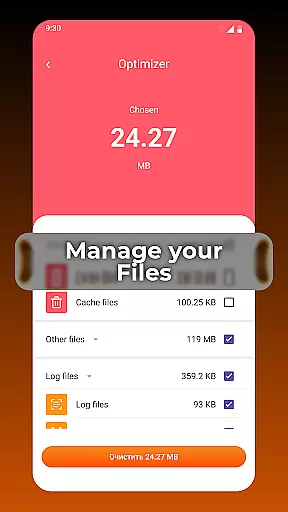

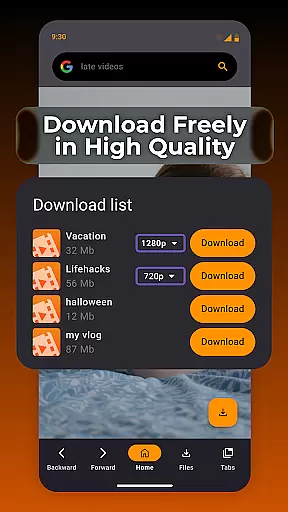

XPlay Browser is a versatile mobile application designed for users seeking a fast, private, and video-focused browsing experience. This app combines lightweight performance with essential features like Private Browsing Mode, easy video downloads, and smart file management. It ensures smooth navigation while protecting user privacy and optimizing device storage.
With its modern interface and efficient design, XPlay Browser caters to users who value speed and convenience without compromising on functionality. Whether you're streaming videos or managing files, this browser provides an intuitive platform that enhances everyday web interactions.
XPlay Browser stands out with its comprehensive feature set tailored for both casual and power users. The app's Fast & Smooth Browsing capability ensures quick page loads even on older devices, thanks to its lightweight architecture and clean UI design. This makes it ideal for users looking for efficiency without sacrificing usability.
Privacy is a core focus, with the Private Browsing Mode offering a secure environment that leaves no trace of your activity. Additionally, the Easy Video Downloads feature allows users to save videos directly from supported websites, eliminating the need for third-party tools. Paired with Smart File Management, XPlay Browser helps maintain an organized device by highlighting unnecessary files and optimizing storage space.
Video format compatibility is a crucial feature for any video player, ensuring that users can enjoy content in various formats without interruptions or the need for additional software. XPlay Browser excels in this area by supporting an extensive range of video formats, making it versatile and user-friendly.
The browser's ability to handle different video types means you won't be limited by specific codecs or file extensions. Whether you're streaming online videos or playing locally stored media, XPlay Browser provides seamless playback with no extra steps required from the user.
This flexibility benefits users who frequently encounter diverse video files, offering them a hassle-free experience. With support for popular formats like MP4, AVI, MKV, and more, XPlay ensures your video content is accessible anytime, anywhere.
AI-powered editing features are transforming how users interact with and modify their video content. XPlay Browser incorporates intelligent tools that simplify video editing tasks, allowing users to enhance their media effortlessly.
These AI-driven capabilities include automatic video enhancement, smart trimming, and intuitive filters that adapt to the content being edited. By leveraging advanced algorithms, XPlay Browser makes professional-grade editing accessible to everyone, regardless of skill level.
Users benefit from time-saving features that maintain high-quality results. The integration of AI not only streamlines the editing process but also opens up creative possibilities, empowering users to produce polished and engaging videos with minimal effort.
Fast page loading
Private browsing
Easy video downloads
Smart file management
Battery efficient
Limited video support
No desktop syncing
Basic UI design
Few customization options
Occasional bugs

Online Videos Player
 3.90
3.90
Kodi media center, a free and open source cross-platform entertainment hub
3.60
Play and download HD videos from all sources — fast, simple, and all-in-one.
4.0
Cast to Smart TV, Fire TV. Cast video, photo - Fast & Stable!
3.90
Make your own Animations, Video and Photo Edits, Visual Effects, and more!
4.00
All in one multi protocols stream receiver for AirPlay, Cast and DLNA.
3.60
A Simple app to download Video & Music from the Internet.
4.70
Fast & Private HD Video Downloader with Built-in Proxy Browser and Video Player.
4.50
convenient, safe and fast at Video Downloader & Player
4.60
Video Trimmer, Video to MP3 Converter. Extract music from video, Easy & Fast.
4.80
Support 1000+ Video Format, Subtitle Download, mp3 & Background Play, Cast On TV
4.60
Cast movies, tv shows and live streams to Chromecast, Roku, DLNA, Fire TV & more
4.60
Fast, private downloading, video saving, social media
4.50
Full HD Video mp3 Player, MP4 player play 1080p, File manager, Video Downloader
4.40
Viddo: Generate Action Figure, AI Anime, AI kiss, AI hug Video from image & text
4.40
KMPlayer Plus (Divx Codec) officially support Divx codec.
4.30
Powerful video player with advanced hardware acceleration and subtitle supports
4.20
This app is an emulator of some specific IPTV boxes
3.50
The essential companion to your Blue Iris PC software
2.50


User Reviews