

Alight Motion is a pioneering motion design application that brings professional-quality animation and video editing tools to your mobile device. This app allows users to create sophisticated visual effects, motion graphics, and composite videos with multiple layers of graphics, video, and audio. With support for both vector and bitmap editing, Alight Motion stands out as an essential tool for designers and video editors who need flexibility and power on the go.
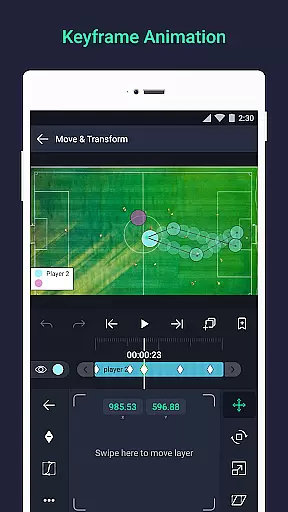
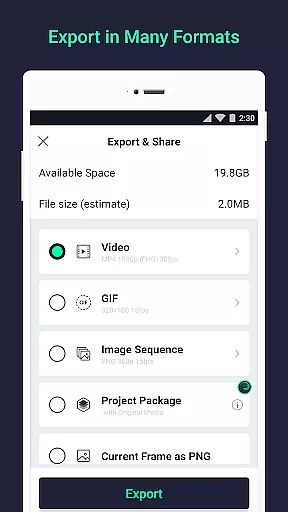
The app offers 160+ basic effect building blocks, keyframe animation for all settings, and advanced features like linking parent and child layers, rigging character joints, and using cameras with pan, zoom, and focus blur capabilities. Whether you're adjusting colors, creating masks, or animating text with custom font support, Alight Motion provides the tools necessary for fluid and professional animations. Its ability to export MP4 video, GIF animation, PNG sequences, and stills makes it versatile for various multimedia projects.
Designed for creative professionals, Alight Motion is suitable for making high-quality promotional videos, social media content, and animated presentations. The app's intuitive interface and powerful features ensure that users can achieve their desired results efficiently, making it an invaluable asset for anyone involved in video production and motion design.
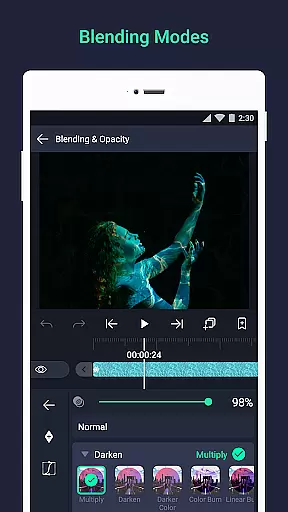
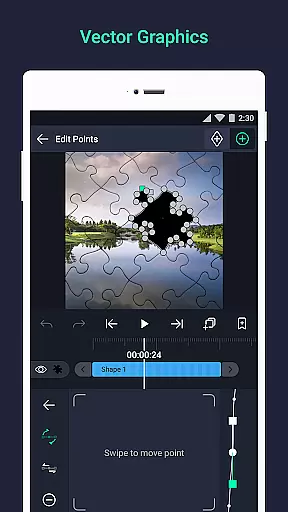
Alight Motion distinguishes itself through its comprehensive suite of features tailored for professional motion design. One of its standout capabilities is the support for multiple layers of graphics, video, and audio, allowing users to build complex compositions with ease. The app's vector and bitmap support enables precise editing directly on mobile devices, providing unparalleled flexibility for graphic designers who need to make quick adjustments on the fly.
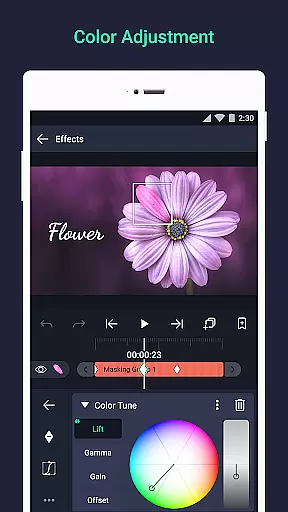
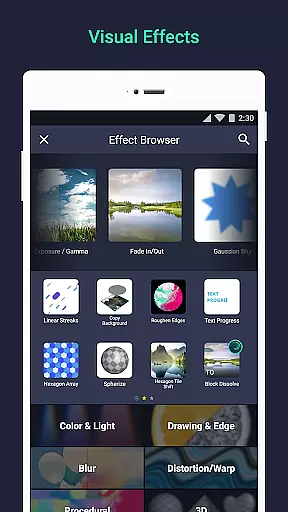
With 160+ basic effect building blocks, users can craft intricate visual effects by combining different elements. Keyframe animation is available for all settings, ensuring smooth transitions and dynamic movement within projects. Advanced functionalities such as linking parent and child layers, rigging character joints, and utilizing cameras with pan, zoom, and focus blur enhance the depth and realism of animations. Additionally, features like color adjustment, animation easing, and velocity-based motion blur contribute to more fluid and natural motion.
Alight Motion also facilitates collaboration and project management through its ability to share project packages with others. Users can save favorite elements for future use, add effects to borders, shadows, and strokes, and copy styles across layers effortlessly. These robust features make Alight Motion a top choice for professionals seeking a powerful yet accessible motion design tool on their mobile devices.
Alight Motion stands out in video format compatibility, ensuring that creators can work with a wide array of media types. The app supports multiple layers of graphics, video, and audio, accommodating both vector and bitmap images. This versatility allows users to edit vector graphics directly on their mobile devices, providing flexibility in project creation.
With support for over 160 basic effect building blocks, Alight Motion enables the combination of these effects to craft complex visual experiences. Users can export their projects in various formats including MP4 video, GIF animation, PNG sequences, and still images. This comprehensive compatibility empowers content creators to produce professional-quality animations and motion graphics without format limitations.
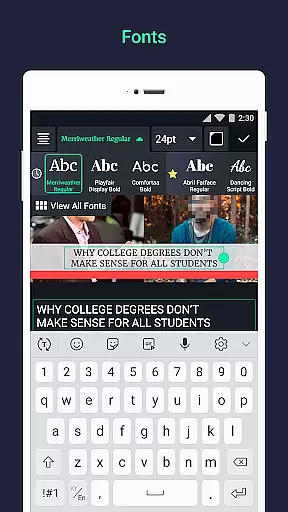
The ability to add text using custom font support further enhances its compatibility features. Creators can adjust colors, apply effect settings to borders, shadows, and strokes, and even copy entire layer styles. These capabilities ensure that regardless of the source material or desired output, Alight Motion maintains high standards of quality and adaptability across different video formats.
Alight Motion incorporates AI-powered editing features that significantly enhance the creative process. One standout feature is the keyframe animation available for all settings, allowing precise control over animations through sophisticated timing curves. This AI-driven tool helps create fluid motion by offering preset options or enabling users to build custom timing curves.
The app also includes velocity-based motion blur, which contributes to producing smoother videos by simulating realistic motion effects. Additionally, linking parent and child layers along with rigging character joints are advanced functionalities powered by AI algorithms. These tools facilitate complex animations while maintaining ease of use.
Another remarkable aspect is the camera feature that supports panning, zooming, focus blur, and fog effects. By grouping layers together and creating masks, users can leverage AI to streamline their workflow. Overall, these intelligent features make Alight Motion an indispensable tool for professionals seeking efficient and powerful video editing capabilities.
User-friendly interface
Extensive effect library
Powerful layer management
Professional export options
Regular feature updates
Subscription fees required
High system requirements
Occasional performance issues
Limited free version
Complex for beginners

A full editing room to accompany your Insta360 cameras and handheld gimbals.
 3.30
3.30
HD video & music player - All format support with floating & PIP mode!
3.80
Watch a large amount of high-definition short drama content
4.60
AirMirror Receiver - Screen mirroring/cast web videos to Android TV by AirPlay.
4.40
Fast & easy HD video downloader for all formats, support 4K playback & download.
4.60
AI Video Editor:AI Music, Text to Video,Text to Speech,Auto Caption,Video Effect
4.00
Download videos and play them offline
4.70
A Simple app to download Video & Music from the Internet.
4.70
AI Video Editor with Music, Filter, Slideshow, Effect, Merge & Trim Video.
4.80
Download Hub, easy and private way to download and enjoy your videos offline
4.80
GENRAL PRO - General Pro is the best video player that fully supports all formats.
4.70
Create photo video with music & template. AI video maker for stunning slideshow.
4.60
IPTV Loader, loads your own Playlist. DOES NOT CONTAIN ANY LIST OR CHANNELS
4.60
Full HD Video mp3 Player, MP4 player play 1080p, File manager, Video Downloader
4.40
Viddo: Generate Action Figure, AI Anime, AI kiss, AI hug Video from image & text
4.40
VLC for Android is the best open source video and music player, fast and easy!
4.10
This app is an emulator of some specific IPTV boxes
3.50
You can play SWF format file!
2.50
Play and download HD videos from all sources — fast, simple, and all-in-one.
4.0


User Reviews