
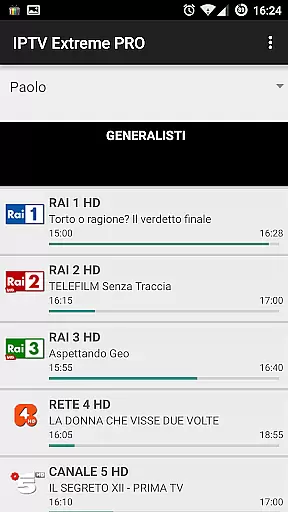
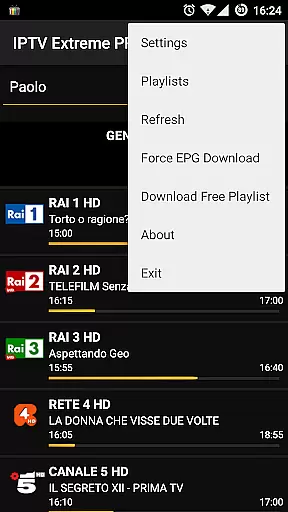

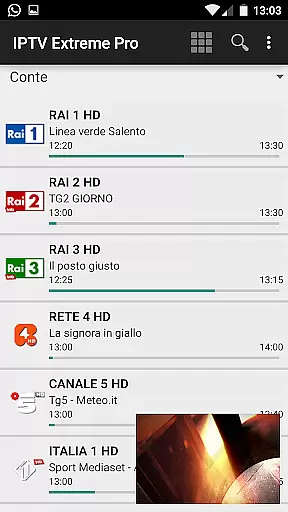



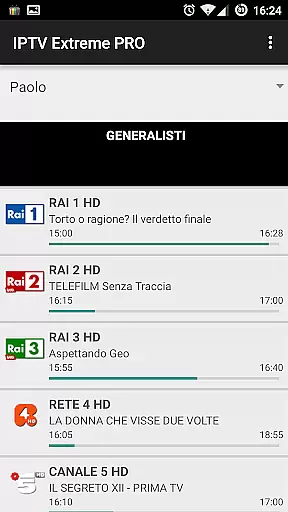
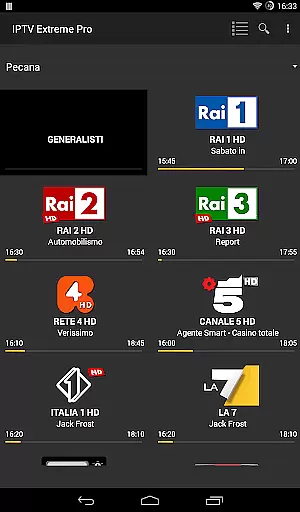
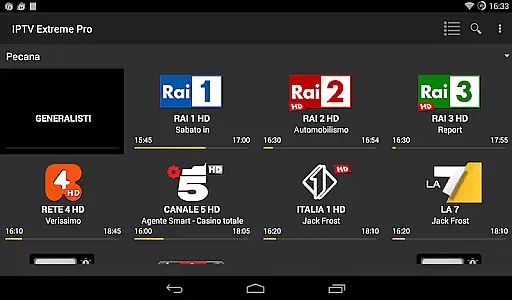


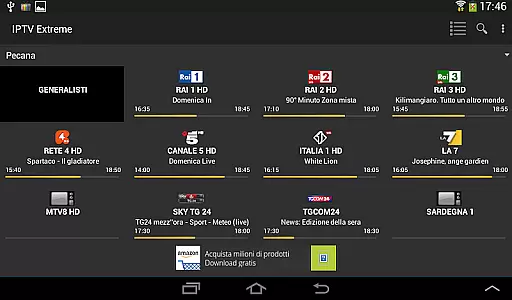


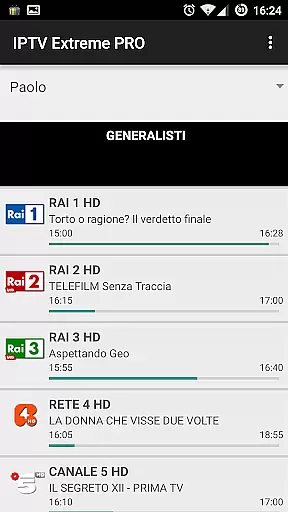
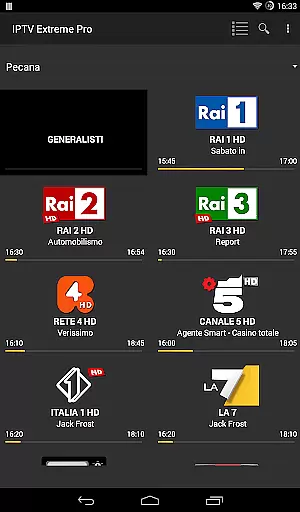
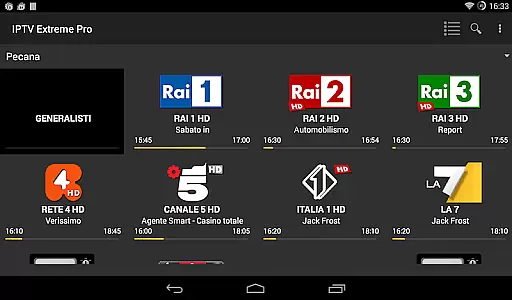

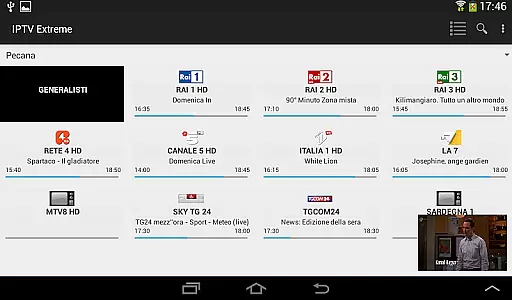



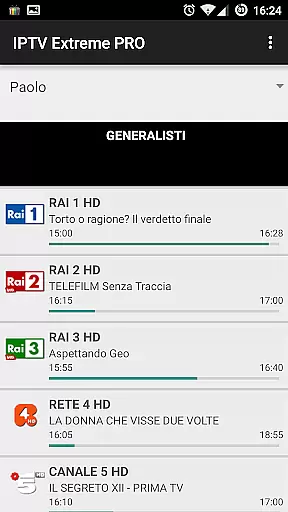
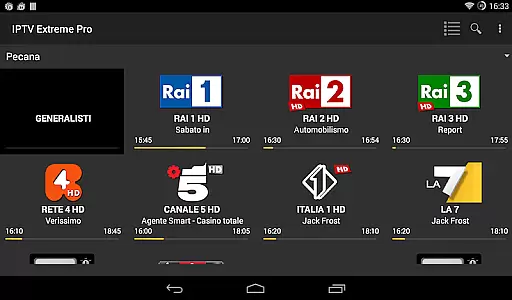

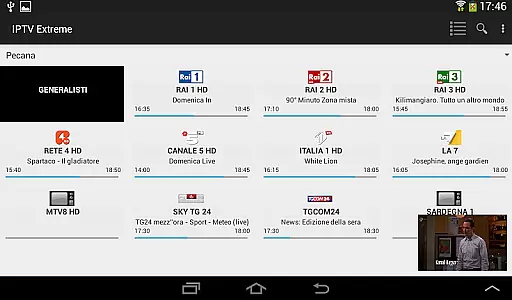



IPTV Extreme Pro is a feature-rich playlist manager designed for users who want to organize and enjoy their IPTV content efficiently. The app offers advanced playback options, including an integrated player with both advanced and light modes, ensuring smooth streaming experiences across various devices.
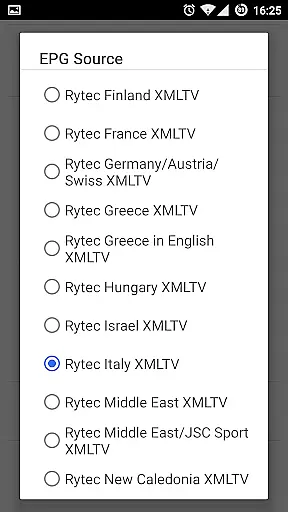
One of the standout features is its extensive support for different functionalities such as Chromecast, parental controls, and remote controller operations. Additionally, it provides comprehensive EPG (Electronic Program Guide) support, enabling users to manage TV guides effortlessly. With multi-EPG support, auto updates, and alias management, staying updated with favorite shows becomes hassle-free.
The application also includes practical tools like backup and restore settings, M3U playlist support, MAG compatibility, and picons in various sizes. Users can download on-demand programs and even record live streams within set time limits. Its sleek design offers over ten customizable themes, enhancing user experience while providing essential functions like timer management and autostart on boot.
IPTV Extreme Pro stands out due to its rich array of features tailored for seamless media consumption. It boasts an integrated player that comes in two versions: Advanced and Light, catering to different user preferences and device capabilities. This ensures high-quality streaming regardless of the platform being used.
For those looking to expand their viewing options, the app supports Chromecast, allowing users to cast their favorite shows onto larger screens easily. Parental controls are another significant advantage, giving families peace of mind by restricting access to inappropriate content. Moreover, remote controller support adds convenience, making navigation intuitive and straightforward.
Advanced EPG functionalities include multi-EPG support, automatic updates, and alias management, which collectively enhance program tracking efficiency. The ability to download on-demand programs and record live streams adds flexibility to content consumption. Furthermore, the app's pro version removes ads and offers additional aesthetic enhancements through more than ten unique themes, ensuring a personalized and enjoyable viewing experience.
Video format compatibility is a crucial feature for any video player application, including IPTV Extreme Pro. This app supports M3U playlists, which are widely used for streaming multimedia content over the internet. By supporting this format, users can enjoy a wide range of video streams from different sources.
The app's ability to handle various video formats ensures that users won't be limited by specific file types or codecs. Whether it's live TV channels or on-demand programs, IPTV Extreme Pro provides seamless playback without the need for additional software or plugins. This flexibility allows users to focus on enjoying their content rather than worrying about technical limitations.
Moreover, with integrated support for Chromecast and MAG devices, IPTV Extreme Pro extends its compatibility beyond just mobile devices. Users can stream their favorite shows directly to their television sets, enhancing the viewing experience. The inclusion of advanced features like EPG (Electronic Program Guide) further enriches the user's interaction with diverse video content.
While IPTV Extreme Pro primarily focuses on video playback and management, it also incorporates AI-powered editing features that enhance user experience. One notable feature is the ability to record live streaming with time limits, allowing users to capture important moments without manual intervention. This automated recording system leverages intelligent algorithms to start and stop recordings based on predefined schedules.
Another innovative aspect is the memo function for events on the TV guide. Users can set reminders for upcoming shows or sporting events, ensuring they never miss out on their preferred content. Additionally, the search functionality for similar events on the TV guide utilizes smart algorithms to recommend related programs, making content discovery more intuitive and personalized.
Although not traditionally categorized as an editor, IPTV Extreme Prou2019s advanced scheduling and timer management capabilities offer a level of control akin to professional editing tools. These features empower users to manage their viewing schedules efficiently while enjoying a streamlined and enriched entertainment experience.
User-friendly interface
Extensive format support
Customizable themes
Parental control options
Chromecast integration
No built-in channels
Limited playlist guidance
Premium version costly
Complex setup process
Occasional bugs reported

Cast Videos from Web Browser, IPTV to Roku, Chromecast, DLNA, Smart TV +more
 4.60
4.60
?100% FREE! Download & save videos? safely in this app. All formats supported.
4.60
Fast video downloader & private browser. Save HD clips to watch offline.
4.40
Capture images & record videos for USB Camera, Webcam, Microscopes, Endoscopes
3.80
Turn your phone into a wireless camera!
4.20
Download videos easily & play them all in one smart, powerful video manager.
3.40
Fast & Private Video Downloader App. Save all videos easily from the Internet.
4.40
Web Browser for LG TV to stream webvideos, online movies and livestreams in HD
4.20
VLC for Android is the best open source video and music player, fast and easy!
4.10
Video Trimmer, Video to MP3 Converter. Extract music from video, Easy & Fast.
4.80
Fast, private downloading, video saving, social media
4.50
Cast to Chromecast, Xbox, Fire Stick, Roku, DLNA, Smart TV & No Feature Limited!
4.50
AirMirror Receiver - Screen mirroring/cast web videos to Android TV by AirPlay.
4.40
Download website videos fast&privacy
4.40
Create & edit videos with AI
4.30
This app was created to edit the metadata of music files.
4.20
Stream Web Videos to Chromecast, Samsung, LG, Sony, Roku, Fire TV, DLNA + more
4.00
Explore the largest library of free GIFs, Stickers & Memes - or create your own!
3.90
Mix with Virtual DJ directly from your phone or tablet !
3.10


User Reviews