
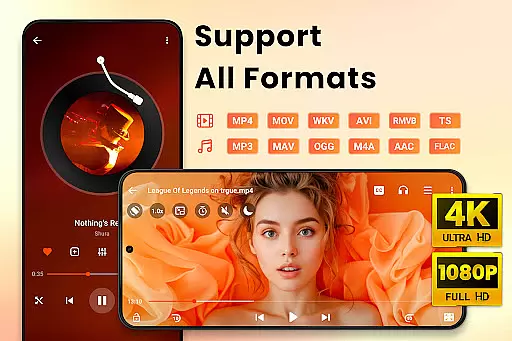
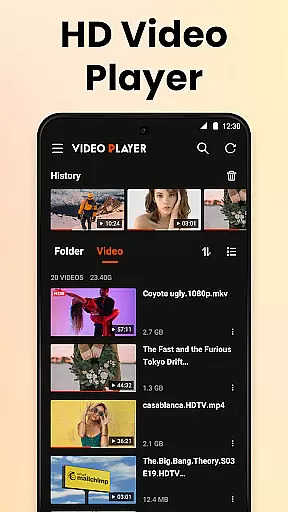
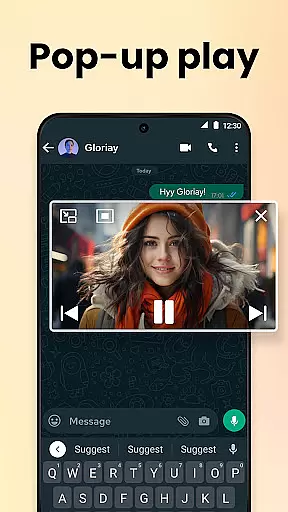
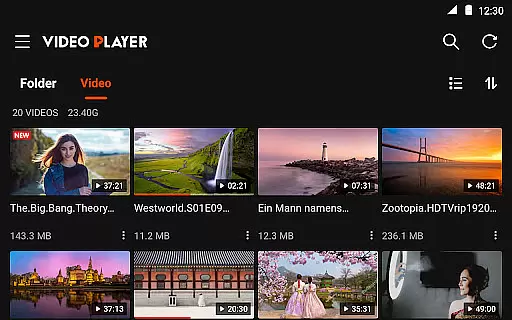
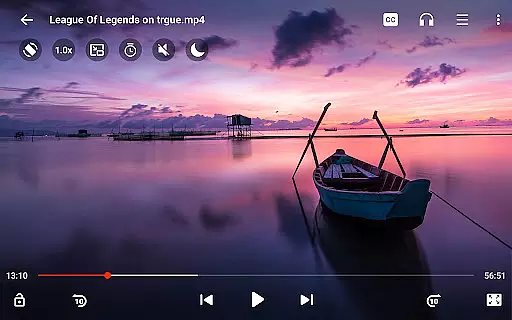
Video Player All Format HD is a versatile and feature-rich video player designed for Android devices. This compact application supports an extensive range of video formats including MKV, MP4, AVI, and more, ensuring you can play nearly any video file with ease. Enjoy your videos in stunning high definition, up to 4K resolution, providing an immersive viewing experience.
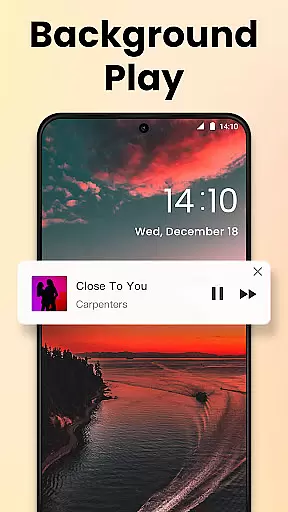
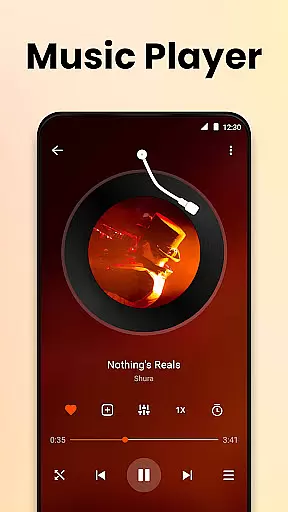
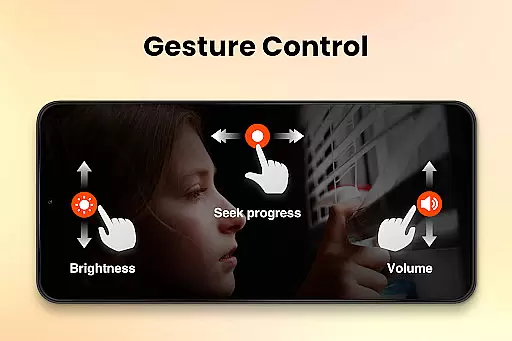
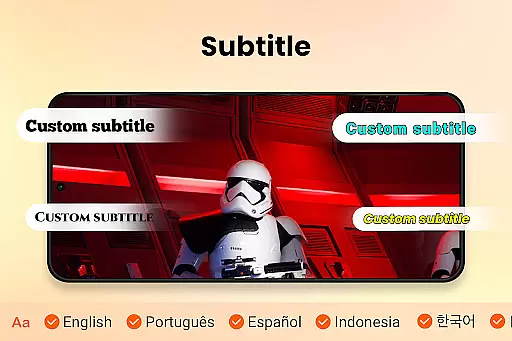
Beyond basic playback, the app offers advanced functionalities such as popup play for multitasking, adjustable playback speeds from 0.5x to 2x, and background play for audio-focused sessions. With intuitive gesture controls, integrated subtitle support, and a five-band equalizer, this media player caters to both casual viewers and audiophiles alike. Whether you're watching movies or learning through tutorials, Video Player All Format HD enhances your multimedia consumption.
Video Player All Format HD stands out with its comprehensive feature set tailored for diverse user needs. The app automatically detects video files on your device and SD card, organizing them neatly in grid or list views for easy access. Advanced playback options include speed control, making it ideal for educational content, while the night mode and quick mute features ensure comfortable late-night viewing sessions.
Additional highlights encompass robust file management capabilities allowing deletion and renaming of video files directly within the app. Users can also take advantage of the sleep timer, floating window playback, and seamless subtitle integration. These thoughtful additions make the player not just a tool for watching videos but a complete multimedia management solution that prioritizes user convenience and satisfaction.
Video Player All Format HD stands out for its exceptional video format compatibility, ensuring users can play virtually any video file they encounter. This feature is crucial in a world where video formats can vary significantly depending on the source.
The application supports an extensive range of formats including MKV, MP4, M4V, AVI, MOV, 3GP, FLV, WMV, RMVB, and TS. Such wide-ranging support means that users no longer need to worry about converting files or encountering playback issues due to unsupported formats.
By incorporating automatic detection of video files and folders on both internal storage and SD cards, the app simplifies media management. Users benefit from seamless access to their entire video library without the hassle of manual organization or searching.
This comprehensive compatibility not only enhances user convenience but also positions Video Player All Format HD as an essential tool for anyone dealing with diverse video content on their Android device.
While primarily a video player, Video Player All Format HD incorporates AI-powered features that enhance the viewing experience beyond basic playback. These intelligent functionalities demonstrate how artificial intelligence can improve traditional media consumption.
The app's speed control feature allows users to adjust playback from 0.5x to 2x, utilizing smart algorithms to maintain audio quality and synchronization even at extreme speeds. This capability proves particularly valuable for educational content or detailed analysis where precise control is necessary.
Additionally, the integrated subtitle management system uses AI to optimize subtitle timing and positioning across different video formats. The five-band equalizer with bass boost further demonstrates technological sophistication, adapting audio output to various listening environments and personal preferences.
These AI-enhanced features collectively create a more personalized and adaptable viewing experience, setting a new standard for what users should expect from modern video players.
User-friendly interface
Wide format compatibility
Lightweight design
Advanced playback controls
Efficient file management
Limited platform availability
No native iOS version
Occasional ads
Basic UI design
Feature overload for beginners

Fast, private downloading, video saving, social media
 4.50
4.50
Client application for NextPVR software
3.00
Create & edit videos with AI
4.30
Full HD Video mp3 Player, MP4 player play 1080p, File manager, Video Downloader
4.40
Play ALL formats in 4K & HD. Video downloader, MP3 player, Chromecast & more.
4.80
1)AirPlay/DLNA Mirroring/Streaming, up to 4 connections; 2)Samba/NAS/DMS Player.
4.00
GENRAL PRO - General Pro is the best video player that fully supports all formats.
4.70
Mix with Virtual DJ directly from your phone or tablet !
3.10
Download Hub, easy and private way to download and enjoy your videos offline
4.80
Tik & Story Saver-Download ALL social media videos, photos & reels no watermark.
4.80
Screen recorder with audio to take live videos & Screenshot in high quality!
4.70
Cast Videos from Web Browser, IPTV to Roku, Chromecast, DLNA, Smart TV +more
4.60
Download website videos fast&privacy
4.40
Turn your phone into a wireless camera!
4.20
Web Browser for LG TV to stream webvideos, online movies and livestreams in HD
4.20
Capture images & record videos for USB Camera, Webcam, Microscopes, Endoscopes
3.80
Kodi media center, a free and open source cross-platform entertainment hub
3.60
The essential companion to your Blue Iris PC software
2.50
Powerful HD video player with support for all formats & subtitles.
4.1


User Reviews