
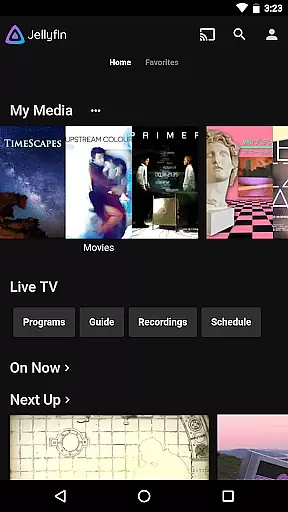
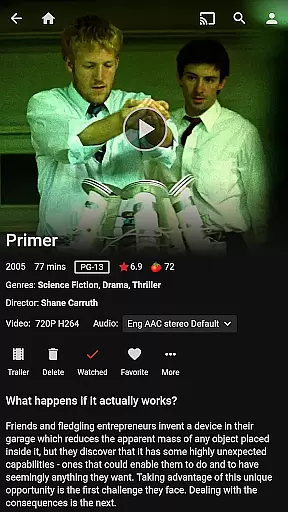
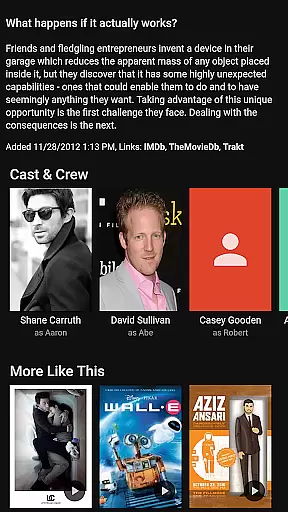
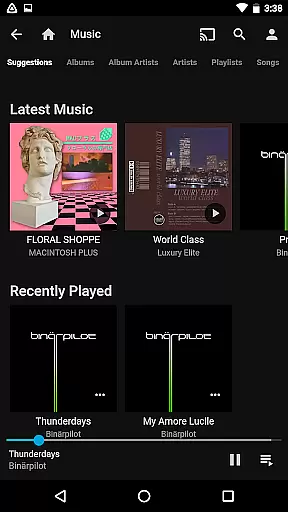
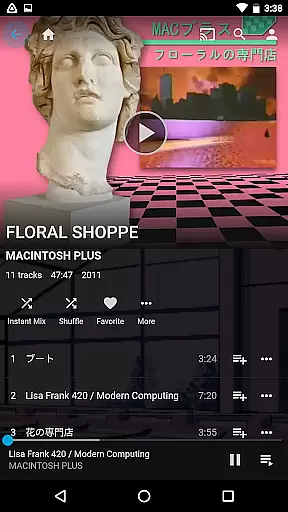

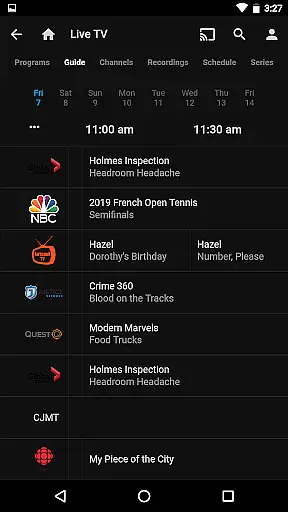
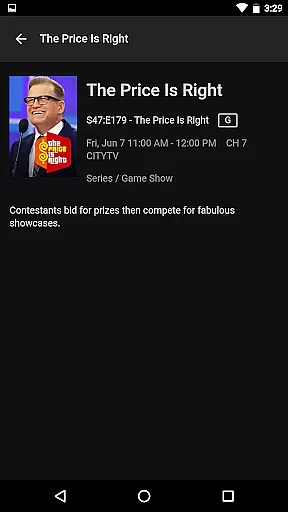
Jellyfin is an open-source media server and player that gives you complete control over your personal media collection. This Android app serves as the official mobile client, allowing users to stream their stored audio, video, and photos from a Jellyfin server directly to their mobile device. With support for live TV, Chromecast streaming, and an intuitive user interface, it creates a seamless media experience.
The app's key strength lies in its ability to provide on-the-go access to your entire media library without any subscription fees or data tracking. Whether you're looking to watch recorded shows, listen to music via Android Auto, or browse your photo collection, Jellyfin offers a versatile platform for all your entertainment needs.
Jellyfin stands out with its robust feature set tailored for media enthusiasts. The app supports Live TV functionality, enabling users to watch broadcasted content through their Jellyfin server (additional hardware/services required). It also integrates seamlessly with Chromecast devices, allowing effortless streaming to larger screens within your network.
Another notable feature is its compatibility with Android Auto, which lets users enjoy their music libraries safely while driving. The app provides an easy-to-navigate interface for browsing extensive media collections and ensures smooth playback across various formats. These features collectively make Jellyfin a comprehensive solution for managing and enjoying digital media libraries.
Video format compatibility is a crucial feature for any video player, ensuring that users can enjoy their media without worrying about technical limitations. Jellyfin excels in this area by supporting a wide range of video formats, from common ones like MP4 and AVI to more specialized codecs such as MKV and OGG.
The app's robust decoding capabilities allow seamless playback of videos in various resolutions and bitrates. Whether you're streaming high-definition movies or lower-quality clips, Jellyfin ensures smooth performance across different network conditions.
Users benefit from not having to convert or re-encode their files before playback. This saves time and preserves original video quality. Additionally, Jellyfin's adaptive streaming adjusts video quality based on available bandwidth, providing uninterrupted viewing experiences.
For advanced users, Jellyfin offers detailed codec information and playback statistics. This transparency helps optimize server settings and troubleshoot potential playback issues, making it an ideal choice for both casual viewers and media enthusiasts.
While primarily a media server and player, Jellyfin incorporates AI-powered features that enhance the video management and viewing experience. The app uses machine learning algorithms to automatically organize and tag media content, saving users countless hours of manual cataloging.
Jellyfin's AI capabilities extend to automatic chapter generation and scene detection. This intelligent processing creates meaningful breakpoints within videos, allowing users to quickly navigate to specific scenes or moments of interest.
The application also employs AI for image enhancement and upscaling. When viewing lower-resolution content, Jellyfin can apply smart processing to improve visual quality while maintaining reasonable performance levels on mobile devices.
These AI-powered features work seamlessly in the background, requiring minimal user intervention. The result is a more organized media library and enhanced viewing experience, all while preserving the open-source nature that makes Jellyfin unique in the Video Players & Editors category.
User-friendly interface
No subscription fees
Open-source flexibility
Chromecast integration
Live TV support
Requires separate server setup
Limited offline capabilities
Dependent on network quality
No built-in media library
Hardware-dependent features

A full editing room to accompany your Insta360 cameras and handheld gimbals.
 3.30
3.30
Connect 2 UVC devices for recording and broadcast video/audio stream
3.90
Save photos and videos from social apps in one tap.
3.60
Download videos and play them offline
4.70
Watch IPTV on your Android device
4.60
Flud is a simple and beautiful BitTorrent client for Android.
4.80
#1 Torrent App on Android ** No Ads Ever + Battery Saver **
4.80
A Simple app to download Video & Music from the Internet.
4.70
Video player with 4K & 1080P support, popup play, background play and subtitle.
4.20
Play ALL formats in 4K & HD. Video downloader, MP3 player, Chromecast & more.
4.80
An easy-to-use and all-round screen recorder with audio
4.80
AI Video Editor with Music, Filter, Slideshow, Effect, Merge & Trim Video.
4.80
High-Quality USB Camera Viewer & HDMI Display
4.70
All in one HD video downloader & player for multiple formats with full privacy
4.70
Cast Videos from Web Browser, IPTV to Roku, Chromecast, DLNA, Smart TV +more
4.60
VLC for Android is the best open source video and music player, fast and easy!
4.10
IPTV Player - Watch live TV from m3m & m3u8 playlist, stream IPTV on mobile
3.30
Client application for NextPVR software
3.00
Play and download HD videos from all sources — fast, simple, and all-in-one.
4.0


User Reviews