

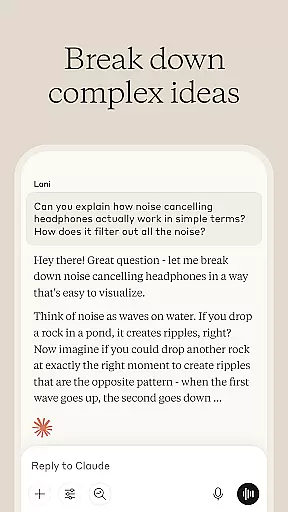
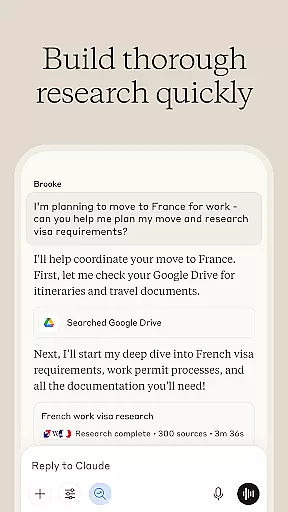
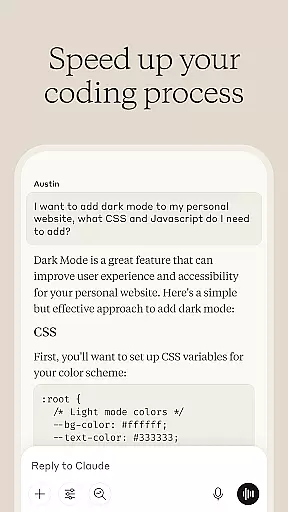
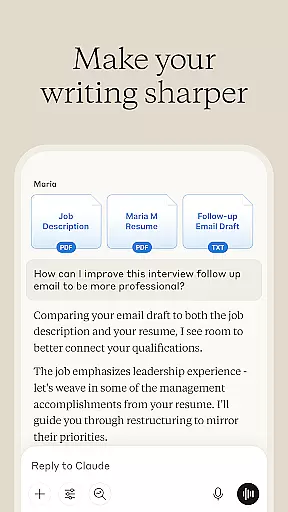
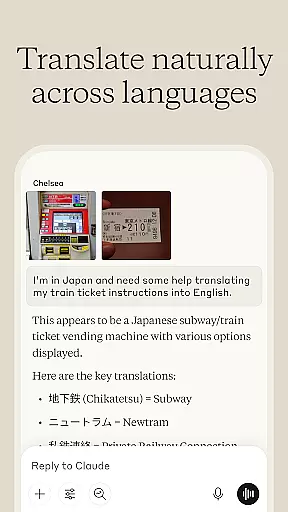

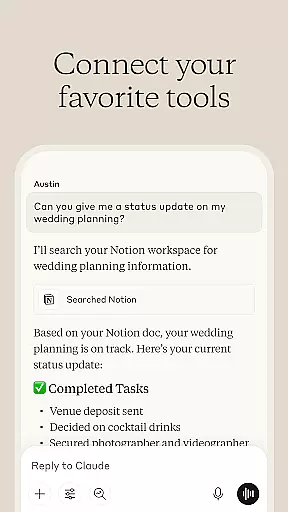
Claude by Anthropic is an advanced AI productivity tool designed to enhance your problem-solving capabilities. This versatile application serves as a collaborative partner for writing, research, coding, and complex analysis tasks. With specialized features for content refinement, data exploration, and programming assistance, Claude empowers users to tackle projects beyond their current expertise.
The application's strength lies in its ability to adapt to various professional needs. Whether you're developing polished content, analyzing visual materials, or exploring new programming languages, Claude provides expert-level support through its advanced reasoning capabilities powered by Opus 4.1 and Sonnet 4.5 models.
Claude distinguishes itself through its comprehensive feature set tailored for productivity professionals. The application's AI writing assistant helps transform rough ideas into refined content across multiple formats, from social media posts to complex reports. Its unique collaborative refinement process ensures your voice remains authentic while improving clarity and structure.
For researchers and analysts, Claude offers powerful tools for deep investigation. The application can search across Google Drive, Gmail, Calendar, and the web while providing accurate citations. Its visual analysis capabilities allow users to upload and examine various file types, extracting valuable information from images, PDFs, and technical diagrams. Additionally, the AI coding assistant supports multiple programming languages with detailed explanations and debugging assistance.
Effective task management is essential for productivity, and Claude excels in this area by offering a comprehensive suite of tools designed to help users organize, prioritize, and execute tasks efficiently.
This AI problem solver assists in developing structured plans for projects, breaking down complex tasks into manageable steps, and setting realistic deadlines. Users can collaborate with Claude to create detailed flowcharts and mind maps that visually represent workflows and dependencies.
The application's strength lies in its adaptability; it adjusts to various working styles and project requirements, ensuring that each user's unique needs are met. Whether you're managing personal to-do lists or coordinating team efforts, Claude provides the support necessary to keep everything on track.
By integrating seamlessly with other productivity tools and services, Claude ensures that all your task-related information is centralized and easily accessible, enhancing overall efficiency and enabling users to accomplish more with less stress.
In today's fast-paced digital environment, reliable cross-device synchronization is crucial for maintaining productivity. Claude stands out by offering robust synchronization capabilities that ensure your data remains consistent and up-to-date across all your devices.
Whether you're switching from your phone to your laptop or sharing information between team members, Claude's synchronization feature guarantees that every change is instantly reflected everywhere. This means you can start a task on one device and continue it on another without missing a beat.
The app employs advanced cloud technology to secure your data during transfers, providing peace of mind that your work is not only synchronized but also protected against unauthorized access. With end-to-end encryption, Claude ensures that your sensitive information remains private and secure.
Moreover, the reliability of Claude's synchronization service means fewer interruptions and faster access to your latest work, allowing you to focus on what truly mattersu2014getting things done efficiently and effectively.
Advanced AI reasoning capabilities
Multi-format content creation support
Comprehensive research tools
Versatile programming assistance
Visual content analysis features
Requires stable internet connection
Premium features may be costly
Steep learning curve for beginners
Limited offline functionality
Resource-intensive on older devices

The long-awaited modern gallery app for your Nextcloud server
 4.70
4.70
Total remote control for your Android device, PC and cloud services (IFTTT)!
4.20
The upgraded version of Name Wheel with AI and the power to add your own wheels.
4.1
Protect and view your important info on your phone and tablet with eWallet®
4.80
PDF scanner & converter for files, photos, lottery, QR codes. One swipe away!
4.50
* block pre-roll ads, pop-up and forced redirect ads * Samsung certification app
4.00
A simple Whisper AI keyboard for reliable speech transcription and rewording
4.60
Set up, print, and get support—in one place
4.20
Note taking, handwriting, record audio, PDF annotation, planner & journal
4.20
QuickBooks Workforce lets teams view pay info and track time in one place.
4.70
Direct Chat without saving contacts & Dual WA Account on Single Device
4.70
Client for Nextcloud Deck
4.60
Stay on top of your to-dos with Google Tasks, part of Google Workspace.
4.60
Lightweight PDF, Word, Excel reader.
4.60
Fill, sign & send docs, forms, agreements & contracts via electronic signature.
4.50
Cloud storage, automatic phone backup, and more.
4.10
Take control of your clipboard with Clipper!
3.90
Access your phone's notifications, calls, apps, photos & texts on your PC
3.90
Smart PDF reader & editor to view, organize and manage PDF documents easily.
3.70


User Reviews