
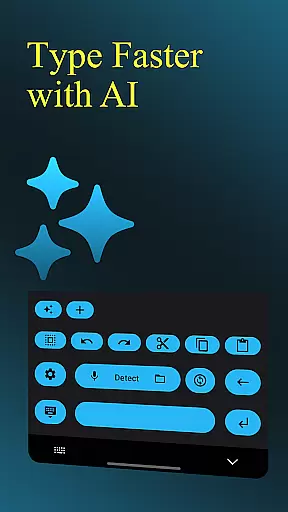
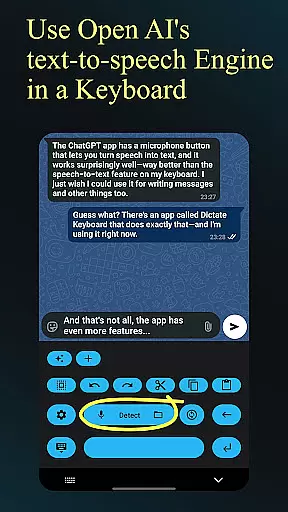
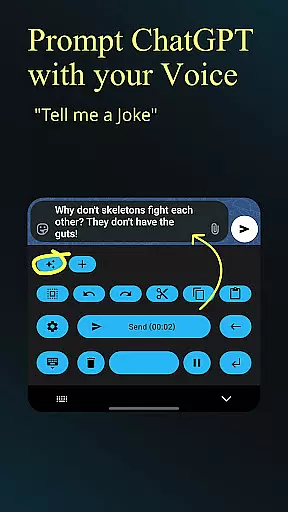
Dictate Keyboard is a cutting-edge productivity tool designed to streamline text input through advanced speech recognition technology. This innovative keyboard app converts spoken language into accurate text, supporting all common national languages. Its AI-powered engine not only transcribes words but also intelligently adds punctuation, making it ideal for professional communication and content creation.
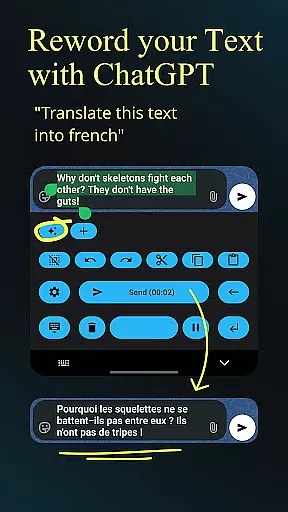
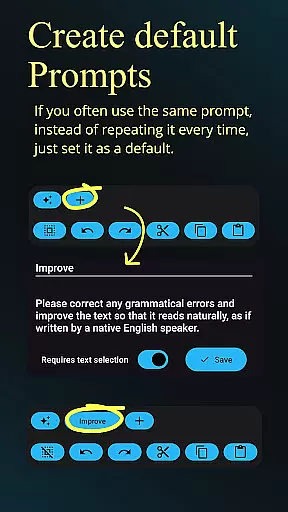
Beyond basic transcription, Dictate offers powerful features including custom rewording using GPT-5, auto-formatting of spoken commands, and seamless integration with various transcription models. Users can switch between different recognition modes, record audio through phone or Bluetooth microphones, and easily insert emojis and numbers. The app's open-source nature and extensive customization options make it an essential tool for efficient digital workflows.
Dictate Keyboard distinguishes itself through its comprehensive feature set tailored for productivity enthusiasts. The app's core functionality lies in its sophisticated speech recognition AI, which supports multiple languages and automatically handles punctuation. Advanced users will appreciate the ability to implement custom rewording instructions using various AI models, including GPT-5, for translation, summarization, and style modification.
The keyboard's versatility extends to its support for multiple transcription models and providers, allowing users to choose between OpenAI, Groq, or their own servers. Additional productivity-enhancing features include voice command formatting, file transcription capabilities, and customizable system prompts that guide the recognition process. With options for dark-mode, light-mode, and custom themes, alongside practical features like haptic feedback and API server customization, Dictate provides a complete solution for modern text input needs.
Dictate Keyboard revolutionizes core task management by integrating advanced speech recognition technology into a user-friendly keyboard interface. This innovative approach allows users to convert spoken language into text with remarkable accuracy, supporting all common national languages.
The app's AI-driven transcription system goes beyond basic dictation by automatically adding punctuation and formatting spoken commands. Users can create new paragraphs, insert specific phrases, and even dictate in different styles through custom rewording instructions powered by GPT-5 and other sophisticated models.
What sets Dictate apart is its comprehensive feature set that enhances productivity. The application supports multiple transcription models and providers, including OpenAI and Groq, while offering seamless integration with various API servers and custom proxies. This flexibility ensures optimal performance across different devices and network conditions.
For professionals seeking efficient task management solutions, Dictate provides essential tools such as system prompt settings for guided speech recognition, direct input options without typing animation, and quick switching to standard keyboards when needed. These features collectively enhance workflow efficiency and user experience.
Cross-device synchronization stands as a crucial feature in today's mobile applications, and Dictate Keyboard excels in this aspect through its robust architecture and reliable performance. The application maintains consistent data flow across devices using secure API connections and custom server support.
Users benefit from the ability to switch between different transcription models and providers seamlessly. Whether utilizing OpenAI, Groq, or their own transcription server, the application ensures that user preferences and settings remain synchronized across all registered devices. This consistency enables professionals to maintain their workflow regardless of the device they're using.
The synchronization process extends beyond basic settings to include advanced features such as custom rewording instructions, system prompts, and theme settings. Both dark-mode and light-mode preferences, along with personalized customization options, are reliably maintained across devices, providing a uniform user experience.
Furthermore, Dictate's open-source nature and detailed documentation on GitHub demonstrate the developer's commitment to transparency and reliability. Users can review the source code and understand how their data is managed during synchronization processes, fostering trust in the application's cross-device capabilities.
Advanced speech recognition
Multi-language support
Automatic punctuation
Customizable rewording
Open-source flexibility
Requires API setup
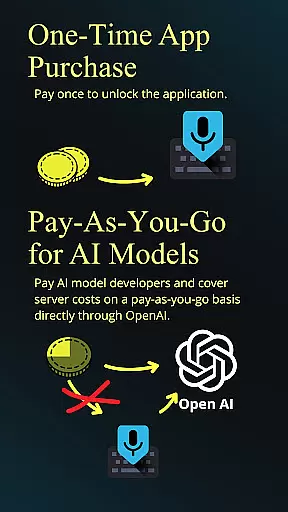
Incurs usage fees
Complex initial setup
Limited free usage
Dependent on third-party services

Take control of your clipboard with Clipper!
 3.90
3.90
Total remote control for your Android device, PC and cloud services (IFTTT)!
4.20
A simple, portable logger for POTA, SOTA, Field Day, and more
4.4
Remotely view listen control and record cameras.
3.70
Pwnagotchi companion app
4.20
Best Tool for the professionals Electrician, Electrical contractors, etc.
4.90
Intelligent AI Assistant
4.10
Understand anything with a personalized AI research assistant
4.80
AT&T Internet customers can use this app to personalize their Wi-Fi network.
4.40
Mind Map and brainstorm, note taking and idea collection
4.80
Simple notepad & memo. Take notes, to-do list, shopping list with reminders.
4.80
Quickly and easily keep track of your work shifts
4.70
Stay on top of your to-dos with Google Tasks, part of Google Workspace.
4.60
Subscribe to Webcal & .ics calendars and keep them up-to-date!
4.50
This small app MUST BE INSTALLED after purchase, else license won't work
4.40
Share files & memories safely. Keep your photos and videos secure.
4.40 4.20
4.20
All in One PDF Reader: Manage, Read and Edit your Documents
4.20
A comprehensive suite of tools designed specifically for Lactation Consultants
4.2


User Reviews