
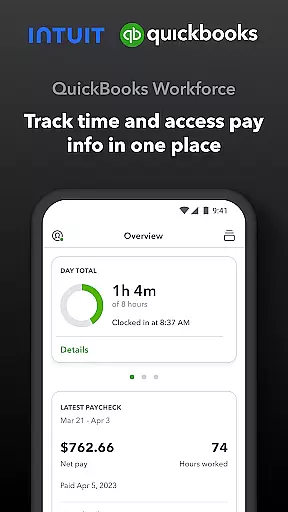
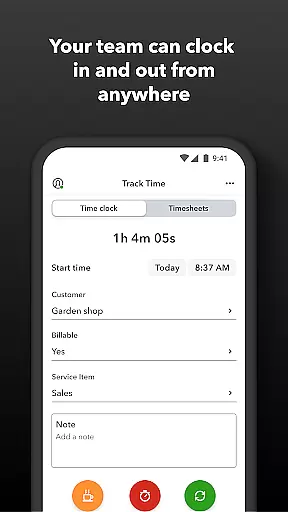
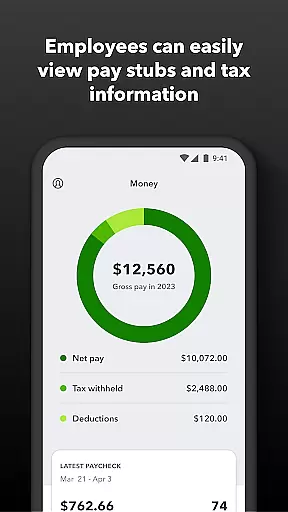
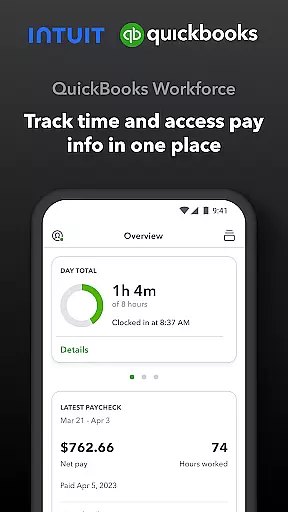
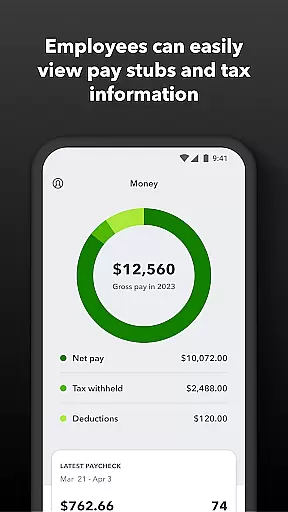
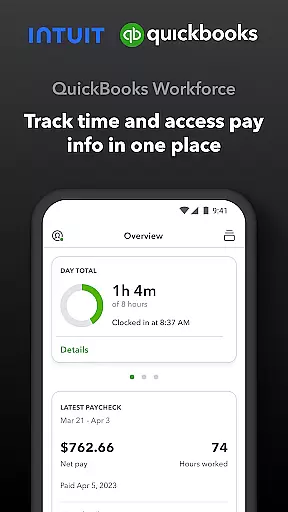
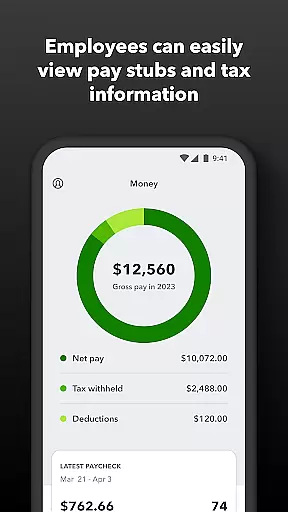
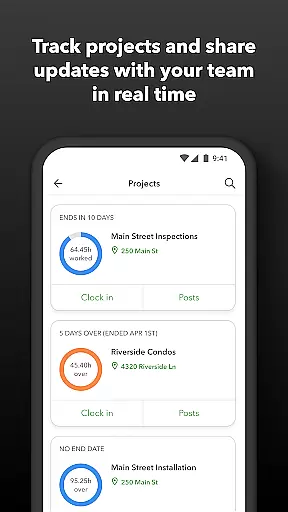
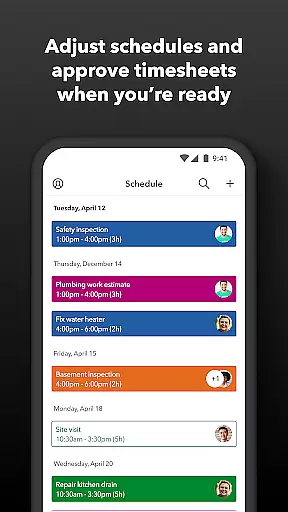
QuickBooks Workforce is a powerful productivity app designed to streamline payroll and time tracking for businesses using QuickBooks Payroll and QuickBooks Time. The app allows employees to access their pay information, view pay stubs, W-2s, and track time seamlessly from one platform. Available for both QuickBooks Online and Desktop Payroll users, it also supports advanced time tracking features for QuickBooks Time subscribers.
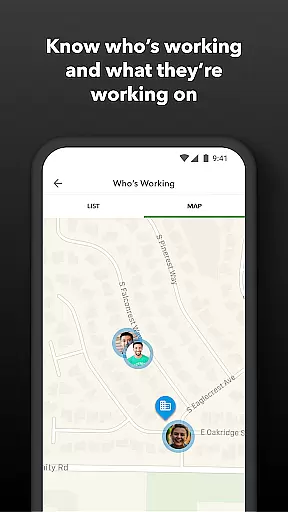
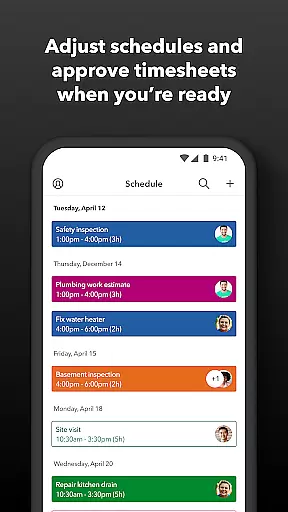
One of the key strengths of QuickBooks Workforce is its ability to provide real-time data and integration capabilities. Employers can approve timesheets, manage schedules, and monitor team productivity with ease. The app's GPS-based time tracking and geofencing features (available in QuickBooks Time Elite) ensure accurate time logs while offering flexibility for remote work environments. These capabilities make it an essential tool for businesses looking to improve operational efficiency and reduce manual data entry.
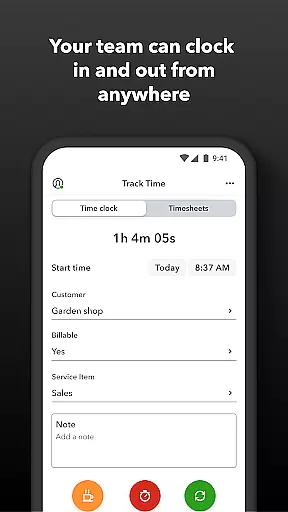
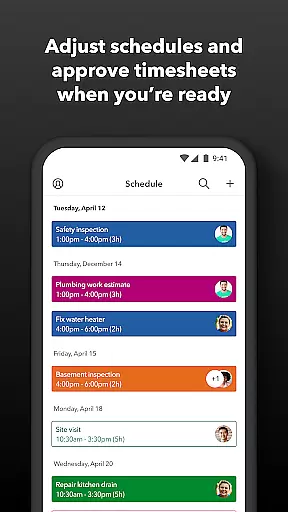
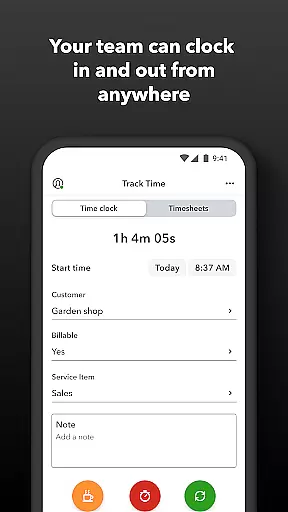
QuickBooks Workforce offers a comprehensive set of features that cater to both employees and employers. Employees can clock in and out even without Wi-Fi, submit requests for paid time off, and edit timesheets directly through the app. For employers, the app provides tools to oversee team productivity, create job schedules, and receive alerts for missed shifts or potential overtime. Its seamless integration with QuickBooks Online and Desktop ensures that payroll and invoicing processes are faster and more accurate.
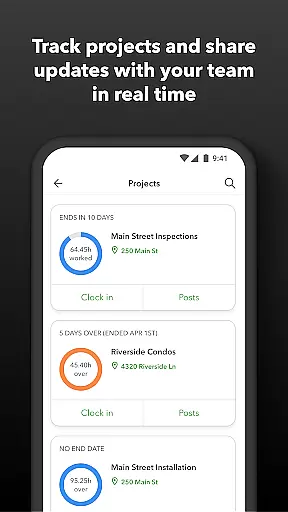
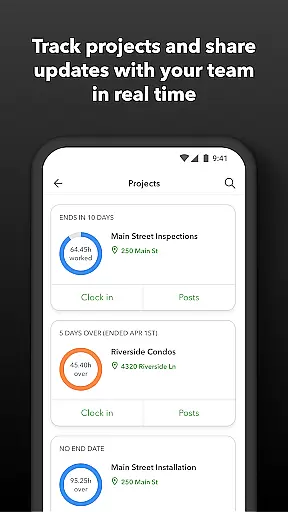
Another standout feature is the app's support for project management. With QuickBooks Time Elite, users can add photos and updates to a project activity feed, track vacation accruals, and generate detailed reports in multiple formats such as PDF, CSV, and HTML. Additionally, the open API allows developers to customize integrations with other software systems, making this app highly versatile for various business needs.
Task management is a cornerstone of productivity applications, and QuickBooks Workforce excels in this area by offering comprehensive tools for both employers and employees. The app allows team members to clock in and out, edit timesheets, and manage job schedules with ease. For employers, the ability to approve, modify, or delete timesheets, as well as create or adjust schedules, ensures that workforce management is both efficient and adaptable to the dynamic nature of business operations.
QuickBooks Workforce goes beyond basic time tracking by providing features such as GPS location-based time tracking and geofencing, which are available in the Elite version. These capabilities not only streamline the process of managing when and where employees work but also enhance accuracy and accountability. Employers can receive alerts if employees do not clock in as scheduled or approach overtime, allowing them to address issues promptly and maintain optimal staffing levels.
The true value of QuickBooks Workforce's task management lies in its capacity to integrate seamlessly with other systems. Data flows effortlessly between QuickBooks Online and QuickBooks Desktop Payroll, eliminating manual data entry and saving on payroll costs. This interconnectedness supports real-time reporting and empowers businesses to make informed decisions based on up-to-date information, thus driving productivity and operational efficiency.
Cross-device synchronization is vital for ensuring that all team members have access to the most current data regardless of their location or device. QuickBooks Workforce delivers reliable synchronization that supports workforce mobility and flexibility. Employees can access pay stubs, W-2s, and other pay information anytime, anywhere, which is particularly beneficial for remote workers or those frequently on the move.
For time tracking purposes, the app's ability to function without Wi-Fi or service is a significant advantage. Workers can clock in and out, switch jobs, pause tracking, or take breaks even in areas with poor connectivity. Once a connection is re-established, the recorded data synchronizes across devices, guaranteeing that all entries are accurately reflected in the system.
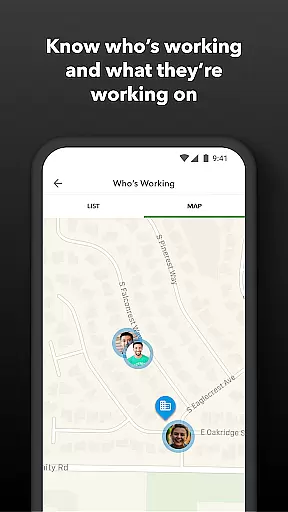
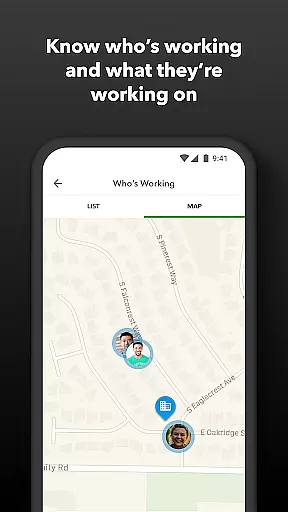
Employers benefit from this reliable synchronization through enhanced oversight and control over team activities. They can see who is working and where in real time, track vacation, sick, or holiday accruals, and view day and week totals along with other time reports at a glance. This immediate access to synchronized data enables better resource allocation, project status monitoring, and budget adjustments, ultimately leading to improved decision-making and business outcomes.
User-friendly interface
Real-time reporting
Seamless QuickBooks integration
GPS time tracking
Customizable API options
Premium features locked behind Elite plan
Limited offline functionality
Subscription costs may add up
No free version available
Geofencing requires additional setup

A simple, portable logger for POTA, SOTA, Field Day, and more
 4.0
4.0
Font maker keyboard with your own handwriting
4.10
PDF scanner & converter for files, photos, lottery, QR codes. One swipe away!
4.50
Enjoy classic gameplay with customizable features and retro-style graphics.
4.30
* block pre-roll ads, pop-up and forced redirect ads * Samsung certification app
4.00
AI Chatbot and AI writing assistant powered by ChatGPT.
4.60
Daily processing of PDF documents.
4.40
Set up, print, and get support—in one place
4.20
Put a lock on your cloud: Take the security of your data into your own hands
3.70
Secure, fast, open-source, VNC and SSH Remote Desktop for Windows, Linux and Mac
4.70
The long-awaited modern gallery app for your Nextcloud server
4.70
Pwnagotchi companion app
4.20
Secure, open-source, SPICE and SSH Remote Desktop for QEMU KVM virtual machines
4.00
The ultimate file manager for rooted devices. The original and still the best.
4.00
Access your phone's notifications, calls, apps, photos & texts on your PC
3.90
Ultimate Virtual AI Character for immersive Roleplay Chat. Perfect Companion
3.90
A Revolutionary All-in-One Artificial Intelligence Tools
3.80
Make your handwriting beautiful, even more than pen on paper.
3.60
The upgraded version of Name Wheel with AI and the power to add your own wheels.
4.3


User Reviews