
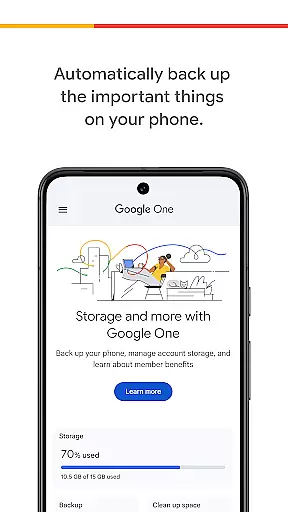
Google One is a productivity app designed to help users manage their digital storage and protect important data. The app provides automatic backup for photos, contacts, and messages using the 15 GB of free storage that comes with every Google account. This ensures that users can easily restore their data when switching to a new Android device.
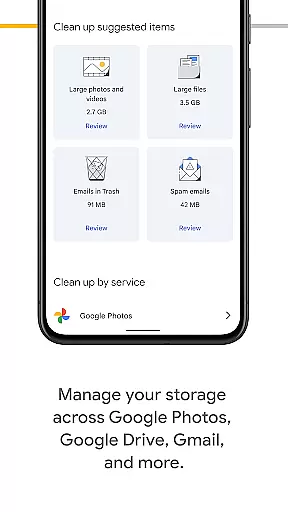
In addition to basic backup functionality, Google One allows users to efficiently manage their existing Google account storage across Google Drive, Gmail, and Google Photos. For those needing more space, premium membership plans offer expanded storage options tailored to individual needs, making it an ideal solution for both personal and professional use.
Google One offers several notable features that enhance its utility as a productivity tool. First, the app's automatic backup system ensures that critical phone data is consistently protected without requiring manual intervention. This feature is particularly valuable for users who frequently upgrade devices or worry about data loss.
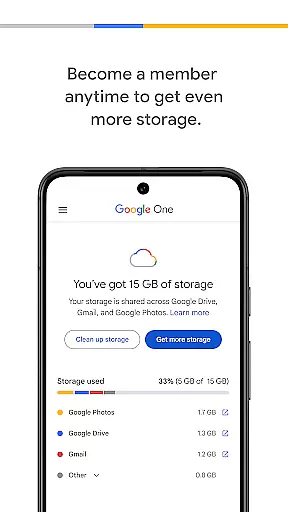
Another key feature is the ability to manage storage across multiple Google services, including Google Drive, Gmail, and Google Photos. Users can monitor their storage usage and make adjustments as needed. Additionally, the option to upgrade to a Google One membership provides access to expanded storage plans, offering flexibility and scalability for users with growing digital storage needs.
Google One excels in core task management by offering users seamless control over their digital assets. The app provides automatic backup solutions for essential data such as photos, contacts, and messages, ensuring that users never lose important information.
With the ability to manage storage across Google Drive, Gmail, and Google Photos, users can efficiently allocate their 15 GB of free storage that comes with every Google account. This centralized management system simplifies the process of monitoring and adjusting storage needs.
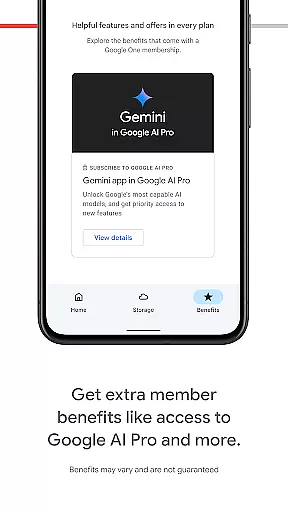
For those requiring more capacity, Google One offers flexible membership plans. Users can choose a plan that suits their requirements, whether it's for storing memories, managing projects, or organizing digital files.
The app's intuitive interface ensures that even novice users can navigate and manage their tasks with ease, making it an indispensable tool for anyone looking to streamline their digital life.
Cross-device synchronization is a standout feature of Google One, providing users with reliable access to their data across multiple devices. Whether switching from an old phone to a new Android device, users can restore all their backed-up data effortlessly.
This synchronization extends beyond just mobile devices. With integration into Google Drive, Gmail, and Google Photos, users can access their files from any device with internet connectivity, ensuring constant availability of important information.
Google One ensures that updates and changes made on one device are immediately reflected across all linked devices. This real-time synchronization enhances productivity by allowing users to pick up where they left off, regardless of the device they are using.
Moreover, the reliability of this synchronization is bolstered by Googleu2019s robust infrastructure, guaranteeing minimal downtime and maximum data integrity. This makes Google One a trustworthy solution for managing digital content across various platforms.
Automatic backup
Storage management
Flexible plans
Easy restoration
Cross-platform sync
Limited free storage
Paid upgrades
Android-focused
Occasional bugs
Learning curve

Secure, fast, open-source, VNC and SSH Remote Desktop for Windows, Linux and Mac
 4.70
4.70
Total remote control for your Android device, PC and cloud services (IFTTT)!
4.20
Professional calendar app for Google Calendar, MS Outlook & Exchange
4.20
Protect and view your important info on your phone and tablet with eWallet®
4.80
Device's storage information in a simple and clear graphical form (infographics)
4.10
We're working to become the best machining app on the market! www.cncdirt.com
4.80
Remotely view listen control and record cameras.
3.70
Access your phone's notifications, calls, apps, photos & texts on your PC
3.90
Scan paperwork into PDF/JPG, generate your own e-signature and send fax or email
4.70
Multilingual translator for text, voice, and image translation!
4.90
Use powerful, industry-leading AI tools to generate visual charts from any data
4.80
Planet Free VPN - The best Fast Unlimited and Secure VPN Without Logs
4.50
PDF scanner & converter for files, photos, lottery, QR codes. One swipe away!
4.50
Share files & memories safely. Keep your photos and videos secure.
4.40
⏰ Finally a timer app which can run multiple timers simultaneously on your watch
3.90
Simple and reliable communication between inmates, friends and family
3.20
Easiest event planning, volunteer signups & parent teacher conference scheduling
2.20
A simple, portable logger for POTA, SOTA, Field Day, and more
4.1
A comprehensive suite of tools designed specifically for Lactation Consultants
4.0


User Reviews