
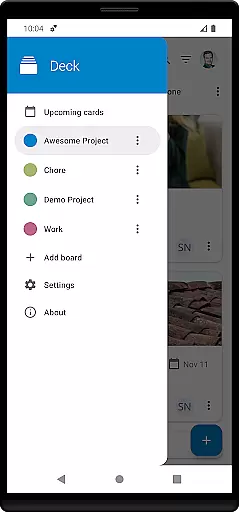
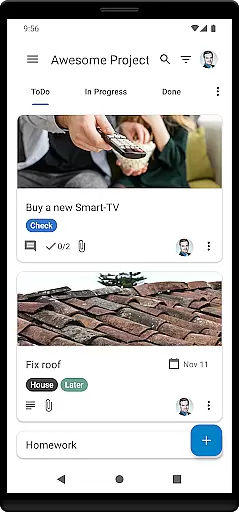
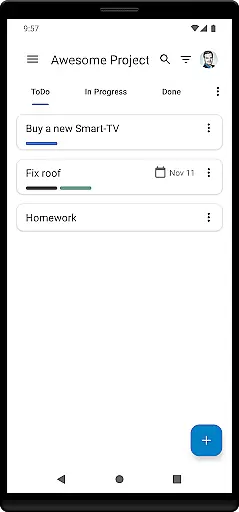
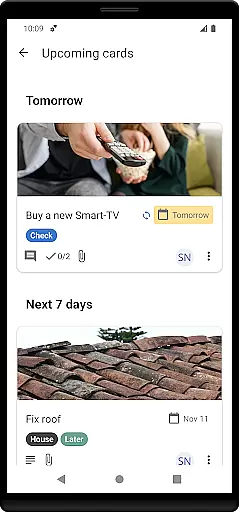
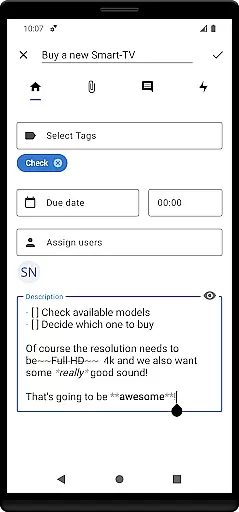
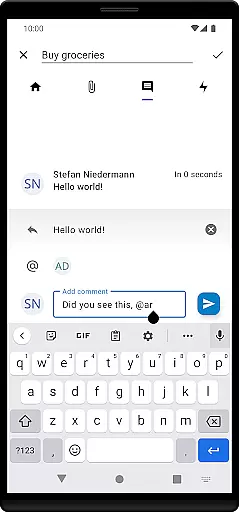
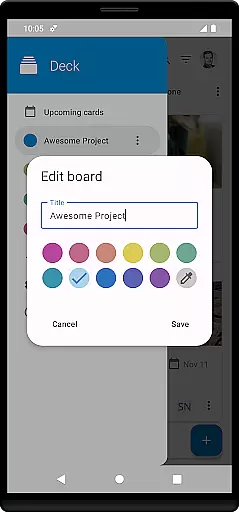

Nextcloud Deck is a productivity-focused application designed to streamline task management and team collaboration. This app allows users to create, organize, and manage cards, lists, and boards efficiently, making it an ideal tool for both personal task tracking and team project management.
One of the standout features of Nextcloud Deck is its offline functionality, ensuring that users can continue managing their tasks even without an internet connection. Additionally, the app supports attachments, activities, and comments, providing a comprehensive platform for communication and document sharing. With dark mode and multiple language translations, Nextcloud Deck offers a user-friendly experience tailored to individual preferences.
Nextcloud Deck boasts a variety of features that enhance productivity and collaboration. The app supports multiple accounts, allowing users to manage different projects or teams from a single interface. Its offline capabilities ensure uninterrupted access to critical tasks, while the ability to manage tags helps in organizing and prioritizing work effectively.
The app also provides extensive support for attachments, activities, and comments, facilitating seamless communication among team members. Users can engage with their tasks more interactively through these features, which are crucial for dynamic project environments. Furthermore, Nextcloud Deck's dark mode and multilingual support cater to diverse user needs, enhancing accessibility and usability across different regions and preferences.
Nextcloud Deck offers a robust system for managing tasks, ensuring users can efficiently organize their work and personal projects. The app allows the creation and management of cards, lists, and boards, which serve as the fundamental components for task organization.
With support for tags, attachments, activities, and comments, users can enrich each task with detailed information and track changes over time. This comprehensive functionality ensures that every aspect of a task is captured and easily accessible, enhancing productivity and clarity.
The offline capability guarantees uninterrupted access to your tasks, allowing you to manage them even without an internet connection. Once online, all updates sync seamlessly with the Nextcloud server, ensuring data consistency across devices.
Cross-device synchronization is a cornerstone of Nextcloud Deck's functionality, providing reliable and consistent access to your data across multiple devices. Whether you're using a smartphone, tablet, or computer, the app ensures that all your changes are updated in real-time.
This synchronization is powered by the integration with the Nextcloud ecosystem, including the Nextcloud Android app, ensuring a seamless experience. Any modification made on one device instantly reflects on others, maintaining uniformity and accessibility.
Additionally, the app supports multiple accounts, enabling users to manage different profiles or projects from a single interface. This feature, combined with the app's translation into many languages and dark mode option, enhances its versatility and user-friendliness, making it an ideal tool for global teams and individuals alike.
User-friendly interface
Offline functionality
Multiple account support
Comprehensive task management
Multilingual translations
Requires Nextcloud setup
Limited standalone use
No built-in calendar
Dependent on third-party apps
Advanced features need technical know-how

Smart PDF reader & editor to view, organize and manage PDF documents easily.
 3.70
3.70
Make your handwriting beautiful, even more than pen on paper.
3.60
CalenGoo is a very flexible and feature-rich calendar app
4.40
App Lock with fingerprint, password: Lock apps & hide photos with lock screens
4.60
Functional QR scanner and barcode reader that requires little storage space.
4.60
Docker, Kubernetes management over Portainer Mobile
4.40
A simple Whisper AI keyboard for reliable speech transcription and rewording
4.60
Quickly and easily keep track of your work shifts
4.70
Ultimate Virtual AI Character for immersive Roleplay Chat. Perfect Companion
3.90
QuickBooks Workforce lets teams view pay info and track time in one place.
4.70
aCalendar+ makes your day, week and month
4.70
Absolutely the best CNC machinist speed and feed calculator around. fswizard.com
4.60
Access, manage and transfer files on Android, PC, Mac, NAS and cloud storages.
4.30
Font maker keyboard with your own handwriting
4.10
Intelligent AI Assistant
4.10
Customizable calendar widget for seamless event sync, planning & scheduling.
4.00
Access your phone's notifications, calls, apps, photos & texts on your PC
3.90
Mega cloud explorer plugin for Solid Explorer
3.80
A comprehensive suite of tools designed specifically for Lactation Consultants
4.1


User Reviews