
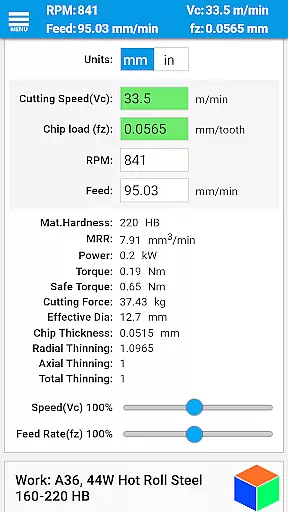
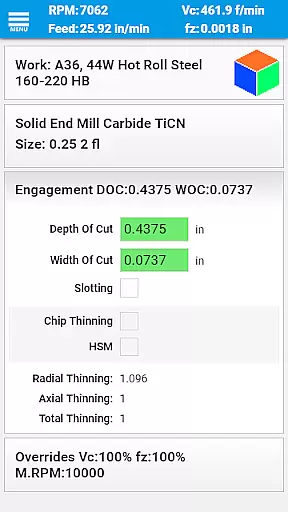
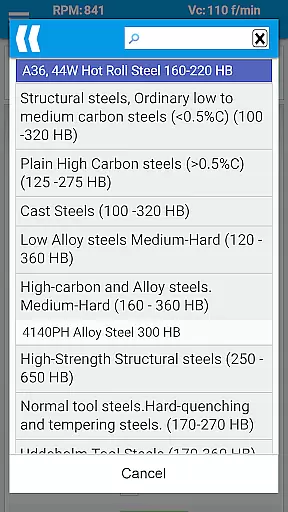
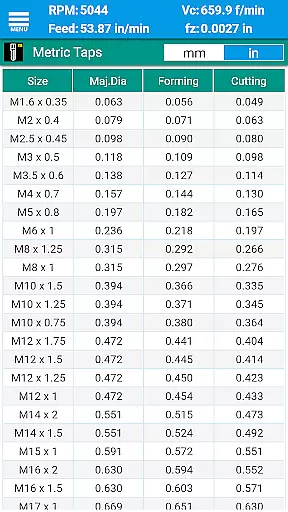
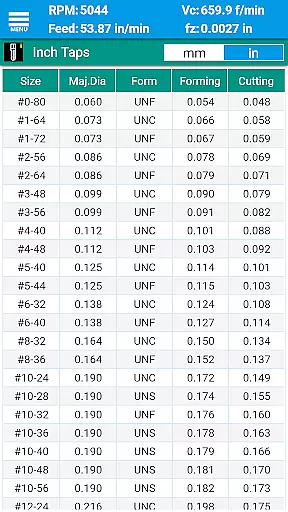
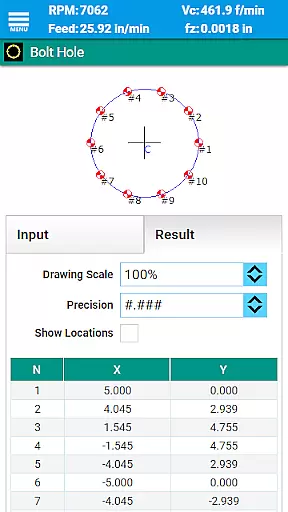
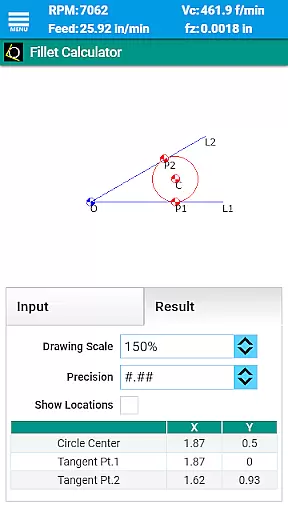
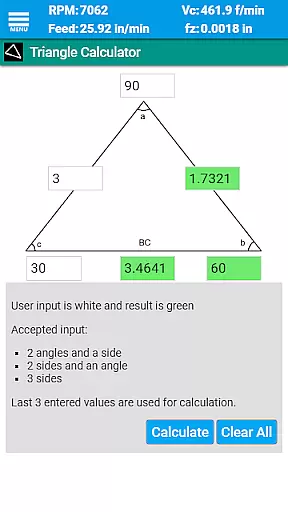
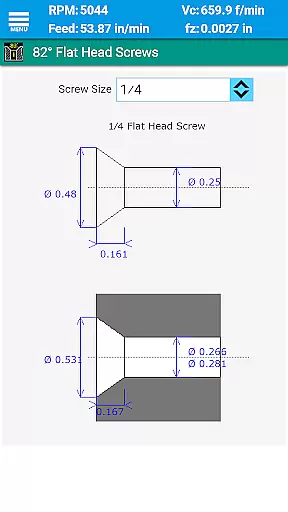
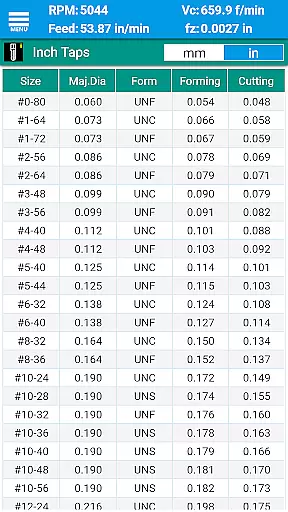
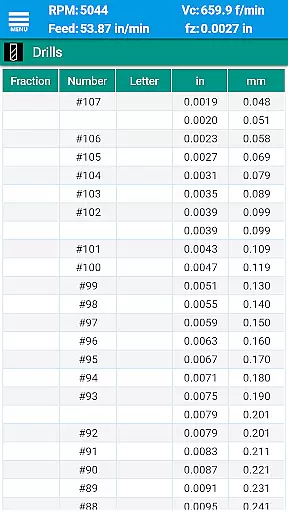
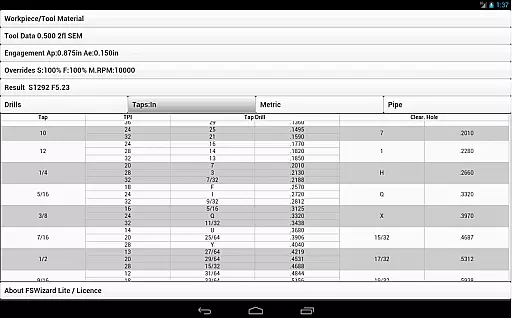
FSWizard Pro Machinist Calc is a premier CNC milling and turning speed and feed calculator designed for machinists by a machinist. This app simplifies the process of calculating speeds and feeds by allowing users to select their work and tool material without needing to know specific numbers. It automatically applies recommended cutting speeds and chip loads for various tools, including indexed and solid endmills, drills, and taps.
Beyond its core functionality, FSWizard offers advanced features like chip thinning calculations, high-speed machining optimization, and determining optimal depth and width of cuts. These capabilities help improve machining productivity and extend tool life, making it an essential tool for both novice and experienced CNC operators.
Whether you're working with metric or imperial units, FSWizard supports your needs and includes a comprehensive suite of reference materials and calculators. From drill charts to GD&T references, this app provides everything necessary to enhance precision and efficiency in CNC operations.
FSWizard Pro Machinist Calc boasts an extensive array of features tailored for CNC machinists. The app provides detailed milling speeds and feeds, including specialized calculations for ball nose endmills, drilling, tapping, and high-speed machining. Users can also access optimized parameters for depth and width of cuts, ensuring efficient and safe machining practices.
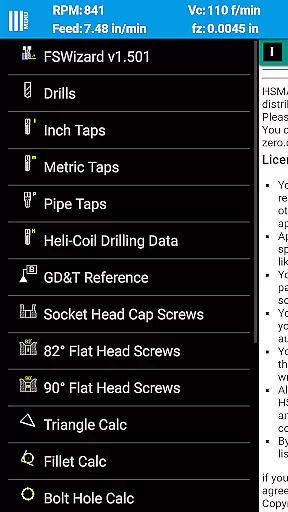
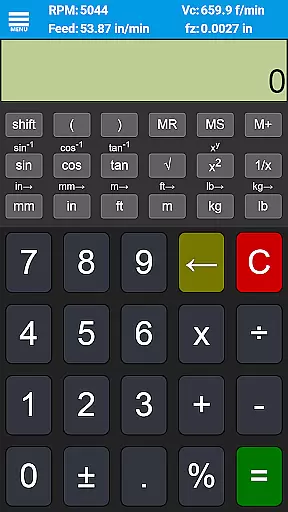
In addition to its core calculation abilities, FSWizard includes a rich set of reference materials and auxiliary calculators. These range from drill and tap charts for both imperial and metric systems to interactive GD&T references and oblique triangle calculators. Such tools are invaluable for machinists looking to refine their processes and achieve higher accuracy in their work.
The app's versatility extends to supporting a wide variety of tooling options, including solid endmills, indexed endmills, facemills, jobber drills, reamers, and turning tools. By accommodating both metric and imperial units, FSWizard ensures global usability and adapts seamlessly to different machining environments and requirements.
FSWizard Pro Machinist Calc excels in core task management by offering a comprehensive suite of calculators tailored for CNC milling and turning operations.
The app simplifies the process of calculating speeds and feeds, requiring only the selection of work and tool materials without needing to know specific numbers. This intuitive approach streamlines workflow and decision-making on the shop floor.
Additionally, FSWizard supports advanced machining techniques such as High-Speed Machining (HSM) and Chip Thinning, empowering machinists to optimize cutter life and improve productivity. These features ensure that users can maintain efficiency while achieving high-quality results.
By integrating various specialized tools like the Oblique Triangle Calculator, Fillet Calculator, and True Position Calculator, the app consolidates essential functions into one platform, enhancing overall task management capabilities.
While FSWizard Pro Machinist Calc does not explicitly advertise cross-device synchronization, its robust design ensures reliable performance across different devices.
The app's universal compatibility with both metric and imperial units allows seamless transitions between various measurement systems, which is crucial for global machining operations. This flexibility guarantees that calculations remain consistent regardless of the device used.
Furthermore, the inclusion of extensive material libraries and cutting parameters ensures that all necessary data is readily available, minimizing the need for external references or manual inputs that could introduce errors during device switching.
Although direct synchronization features may not be present, the appu2019s comprehensive offline functionality and standardized calculation methods provide a reliable experience akin to synchronized environments, ensuring dependable access to critical machining data at all times.
User-friendly interface
Comprehensive tool support
Advanced calculation options
Extensive reference materials
Highly accurate results
Premium pricing
Steep learning curve
Limited free features
Occasional bugs
Heavy on resources

Secure, fast, open-source, VNC and SSH Remote Desktop for Windows, Linux and Mac
 4.70
4.70
A lightweight JSON & XML files creator, editor and viewer (Premium Version)
4.40
Device's storage information in a simple and clear graphical form (infographics)
4.10
Remotely view listen control and record cameras.
3.70
CalenGoo is a very flexible and feature-rich calendar app
4.40
Understand anything with a personalized AI research assistant
4.80
Simple notepad & memo. Take notes, to-do list, shopping list with reminders.
4.80
Okta MFA
4.70
Seamlessly read, manage, and organize all your PDF files solution in one place
4.40
Android Wallet Password Manager
4.80
Use powerful, industry-leading AI tools to generate visual charts from any data
4.80
The Pro Version of Android's tiniest Notepad app. Just 0.3MB but feature-packed!
4.60
All document reader, all in one file viewer read PDF, DOCX, XLS, PPT, TXT files.
4.60
PDF scanner & converter for files, photos, lottery, QR codes. One swipe away!
4.50
Translate text/voice/photos in 150+ languages. Offline & fast translator app.
4.50 4.20
4.20
Todo reminder
4.10
Customizable calendar widget for seamless event sync, planning & scheduling.
4.00
Experience and share your SolidWorks designs on your Android® phone and tablet.
2.50


User Reviews