
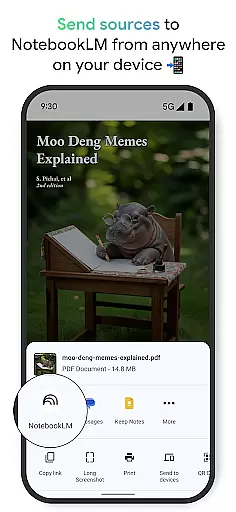
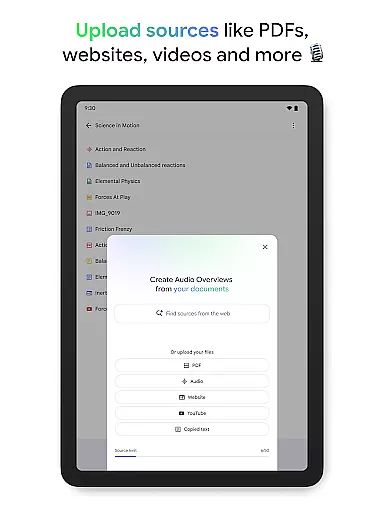
NotebookLM is a productivity app designed to simplify complex information management. It allows users to upload various sources like PDFs, websites, and videos, transforming them into easily digestible formats. The app's AI capabilities provide trusted insights by analyzing uploaded content and making meaningful connections.
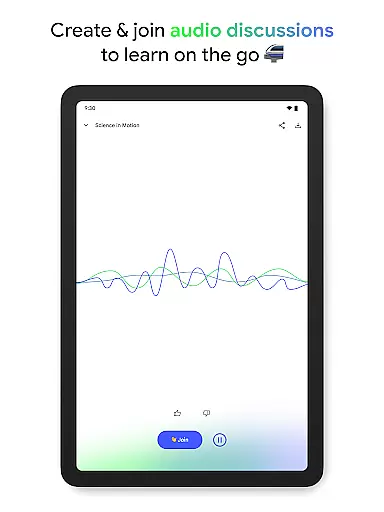
With features like Audio Overviews, users can learn on-the-go through podcast-style discussions. This makes it an ideal tool for students, researchers, and professionals who need to process large amounts of information efficiently. The app's offline support and background playback enhance its usability across different environments.
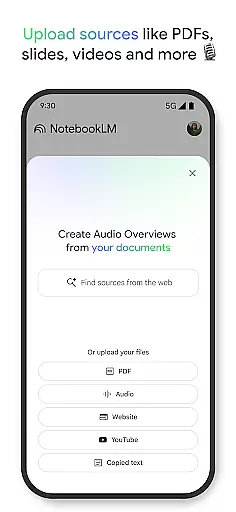
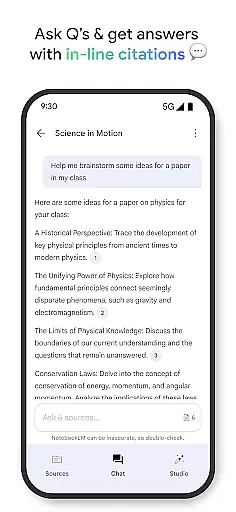
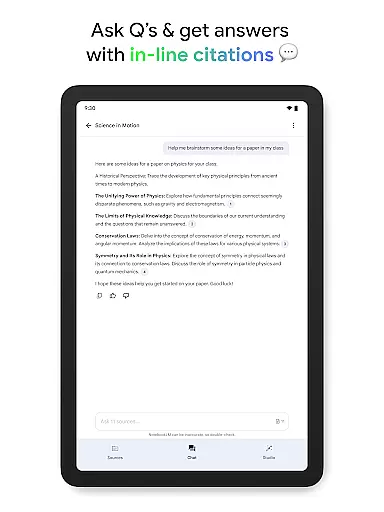
The app's key feature is its ability to handle multiple source types including PDFs, websites, and YouTube videos. Once uploaded, NotebookLM becomes an expert on the content, providing summarized insights and interesting connections between different sources. The in-line citations ensure users can trust the information they receive.
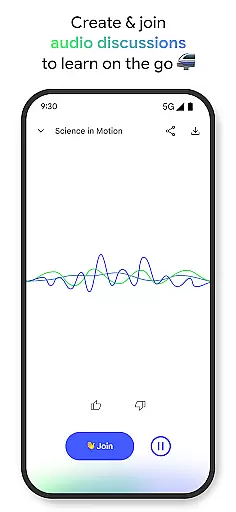
One innovative aspect is the Audio Overview feature, which transforms text-based content into engaging audio discussions hosted by two AI personalities. Users can interact with these hosts, asking questions or guiding the conversation. This multimodal approach to learning caters to different preferences and situations, enhancing knowledge retention.
The app also supports background playback and offline access, making it versatile for various usage scenarios. Whether commuting or working in areas with limited connectivity, users can continue their learning process uninterrupted. These features collectively create a comprehensive productivity tool that adapts to modern work and study needs.
Effective task management is essential for productivity applications, serving as the backbone for organizing and prioritizing tasks. NotebookLM excels in this area by transforming complex information into manageable insights.
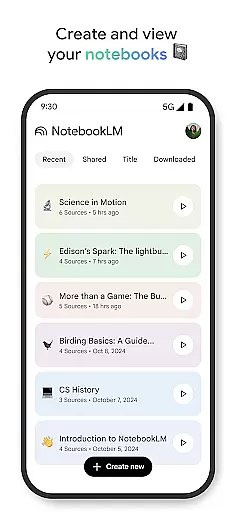
The app allows users to upload various sources such as PDFs, websites, and videos, turning them into structured notebooks. This feature simplifies the task management process by breaking down large data into digestible summaries and connections.
Users benefit from the ability to ask questions about their uploaded content and receive trusted answers with cited sources. This ensures that managing tasks related to research or learning is both efficient and reliable.
By integrating multimedia formats and offering features like Audio Overviews, NotebookLM supports diverse learning styles, enhancing the overall task management experience and allowing users to learn and work on their own terms.
Cross-device synchronization is crucial for ensuring that users can access their data seamlessly across multiple devices. NotebookLM addresses this need by providing robust synchronization capabilities.
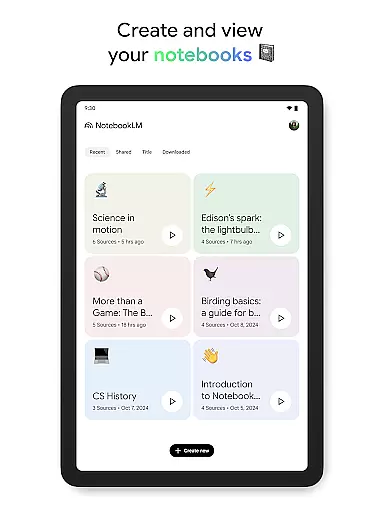
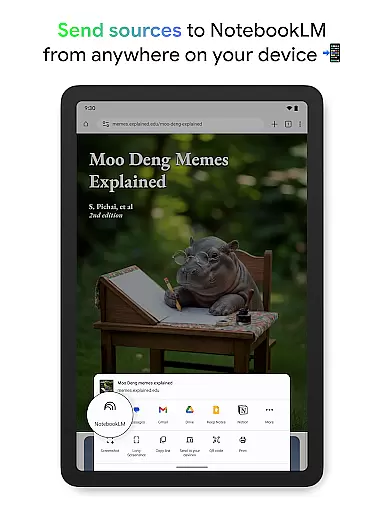
With the ability to create and access notebooks from anywhere, users can start a task on one device and continue on another without missing a beat. The app supports background playback and offline access, making it versatile for different usage scenarios.
This reliable synchronization empowers users to stay productive regardless of their location or device. Whether at home, in the office, or on the go, NotebookLM ensures that all your important information is readily available.
Furthermore, the app's support for multimedia uploads and its expert analysis features are consistently synchronized, maintaining the integrity and availability of user data across sessions and devices.
Trusted AI insights
Multiple source formats
Offline functionality
Interactive learning
Cross-platform access
Limited free features
Occasional AI errors
Storage requirements
Premium subscription
Learning curve

Direct Chat without saving contacts & Dual WA Account on Single Device
 4.70
4.70
We're working to become the best machining app on the market! www.cncdirt.com
4.80
Secure, fast, open-source, Remote Desktop Client for Windows and Linux with SSH
4.60
Easiest event planning, volunteer signups & parent teacher conference scheduling
2.20
Fill, sign & send docs, forms, agreements & contracts via electronic signature.
4.50
Activate Two Factor Authentication (2FA or Multi OTP), Password manager and more
4.10
Functional QR scanner and barcode reader that requires little storage space.
4.60
The ultimate file manager for rooted devices. The original and still the best.
4.00
Experience and share your SolidWorks designs on your Android® phone and tablet.
2.50
Best Tool for the professionals Electrician, Electrical contractors, etc.
4.90
Multilingual translator for text, voice, and image translation!
4.90
Secure, fast, open-source, VNC and SSH Remote Desktop for Windows, Linux and Mac
4.70
QuickBooks Workforce lets teams view pay info and track time in one place.
4.70
App Lock with fingerprint, password: Lock apps & hide photos with lock screens
4.60
This small app MUST BE INSTALLED after purchase, else license won't work
4.40 4.20
4.20
Total remote control for your Android device, PC and cloud services (IFTTT)!
4.20
Font maker keyboard with your own handwriting
4.10
AI Video AI Image Private LLM AI Browser Llama Gemma Ollama Connect LLM Studio
4.4


User Reviews