
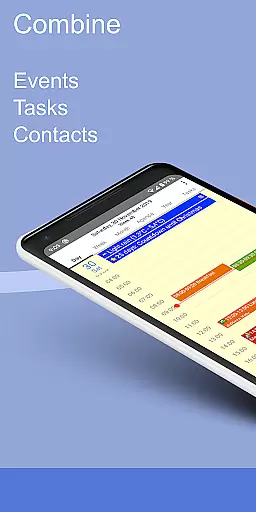
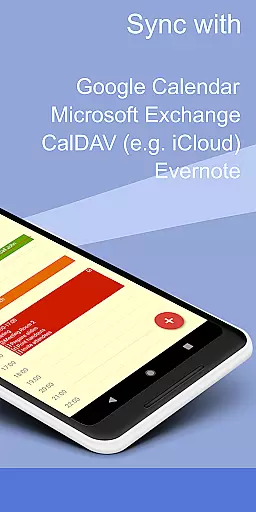
CalenGoo is a comprehensive productivity app designed to help users efficiently manage their events and tasks. With seamless synchronization capabilities, it connects directly with Google Calendar, Exchange, CalDAV, and iCloud, ensuring all your past and future events are always up-to-date across devices. The app offers extensive customization options, allowing users to tailor the interface and functionality to suit their preferences.
One of the standout features of CalenGoo is its ability to sync not only calendars but also tasks from multiple platforms. Users can attach photos, files, and even Evernote® notes to events, making it an invaluable tool for organizing both personal and professional schedules. Additionally, the app provides useful functionalities such as weather forecasts, event icons, and various reminder options including notifications and spoken reminders.
CalenGoo is particularly beneficial for individuals who require a robust organizational tool that supports complex scheduling needs. Whether you're managing work projects or planning personal activities, CalenGoo's five types of calendar views, widgets, and extensive configuration options ensure that you have all the tools necessary to stay organized and productive.
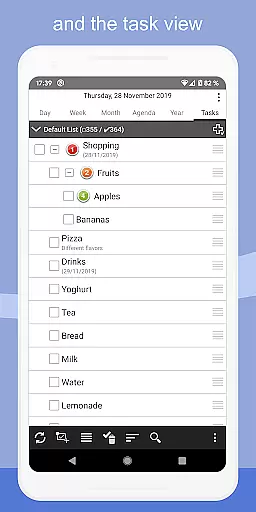
CalenGoo boasts an impressive array of features designed to enhance productivity and streamline event management. One of its key strengths is the ability to sync with multiple calendar services, including Google Calendar, Exchange, CalDAV, and iCloud. This ensures that users can access their schedules from any device, providing unparalleled convenience and reliability. The app also supports task synchronization, allowing users to keep track of their to-do lists alongside their calendar events.
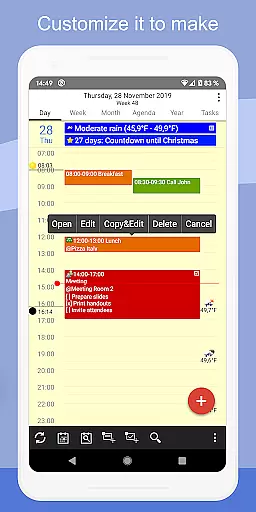
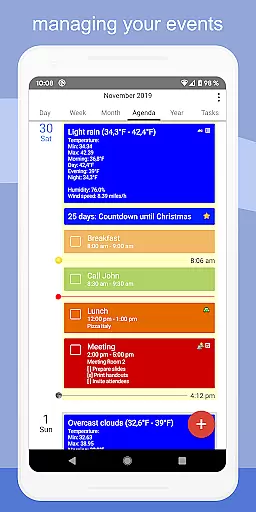
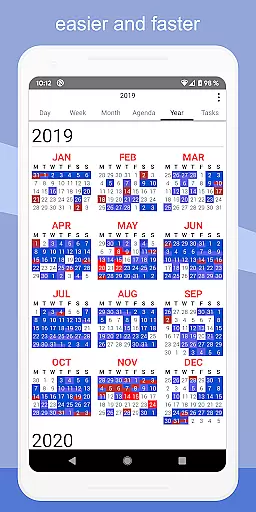
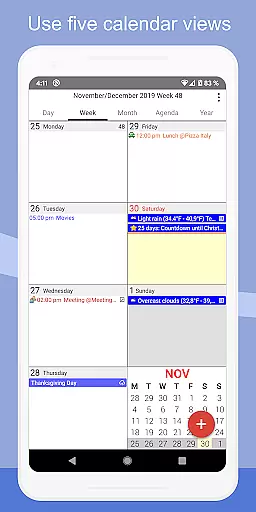
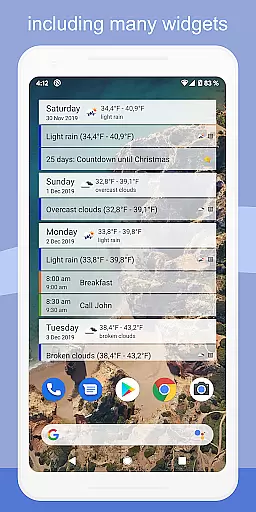
In addition to its synchronization capabilities, CalenGoo offers numerous customization options. Users can choose from five different calendar views (day, week, month, agenda, and year) and four styles of agenda views. The app supports drag-and-drop functionality for moving and copying events, making schedule adjustments quick and easy. Furthermore, CalenGoo includes widgets that display events on the home screen, ensuring that important information is always visible at a glance.
Other notable features include the ability to attach photos and files to events, add Evernote® notes, and use keywords to change event colors or icons. The app also provides various reminder functions, such as notifications, pop-up windows, and spoken reminders. With support for Exchange categories, sharing calendars with others, and a search function, CalenGoo offers a complete solution for managing complex schedules and staying organized.
CalenGoo offers robust core task management features that allow users to efficiently organize their events and tasks. The app provides seamless synchronization with multiple calendar services such as Google Calendar, Exchange, CalDAV, and iCloud, ensuring all past and future events are up-to-date across devices.
With the ability to attach photos, files, and even Evernote notes to events, users can enrich their scheduling experience. The app also supports a weather forecast feature, enabling users to plan their days with real-time weather information at hand.
CalenGoo stands out with its five types of calendar views including day, week, month, agenda, and year, along with four styles of agenda views. This flexibility allows users to customize their view preferences according to their specific needs.
Cross-device synchronization is a critical aspect of CalenGoo, ensuring reliable and consistent updates across all user devices. By syncing directly with Google Calendar, Exchange, CalDAV, and iCloud, the app guarantees that every change made on one device is promptly reflected on others.
The app's support for Exchange categories when syncing directly with Exchange using EWS enhances organizational capabilities. Additionally, users can share calendars with others via Google Calendar, promoting collaborative planning and coordination.
CalenGoo further boosts productivity by offering widgets for home screen access to day, week, month, agenda, year, and task views. These widgets provide quick insights into schedules without needing to open the app, thus streamlining the user experience.
User-friendly interface
Extensive customization options
Seamless multi-platform sync
Robust task management
Comprehensive reminder system
Steep learning curve
Paid application
Occasional sync issues
Limited free trial
Complex setup process

Remotely view listen control and record cameras.
 3.70
3.70
Simple and reliable communication between inmates, friends and family
3.20
Functional QR scanner and barcode reader that requires little storage space.
4.60
ID.me Authenticator is a simple and free Two Factor Authentication solution
3.50
Access, manage and transfer files on Android, PC, Mac, NAS and cloud storages.
4.30
A beautiful digital clock with autostart and many other functions
4.70
The ultimate file manager for rooted devices. The original and still the best.
4.00
Intelligent AI Assistant
4.10
QuickEdit is a fast, stable and full featured text and code editor.
4.20
Scientific calculator for Android - looks and operates like the real thing!
4.90
We're working to become the best machining app on the market! www.cncdirt.com
4.80
QuickBooks Workforce lets teams view pay info and track time in one place.
4.70
aCalendar+ makes your day, week and month
4.70
PDF scanner & converter for files, photos, lottery, QR codes. One swipe away!
4.50
Secure your apps with lock screens, use custom themes and different features.
4.40
When you Focus, so will your Bean in this cozy focus timer
4.30
Make apps & sites with natural language prompts
4.10
Font maker keyboard with your own handwriting
4.10
⏰ Finally a timer app which can run multiple timers simultaneously on your watch
3.90


User Reviews