
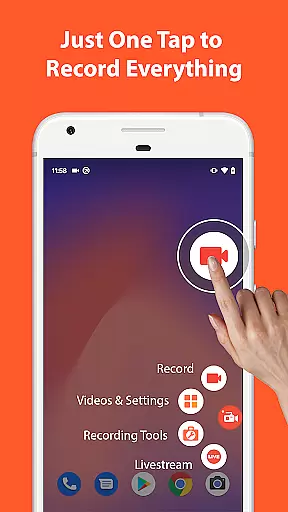

AZ Screen Recorder is a versatile screen recording application that allows users to capture high-quality videos of their device screens with audio. The app offers multiple functionalities including video recording, editing, live streaming, and image editing capabilities.
One of the standout features of AZ Screen Recorder is its ability to record screen activities with both internal audio and microphone input, making it ideal for creating gameplay videos, recording video calls, or capturing content that cannot be downloaded directly. Additionally, the app provides advanced options such as facecam, drawing on the screen during recording, and transferring recorded videos to computers via WiFi.
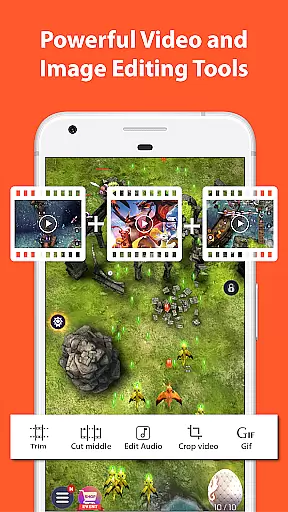
The app also includes a comprehensive video editor that enables users to trim, merge, add subtitles, and compress videos. With support for various resolutions up to 4K and different frame rates, AZ Screen Recorder caters to diverse user needs, from casual content creators to professional gamers.
AZ Screen Recorder stands out due to its rich feature set tailored for both casual and power users. The primary function, screen recording, is complemented by several advanced options. Users can easily start and stop recordings using control buttons, pause and resume at any time, and choose between recording audio from the mic or internal system sounds.
Beyond basic recording, the app offers unique features like facecam, which overlays the user's webcam feed onto the screen recording, and the ability to draw on the screen while recording. It also supports exporting recordings in GIF format and transferring files wirelessly to a computer.
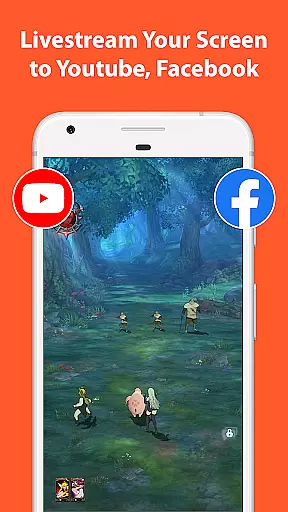
The built-in video editor is another highlight, providing tools for trimming, merging, adding background music, subtitles, and compressing videos. Furthermore, the app facilitates live streaming to platforms like YouTube and Facebook, with customizable stream resolutions and optional facecam display. These features collectively make AZ Screen Recorder a powerful tool for content creation and sharing.
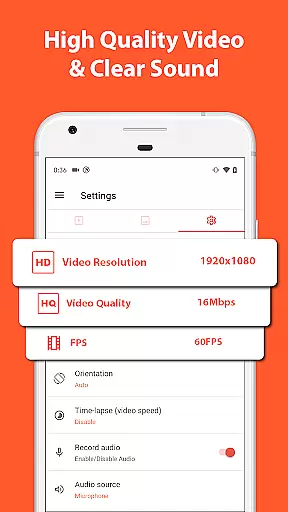
Video format compatibility is a crucial feature for any video recording and editing application, ensuring that users can work with a wide range of video formats without compatibility issues. AZ Screen Recorder shines in this aspect by supporting various resolutions from HD, FullHD, 2K to 4K, although 4K recording is only available for select users and devices.
The app's dedication to high-quality videos means that creators can record in the resolution that best fits their needs, whether it's for professional video editing or simply capturing gameplay in stunning detail. Additionally, the ability to record screen with internal audio since Android 10 makes it an ideal choice for users looking to capture original game sounds or app audio seamlessly.
Moreover, AZ Screen Recorder offers diverse frame-rate support, including 24fps, 30fps, and 60fps, catering to different types of video content creation. This flexibility ensures smooth video playback and recording, accommodating both casual users and professionals who demand precision and quality.
By providing such comprehensive video format compatibility, AZ Screen Recorder empowers users to focus on their creativity and productivity without being limited by technical constraints, making it one of the most versatile screen recorder apps available on the market today.
AI-powered editing features are revolutionizing the way users interact with video editing software, offering smart tools that simplify complex tasks and enhance creativity. AZ Screen Recorder incorporates several AI-driven functionalities that significantly improve the user experience, making video editing more accessible to everyone.
One standout feature is the ability to trim, merge, and remove middle parts of videos effortlessly. This streamlines the editing process, allowing users to quickly produce polished content. The app also supports adding background music and subtitles, which are intelligently synchronized with the video, enhancing storytelling capabilities without requiring advanced technical skills.
Additionally, AZ Screen Recorder leverages AI to offer innovative options like extracting frames from videos and compressing files to save space. These features not only optimize storage but also provide creative freedom, enabling users to repurpose content in unique ways. The inclusion of live streaming with customizable video stream resolutions further demonstrates the app's commitment to integrating cutting-edge technology.
By harnessing the power of AI, AZ Screen Recorder delivers a robust set of editing tools that cater to both novice and experienced creators, setting a new standard for what users can expect from a mobile video editor.
User-friendly interface
High-quality video output
No watermark on videos
No time limit for recordings
Comprehensive video editing tools
Advanced features require Android 10+
Some features locked behind paywall
Occasional performance issues
Limited customer support
Interface can be overwhelming

Kodi media center, a free and open source cross-platform entertainment hub
 3.60
3.60
Connect 2 UVC devices for recording and broadcast video/audio stream
3.90
Cast to Chromecast, Xbox, Fire Stick, Roku, DLNA, Smart TV & No Feature Limited!
4.50
Search & download videos from net with all video downloader, auto-detect & safe.
4.60
Powerful HD video player with support for all formats & subtitles.
4.0
Support 1000+ Video Format, Subtitle Download, mp3 & Background Play, Cast On TV
4.60
Download website videos fast&privacy
4.40
Make your own Animations, Video and Photo Edits, Visual Effects, and more!
4.00
VLC for Android is the best open source video and music player, fast and easy!
4.10
AI Video Editor with Music, Filter, Slideshow, Effect, Merge & Trim Video.
4.80
Video Player - Unlimited features, 30 days money back guarantee.
4.60
Video Downloader, Multiple Resolution Options, Video Player
4.50
AirMirror Receiver - Screen mirroring/cast web videos to Android TV by AirPlay.
4.40
Powerful Video Editor & Photo Editing App —— Quick Edits & Stunning Effects!
4.30
Fast private browser with secure, seamless access & supported video downloads!
4.00
Capture images & record videos for USB Camera, Webcam, Microscopes, Endoscopes
3.80
IPTV Player - Watch live TV from m3m & m3u8 playlist, stream IPTV on mobile
3.30
Client application for NextPVR software
3.00
Play and download HD videos from all sources — fast, simple, and all-in-one.
4.0


User Reviews