


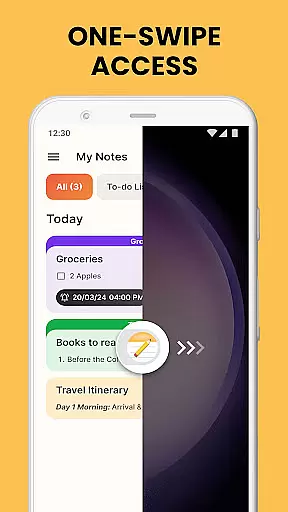
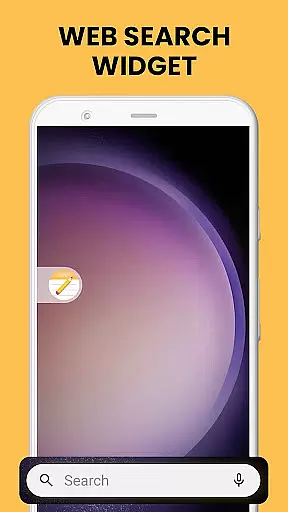
Notes Launcher is a productivity app designed to streamline note-taking and task management. The application allows users to jot down thoughts, create to-do lists, and organize important information with ease. Its intuitive swipe-right feature from the home screen enables instant access to note creation, making it an efficient tool for capturing ideas on the go.
Beyond basic note-taking, Notes Launcher offers advanced features such as text formatting tools, color-coding for categorization, and locking mechanisms for securing sensitive data. Users can personalize their experience with home screen widgets, custom wallpapers, and multi-touchpoint search capabilities. These features collectively enhance both functionality and user engagement, positioning Notes Launcher as a versatile solution for personal and professional organization needs.
Notes Launcher stands out with its comprehensive set of productivity-enhancing features. The app provides robust note-taking capabilities complemented by a rich-text editor that supports font size adjustments, italicizing, underlining, and list creation. This ensures users can format their notes to suit various informational needs and preferences.
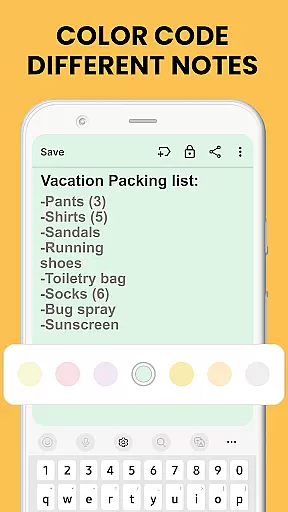
A key differentiator is the ability to color-code notes, allowing for visual prioritization and categorization of tasks. The app also includes security features like note locking, which is crucial for protecting confidential information. Additionally, the sorting and searching functionalities enable efficient information retrieval, while the sharing option facilitates collaboration through multiple communication channels.
These features are seamlessly integrated into a user-friendly interface that emphasizes accessibility and customization. Whether for personal use or team projects, Notes Launcher's innovative tools provide significant value by improving organizational efficiency and information management.
Efficient task management is essential for productivity, and Notes Launcher excels in this area. The app provides a comprehensive suite of tools designed to help users organize their daily tasks effectively.
With features like note-taking, checklists, and text formatting tools, the app allows users to create structured and visually appealing task lists. Users can format their notes with different font sizes, bullet points, and colors, making it easier to prioritize and categorize tasks.
Additionally, the app offers sorting and search functionalities that enhance task retrieval. Users can sort their notes by modification date or creation order and use the intuitive search feature to quickly find specific tasks. This ensures that users can always access the information they need without delay.
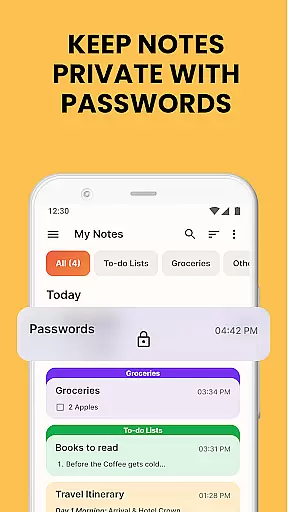
The ability to lock sensitive notes adds an extra layer of security, ensuring that personal or confidential task details remain protected. Overall, Notes Launcher transforms the way users manage their tasks, providing a seamless and secure experience.
In today's interconnected world, reliable cross-device synchronization is crucial for maintaining productivity. Notes Launcher addresses this need by offering robust synchronization capabilities that ensure users can access their notes from multiple devices seamlessly.
The app supports real-time updates, meaning any changes made on one device are instantly reflected on all others. Whether you're switching from your phone to a tablet or sharing notes with colleagues, the synchronization process is smooth and efficient.
Furthermore, Notes Launcher employs advanced cloud technology to safeguard user data during transfers. This not only enhances the reliability of the synchronization but also ensures that notes are backed up and retrievable even if a device is lost or damaged.
By prioritizing synchronization reliability, Notes Launcher empowers users to stay organized and productive across all their devices, providing peace of mind and uninterrupted access to critical information.
User-friendly interface
Advanced text formatting
Secure note locking
Efficient search function
Versatile sharing options
Home screen layout changes
Limited widget customization
No cloud sync feature
Basic wallpaper selection
Occasional performance lags

Experience real multitasking on your Android!
 4.00
4.00
Mega cloud explorer plugin for Solid Explorer
3.80
The upgraded version of Name Wheel with AI and the power to add your own wheels.
4.1
A simple, portable logger for POTA, SOTA, Field Day, and more
4.2
Docker, Kubernetes management over Portainer Mobile
4.40
A simple Whisper AI keyboard for reliable speech transcription and rewording
4.60
Secure your apps with lock screens, use custom themes and different features.
4.40
Share files & memories safely. Keep your photos and videos secure.
4.40
Understand anything with a personalized AI research assistant
4.80
Secure, fast, open-source, VNC and SSH Remote Desktop for Windows, Linux and Mac
4.70
aCalendar+ makes your day, week and month
4.70
Absolutely the best CNC machinist speed and feed calculator around. fswizard.com
4.60
To do list widget with a notebook organizer, checklist, simple shopping list
4.60
Planet Free VPN - The best Fast Unlimited and Secure VPN Without Logs
4.50
PDF scanner & converter for files, photos, lottery, QR codes. One swipe away!
4.50
Subscribe to Webcal & .ics calendars and keep them up-to-date!
4.50
All in one sketching tool. Technical and General drawing. Online Maps support.
3.70
Code on-the-go with VScode for Android. Edit,debug and collaborate from mobile!!
3.10
A comprehensive suite of tools designed specifically for Lactation Consultants
4.0


User Reviews