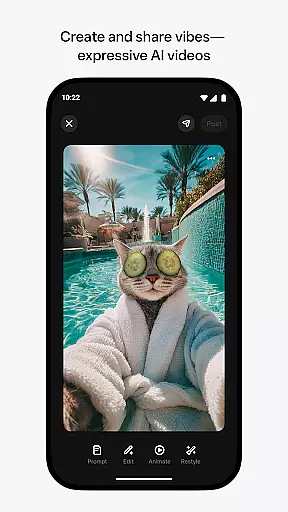
Meta AI is a productivity app that allows users to create and share AI-generated videos with custom animations and music. The app serves as a creative platform where users can describe their ideas and experiment with different styles to produce unique video content. It also provides tailored answers and inspiration through conversational AI, making it a versatile tool for both creative expression and daily assistance.
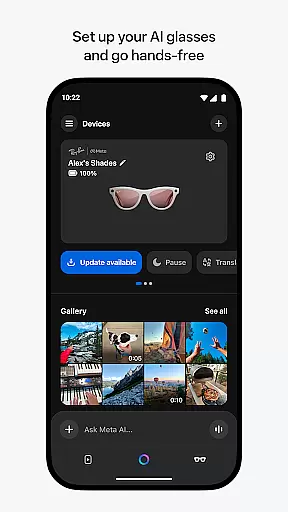
In addition to its creative capabilities, Meta AI pairs seamlessly with AI glasses, enabling hands-free operation and media management. Whether you're looking to generate engaging videos or need quick recommendations on-the-go, Meta AI offers an all-in-one solution for enhancing productivity while fostering creativity.
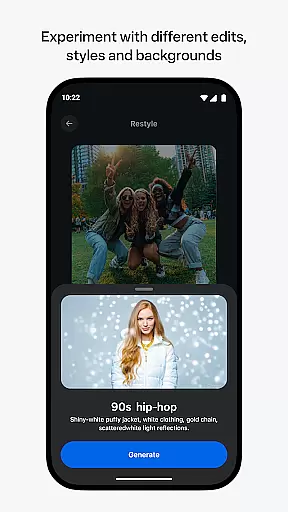
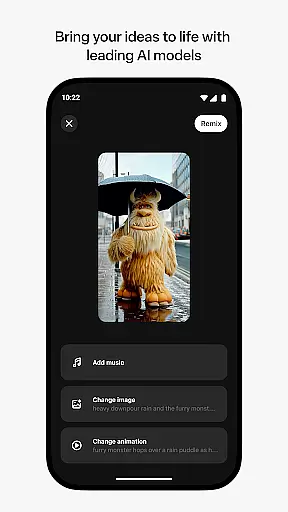
One of the standout features of Meta AI is its ability to generate industry-leading AI videos with custom animations, music, and more. Users can simply describe their vision, and the app will provide various edits and styles to refine their creations. This flexibility makes it easy to craft personalized content that stands out.
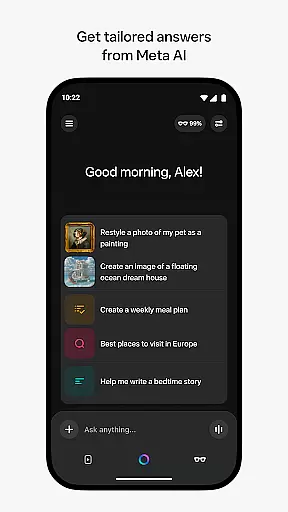
Beyond video creation, Meta AI includes conversational AI capabilities, allowing users to interact via voice or text for tailored assistance throughout the day. The app also acts as a companion for Meta AI glasses, offering functionalities such as importing and sharing media, ensuring a comprehensive user experience across devices.
Meta AI offers a robust platform for creating and managing AI-generated videos, making it an ideal tool for productivity-focused users. The app allows you to describe your vision and generate custom animations and music tailored to your needs.
With intuitive editing tools, users can easily remix and adjust styles to perfect their creations. This functionality streamlines the process of video production, enabling creators to focus on refining their content rather than getting bogged down by complex software.
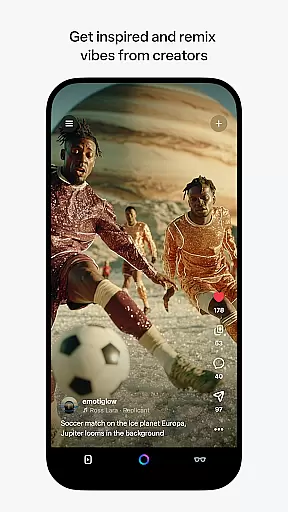
The ability to discover and instantly remix vibes from other AI creators adds a collaborative element to the platform. This feature not only enhances creativity but also significantly boosts productivity by allowing users to build upon existing works efficiently.
Cross-device synchronization is a key feature of Meta AI, ensuring that your projects are seamlessly updated across all your devices. Whether you're using your phone, tablet, or computer, you can manage and edit your AI-generated videos with ease.
The app's companion feature for Meta AI glasses further extends its cross-device capabilities. By pairing your glasses, you can go hands-free and continue working on your projects without interruption, providing unparalleled flexibility in how and where you work.
Reliable synchronization ensures that all your work is up-to-date and accessible no matter which device you choose to use. This seamless integration across devices makes Meta AI a powerful tool for users who require consistent access to their projects on-the-go.
User-friendly interface
Customizable video options
Versatile AI assistance
Seamless device integration
Innovative remix feature
Limited language support
Feature rollout delays
Premium feature costs
Device compatibility issues
Learning curve for new users

Secure, fast, open-source, VNC and SSH Remote Desktop for Windows, Linux and Mac
 4.70
4.70
Total remote control for your Android device, PC and cloud services (IFTTT)!
4.20
Easily read and manage all your PDF files
4.10
All in One PDF Reader: Manage, Read and Edit your Documents
4.20
Code on-the-go with VScode for Android. Edit,debug and collaborate from mobile!!
3.10
A simple Whisper AI keyboard for reliable speech transcription and rewording
4.60
Access your phone's notifications, calls, apps, photos & texts on your PC
3.90
Daily processing of PDF documents.
4.40
QuickEdit is a fast, stable and full featured text and code editor.
4.20
Use powerful, industry-leading AI tools to generate visual charts from any data
4.80
The Pro Version of Android's tiniest Notepad app. Just 0.3MB but feature-packed!
4.60
Subscribe to Webcal & .ics calendars and keep them up-to-date!
4.50
Send files, sync SMS, notifications & clipboard across devices via local network
4.40
CalenGoo is a very flexible and feature-rich calendar app
4.40
Cloud storage, automatic phone backup, and more.
4.10
* block pre-roll ads, pop-up and forced redirect ads * Samsung certification app
4.00
Smart PDF reader & editor to view, organize and manage PDF documents easily.
3.70
Make your handwriting beautiful, even more than pen on paper.
3.60
Simple and reliable communication between inmates, friends and family
3.20


User Reviews