
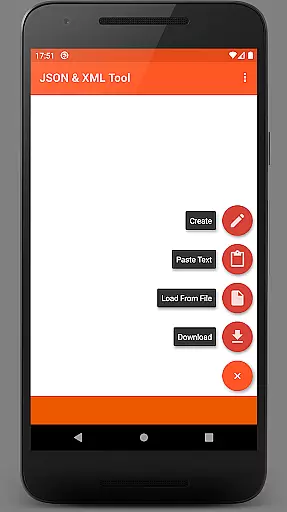
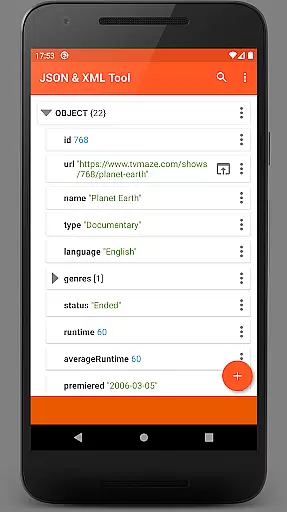
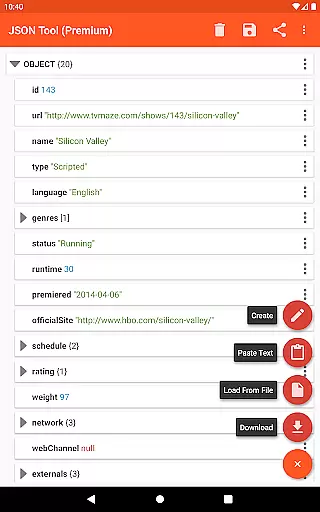
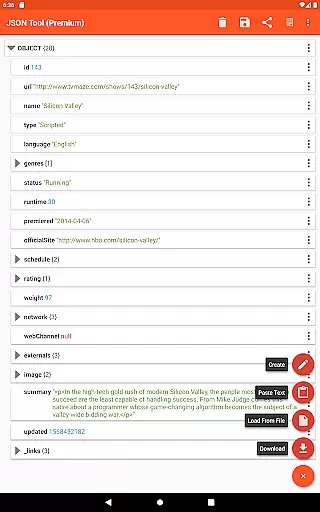
JSON & XML Tool Premium is a powerful productivity app designed for effortless creation, editing, and conversion of JSON and XML files. The app's standout feature is its simple hierarchical view that makes file navigation intuitive and efficient. Whether you're working on game addons or handling data transformation tasks, this tool provides the necessary functionality to streamline your workflow.
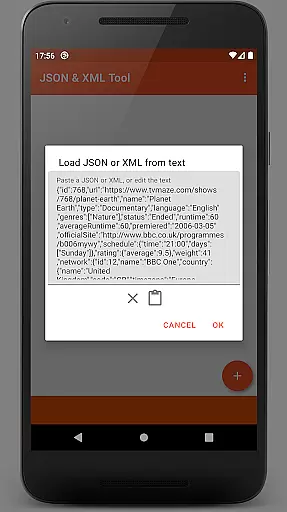
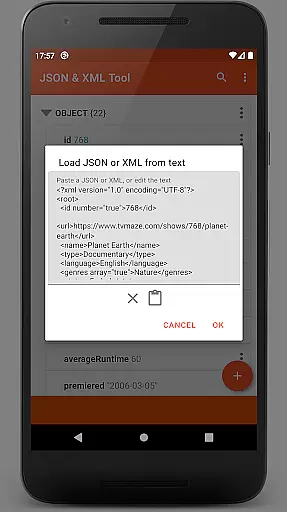
The app supports multiple file loading methods including internal SAF-based file picker, external file pickers, direct URL downloads, and even text pasting. With comprehensive editing capabilities like renaming nodes, modifying values, switching value types, and managing array elements, users can fully customize their JSON/XML structures. Additional features such as dark theme support, PDF export, and JMESPath query integration make this app an indispensable tool for developers and power users.
This versatile application is particularly useful for software developers who need to frequently work with JSON/XML data formats. Its ability to handle complex file operations without requiring excessive permissions ensures both security and convenience. The app's thoughtful design and robust feature set help professionals save time while maintaining high-quality standards in their projects.
JSON & XML Tool Premium offers an impressive range of features that cater to various productivity needs. The app's core functionality revolves around its powerful file viewing and editing capabilities. Users can load files through multiple methods including SAF-based internal picker, external file picker, URL download, or text pasting. This flexibility ensures seamless access to required files regardless of their source.
The editing features are particularly robust, allowing users to rename node elements, modify values, switch between different value types (Boolean, Number, String), and manage array elements with precision. The app supports element duplication, removal, and reordering within arrays, providing complete control over file structure. Advanced features like JMESPath query support enable sophisticated data extraction and transformation, making it invaluable for complex projects.
Additional productivity-enhancing features include dark theme support for comfortable long-term use, multiple sharing options through ACTION_SEND, and various output formats including formatted text and PDF export. The app's ability to register as a JSON/XML file handler upon installation streamlines workflow integration. These comprehensive features make JSON & XML Tool Premium an essential utility for anyone working with structured data formats.
At the heart of the JSON & XML Tool Premium app lies its robust core task management system, which is essential for anyone looking to efficiently handle JSON and XML files. This productivity tool stands out by offering a simple hierarchical view that makes navigating through complex data structures intuitive and straightforward.
The app allows users to perform a multitude of tasks ranging from viewing and creating to editing JSON and XML files with ease. Whether it's renaming node elements, modifying values, or switching between different value types like Boolean, Number, and String, the app provides an accessible interface for these operations.
Users benefit from the ability to add, duplicate, and remove node elements as well as move them within arrays, which streamlines the process of managing data files. The functionality to save work as a new file or overwrite an existing one ensures that users have flexible options for maintaining their workflow without any disruptions.
Cross-device synchronization is a pivotal feature for users who operate in multi-device environments. The JSON & XML Tool Premium app addresses this need by integrating with the SAF (Storage Access Framework), ensuring that your JSON and XML files are reliably synced across all your devices.
While the app does not require explicit storage permissions thanks to the SAF integration, it intelligently requests access when necessaryu2014such as when using external file pickersu2014ensuring uninterrupted service and safeguarding user data against unauthorized access.
With capabilities such as downloading files from the web via URL, pasting text for parsing, receiving texts from other apps, and even registering itself as a handler for JSON/XML files upon installation, the app offers comprehensive support for various workflows.
Moreover, additional features like dark theme support, sharing options to external applications, previewing as text, formatted outputs, PDF exporting, and JMESPath query language for extraction and transformation solidify its position as a reliable cross-device productivity tool.
User-friendly interface
Comprehensive editing tools
Multiple file loading options
Advanced data transformation
Secure permission handling
Premium version only
Steeper learning curve
Limited free support
No cloud integration
Occasional storage permission requests

Experience real multitasking on your Android!
 4.00
4.00
Create study competitions, track your hours, and stay consistent with friends
4.4
Mega cloud explorer plugin for Solid Explorer
3.80
Android Wallet Password Manager
4.80
The upgraded version of Name Wheel with AI and the power to add your own wheels.
4.3
Easiest event planning, volunteer signups & parent teacher conference scheduling
2.20
All in One PDF Reader: Manage, Read and Edit your Documents
4.20
Find and delete junk files & block unwanted notifications & manage files
3.70
* block pre-roll ads, pop-up and forced redirect ads * Samsung certification app
4.00
Use powerful, industry-leading AI tools to generate visual charts from any data
4.80
Simple notepad & memo. Take notes, to-do list, shopping list with reminders.
4.80
Quickly and easily keep track of your work shifts
4.70
Fill, sign & send docs, forms, agreements & contracts via electronic signature.
4.50 4.20
4.20
Total remote control for your Android device, PC and cloud services (IFTTT)!
4.20
Pwnagotchi companion app
4.20
Font maker keyboard with your own handwriting
4.10
Cloud storage, automatic phone backup, and more.
4.10
Intelligent AI Assistant
4.10


User Reviews