
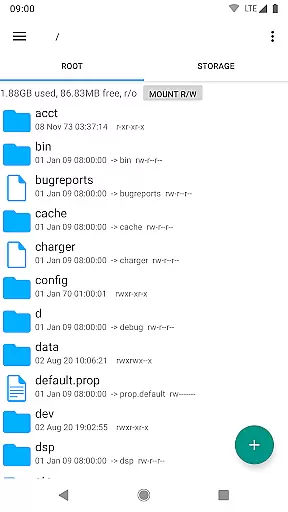
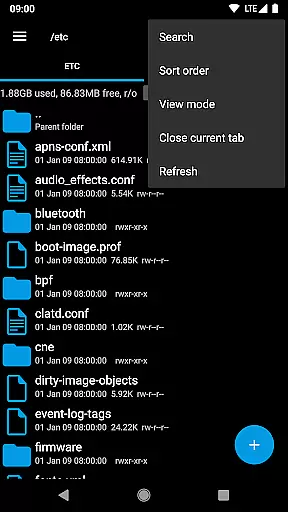
Root Explorer stands as the premier file manager tailored for root users, granting unrestricted access to Android's entire file system, including the often inaccessible data folder. This powerful tool empowers users with advanced capabilities such as multi-tab navigation, cloud storage integration, and comprehensive file manipulation options.
The app is designed for tech-savvy individuals who require granular control over their device's file structure. Whether you're a developer debugging applications or an advanced user managing system files, Root Explorer provides the necessary tools to efficiently handle complex file operations while maintaining system integrity.
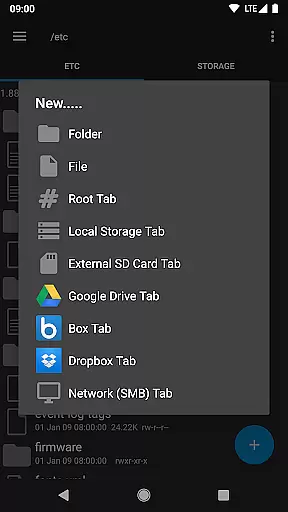
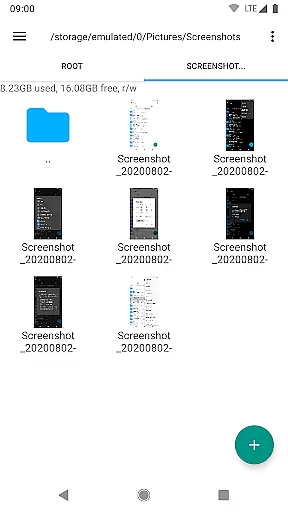
Root Explorer distinguishes itself through its extensive feature set that caters to power users' needs. The application supports multiple tabs for efficient file browsing and offers seamless integration with popular cloud services like Google Drive, Dropbox, and Box. Its network support extends to SMB protocol, enabling effortless file sharing across devices.
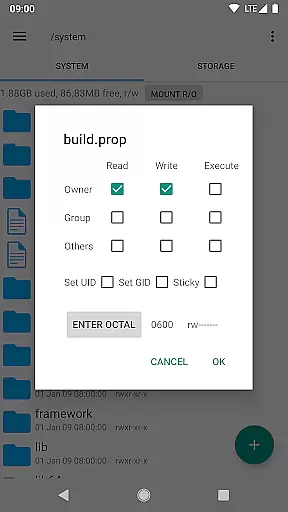
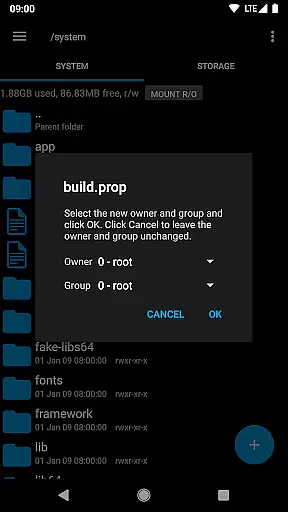
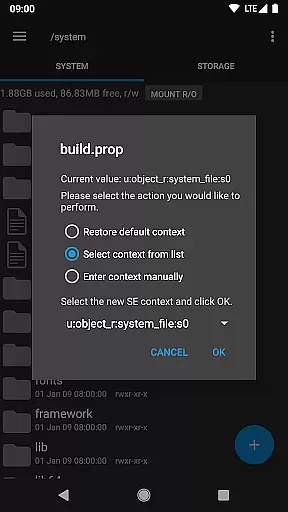
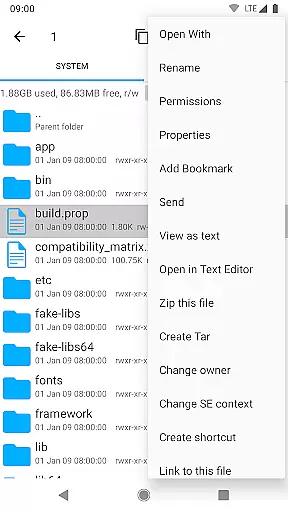
Advanced functionalities include a built-in SQLite database viewer, text editor, and support for various archive formats (ZIP, TAR, GZIP, RAR). Users can execute scripts, modify file permissions, create symbolic links, and even view APK binary XML files. These features collectively provide a comprehensive toolkit for managing both local and remote file systems.
The app also incorporates practical utilities such as MD5 checksum generation, file shortcut creation, and an intuitive "Open With" facility. These thoughtful additions enhance productivity by streamlining common file management tasks while maintaining system security and stability.
Root Explorer offers a comprehensive suite of tools for managing tasks across your Android device's file system, making it an essential utility for power users. With its robust functionality, the app allows you to seamlessly handle various file operations such as creating, deleting, copying, and pasting files and folders.
The app stands out with its ability to access the entire Android file system, including the elusive data folder, which is often restricted. This feature empowers users to take full control of their device, enabling them to alter system files and settings that are otherwise inaccessible.
Moreover, Root Explorer supports multiple tabs, cloud storage services like Google Drive, Box, and Dropbox, and network (SMB) support, streamlining complex file management tasks. The inclusion of SQLite database viewer, Text Editor, and APK binary XML viewer further enhances its capability, allowing users to perform advanced modifications and inspections.
Cross-device synchronization is a critical aspect of productivity apps, ensuring that your work is accessible wherever you are. Root Explorer excels in this area by providing reliable synchronization options with popular cloud services such as Google Drive, Box, and Dropbox.
This means that whether you're at home, in the office, or on the go, your files are always up-to-date across all your devices. The synchronization process is smooth and efficient, maintaining the integrity of your data without any loss or corruption.
In addition to cloud synchronization, Root Explorer also supports sending files via email, Bluetooth, and other methods, offering versatile ways to share and backup your important data. This ensures that your files are not only synchronized but also securely backed up and easily accessible from any location.
Comprehensive file system access
Multi-tab interface for efficiency
Extensive cloud storage integration
Advanced file manipulation tools
Reliable customer support service
Complex for novice users
Requires root access
Premium price point
Occasional stability issues
Limited appeal for casual users

Client for Nextcloud Deck
 4.60
4.60
The Pro Version of Android's tiniest Notepad app. Just 0.3MB but feature-packed!
4.60
Device's storage information in a simple and clear graphical form (infographics)
4.10
Customizable calendar widget for seamless event sync, planning & scheduling.
4.00
CalenGoo is a very flexible and feature-rich calendar app
4.40
Great calculator for Android named one of USA TODAY's "25 Essential Apps".
4.90
A Pixel Art watchface inspired by other iconic 90s designs for Wear OS devices!
4.40
Ultimate Virtual AI Character for immersive Roleplay Chat. Perfect Companion
3.90
Scan paperwork into PDF/JPG, generate your own e-signature and send fax or email
4.70
We're working to become the best machining app on the market! www.cncdirt.com
4.80
All document reader, all in one file viewer read PDF, DOCX, XLS, PPT, TXT files.
4.60
PDF scanner & converter for files, photos, lottery, QR codes. One swipe away!
4.50
Automates browsing any website and notifies you of important changes or events
4.30
Enjoy classic gameplay with customizable features and retro-style graphics.
4.30
All in one sketching tool. Technical and General drawing. Online Maps support.
3.70
Experience and share your SolidWorks designs on your Android® phone and tablet.
2.50
Create study competitions, track your hours, and stay consistent with friends
4.3
The upgraded version of Name Wheel with AI and the power to add your own wheels.
4.5
A comprehensive suite of tools designed specifically for Lactation Consultants
4.3


User Reviews