
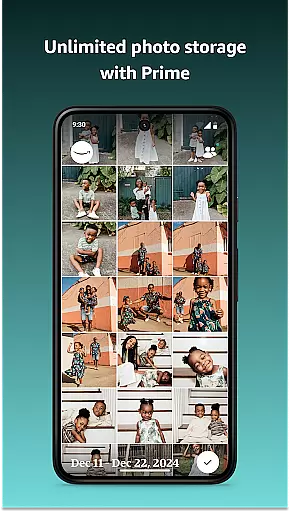
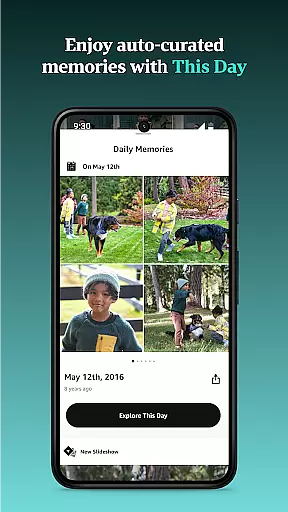

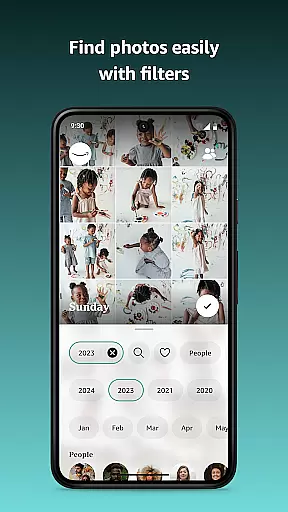

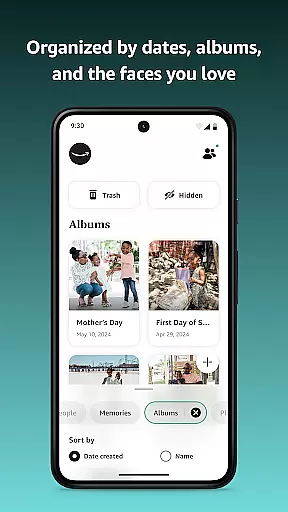
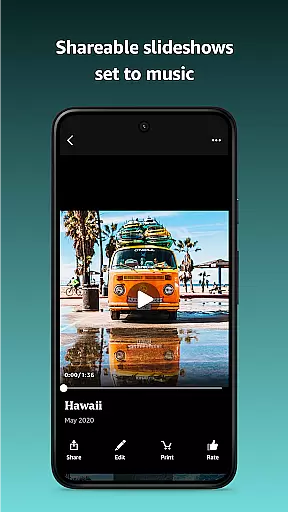


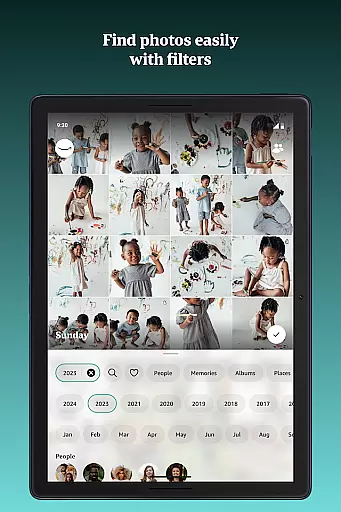








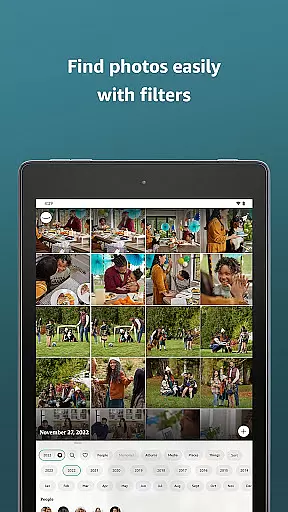




Amazon Photos is a cloud-based photography app that offers secure storage and sharing of full-resolution photos and videos. The app provides Prime members with unlimited photo storage and 5 GB of dedicated video storage, while non-Prime members receive 5 GB of free combined storage. Users can automatically back up their media through Auto-Save, search for images by date or location, and relive memories through curated slideshows.
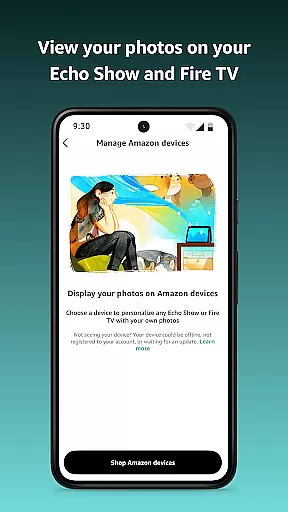
The app integrates seamlessly with Amazon devices like Echo Show and Fire TV, allowing users to display their photos as screensavers or in customized slideshows. With Alexa voice commands, users can easily retrieve specific photos. Additionally, Amazon Photos supports private group sharing, enabling collaboration on albums with friends and family. For those seeking more storage, flexible subscription plans are available starting at $1.99.
Amazon Photos stands out with its comprehensive feature set tailored for both casual and power users. One of its key features is the ability to store photos and videos in full resolution, ensuring no quality is lost during the backup process. This is particularly beneficial for photographers who want to preserve their work in its original state. The Auto-Save functionality ensures every photo taken is automatically uploaded to the cloud, providing peace of mind that no memory will be lost.
For Prime members, the app offers additional perks such as unlimited photo storage and refined search filtering, which allows users to locate specific images quickly. The integration with Alexa enhances accessibility, letting users retrieve photos using simple voice commands like 'Show me photos from Sicily.' Furthermore, the Private Group feature enables users to share albums securely with friends and family, making it ideal for collaborative projects like vacation albums or event planning.
Amazon Photos also doubles as a marketplace for printing and creating custom gifts. U.S.-based users can order prints, wall art, and other photo merchandise directly from the app, turning digital memories into tangible keepsakes. The app's cross-device compatibility ensures users can access their photos on various Amazon devices, including Fire TV and Echo Show, offering a seamless experience across the ecosystem.
Real-time capture and preview functionality is essential for ensuring that every photo taken meets the user's expectations. Amazon Photos excels in this area by providing instant feedback on images as they are captured, allowing users to make necessary adjustments before finalizing their shots.
The app ensures that photos are displayed in full resolution immediately after being taken, giving users a clear view of their work. This feature is particularly beneficial when shooting in challenging lighting conditions or capturing fast-moving subjects, where immediate review can make a significant difference.
For Amazon Prime members, the benefits extend further with unlimited photo storage, enabling them to capture countless moments without worrying about storage limits. The ability to instantly view and manage these photos across multiple devices enhances the overall photography experience.
Additionally, the integration with Alexa allows users to control their photo-taking experience hands-free. By simply using voice commands, users can ask Alexa to show specific photos or categories, streamlining the process of finding and reviewing images.
AI-powered beauty and enhancement features have become increasingly popular in photography apps, offering users the ability to refine and enhance their photos effortlessly. Amazon Photos incorporates advanced AI algorithms that ensure enhancements look natural and preserve the authenticity of the original image.
The AI technology within Amazon Photos intelligently identifies facial features and applies subtle enhancements that highlight natural beauty without appearing over-processed. This approach maintains the integrity of the photograph while still delivering polished results.
Users can take advantage of these AI-driven enhancements to improve skin tone consistency, brighten eyes, and whiten teeth, all while retaining a realistic appearance. These tools are especially useful for preparing images for printing or sharing on social media platforms.
Furthermore, the app's seamless integration with other Amazon services, such as ordering prints directly through the app, allows users to transform their enhanced digital photos into physical keepsakes. This end-to-end solution provides a comprehensive photography experience that caters to both casual and professional photographers alike.
User-friendly interface
Unlimited photo storage for Prime
Auto-save functionality
Alexa voice command integration
Private group sharing
Limited free storage for non-Prime
Prints only available in the U.S.
Subscription costs for extra storage
No advanced editing tools
Heavy reliance on Amazon ecosystem

A collection of tools and reference tables for DPs, ACs, DITs and Operators.
 4.70
4.70
Gallery show photo, video, slideshow, is perfect 3D effect private photo albums.
4.80
Photo Album Watch Face shows your favorite pictures as a Watchface.
1.90
All-in-One Editor & AI Photo Enhancer, Beautify & Retouch, Collage, Cartoonify
4.20
Shooting photos and records video easily and efficient with professional Camera
4.30
Safe & smart flight with Go Fly drone controller for 40+ drone camera, zone map
4.50
A must-have app for landscape photographers
4.60
Transform Photos: Edit, Beautify and Craft Memories & Make Collages!
4.10
A unique animation app. Powerful, easy to use, and lots of fun.
4.30
Photo prints, cards, & gifts at Walgreens. Easy ordering & fast local pickup !
4.80
Light-weight Media Gallery app for Android made with Jetpack Compose
4.60
Enhance, retouch & create your story - Share the moment with Photoshop Express.
4.60
Future baby face generator: AI kids generator, kid face! What my baby look like?
4.40
AI portrait generator and polaroid AI selfie, fun AI generated AI photo creator!
4.30
[3DSteroid Pro] is a stereoscopic application for Android.
4.30
Luminar: Photo Editor - easy picture editing with AI
4.20
Turn photos into cartoons & avatars! - Photo Editor, Cartoon Face!
3.90
Perfect photos with body shaping, BG changer and object remover.
3.70
Long exposure camera with computational photography
2.60


User Reviews