
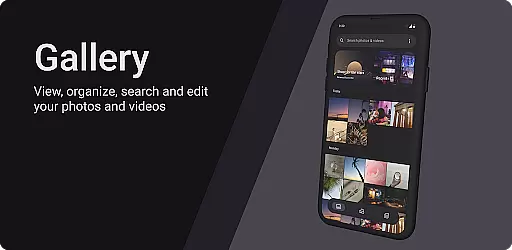
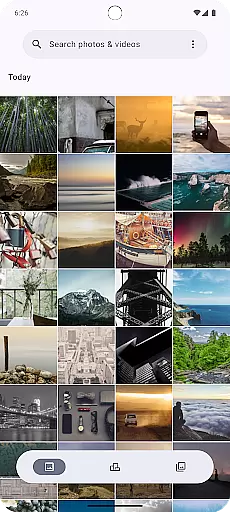
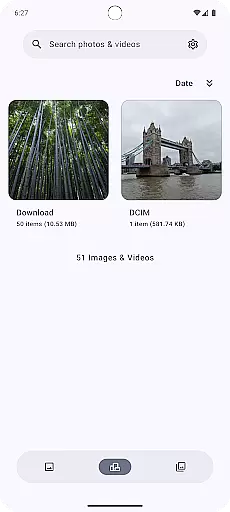

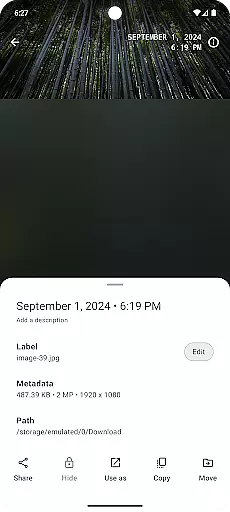
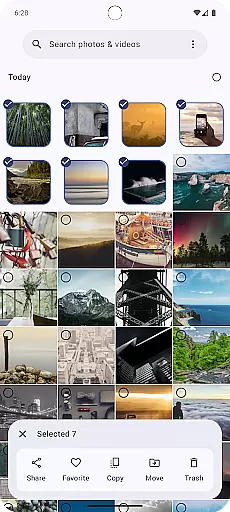
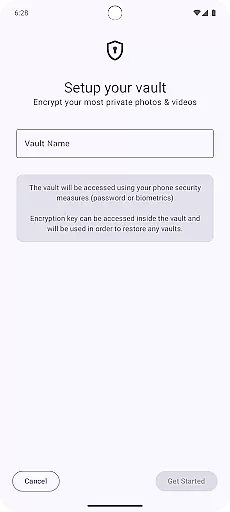
Gallery is a modern photography application designed specifically for Android devices, offering users an intuitive way to manage and view their photo collections. Built with Jetpack Compose, this app provides a sleek and responsive user interface that enhances the overall experience of browsing through personal images. The core functionality revolves around effortless navigation, quick access to albums, and seamless image viewing.
In addition to its primary features, Gallery includes options for customization, allowing users to tailor the app's appearance and behavior to suit their preferences. Whether you're looking to organize your photos by date, location, or event, Gallery ensures that your memories are always within reach. Its lightweight design makes it suitable for both casual users and photography enthusiasts who need efficient tools without compromising on performance.
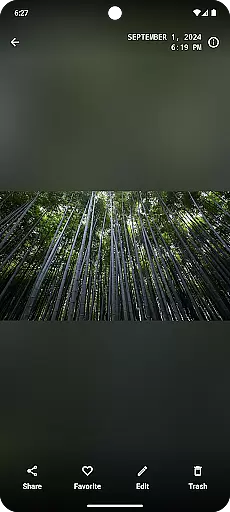
One of the standout features of Gallery is its use of Jetpack Compose, which allows for a highly customizable and dynamic user interface. This technology enables smooth animations and transitions between screens, making photo browsing not only functional but also visually appealing. Users can easily swipe through images, zoom in for detailed views, and even apply basic editing tools directly within the app.
Another key aspect of Gallery is its smart organization capabilities. By leveraging metadata such as timestamps and geolocation, the app automatically sorts photos into meaningful categories. Additionally, advanced search functionalities allow users to quickly locate specific images based on keywords or tags. With support for cloud integration, Gallery ensures that your precious moments are safely backed up and accessible across multiple devices.
Real-time capture and preview functionality is essential for any photography app as it allows users to frame their shots accurately. Gallery, built with Jetpack Compose, ensures that what you see on the screen is exactly what you get in your final image. This feature eliminates guesswork by providing an instantaneous view of the scene being captured.
The app optimizes the camera feed to display true-to-life colors and details, ensuring that every photo taken meets high-quality standards. With minimal lag between the action and its display on screen, users can capture fleeting moments without delay. This responsiveness enhances the overall photography experience, making it more intuitive and satisfying.
Furthermore, real-time filters and adjustments enable photographers to visualize changes before taking the shot. Whether adjusting brightness or applying artistic effects, these tools empower users to express their creativity freely. Such features not only improve usability but also expand creative possibilities within mobile photography.
AI beauty and enhancement features have become a staple in modern photography apps, offering users the ability to refine their images effortlessly. Gallery leverages advanced AI algorithms to provide natural-looking enhancements that preserve the authenticity of each photo. Unlike heavy-handed filters, this app focuses on subtle improvements that enhance rather than overpower the original image.
From skin smoothing to blemish removal, the AI-driven tools are designed to maintain realistic textures and tones. Users can adjust the intensity of enhancements, ensuring complete control over the final outcome. This approach respects individuality while still delivering polished results suitable for various occasions.
Moreover, Gallery's AI capabilities extend beyond basic retouching. It includes intelligent cropping suggestions, lighting corrections, and even background enhancements. These features collectively contribute to creating stunning yet believable photographs. By prioritizing naturalness, Gallery sets itself apart from other photography apps that may sacrifice realism for exaggerated effects.
User-friendly interface
Fast and responsive performance
Customizable UI elements
Smart photo organization
Cloud backup support
Limited editing tools
No built-in sharing options
Occasional bugs reported
Basic feature set
Requires internet for sync

All-in-One Editor & AI Photo Enhancer, Beautify & Retouch, Collage, Cartoonify
 4.20
4.20
Perfect photos with body shaping, BG changer and object remover.
3.70
Photo editor: AI filters, photo enhancer, pic collage maker, AI art generator.
4.80
See your baby AI baby face generator AI baby maker Face generator babymaker fun!
4.70
Luminar: Photo Editor - easy picture editing with AI
4.20
Smart, light, and fast photo and video gallery
4.30
Easily view, share, delete photos with Gallery.
4.70
Use AI Video Generator to turn your words to ai generated videos.
4.50
live datamoshing
4.00
Enhance, upscale, and transform your images — on your device, without limits
4.70
Enhance, retouch & create your story - Share the moment with Photoshop Express.
4.60
Add Watermark - Sign your pictures with a text or logo. Effective, quick, easy!
4.50
Create Business Headshots, Polaroid Filter, Retake Photos,Profile Pics,AI Photos
4.50
Edit like a pro with Hypic. Apply filters, AI effects, & magic touch.
4.40
Future baby face generator: AI kids generator, kid face! What my baby look like?
4.40
AI portrait generator and polaroid AI selfie, fun AI generated AI photo creator!
4.30
Professional photography on your mobile phone
4.20
Hair color changer, AI haircut app, fun hair editor and buzz cut filter for all!
3.80
HD Photo gallery and photo manager to edit, hide private photos, videos & albums
4.1


User Reviews